Page 39 of 78
6 THE MENTOR WEB UI
Mentor is MXNet’s proprietary HTML5-based setup and control web interface that contains a variety of
easy to use, yet powerful tools and settings to help streamline the installation process. It comes pre-
installed on every AC-MXNET-CBOX and is purposefully designed for easy navigation and monitoring of
the entire system.
Once all of the devices are connected and powered on, the Mentor homepage can be accessed using the
following steps below.
6.1 Accessing Mentor
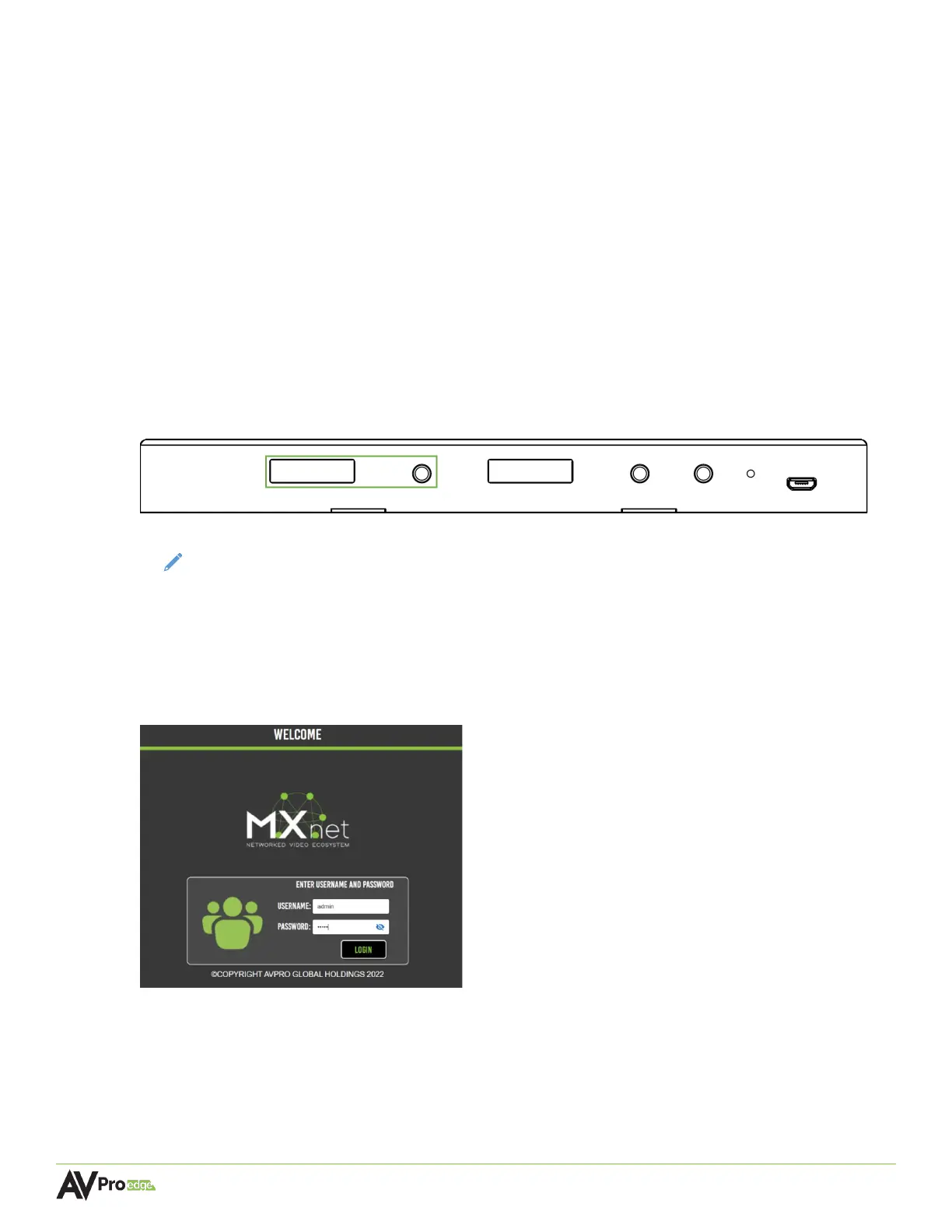
1. Locate the IP address on the CBOX by pressing the STATUS MONITOR A button to cycle
through all the different network settings, including the IP address.
AC-MXNET-CBOX
NOTE:
The CBOX comes in DHCP IP mode by factory default. It is recommended to change the
IP mode to static by using the Mentor web UI and only after all the devices are already
connected to the network.
2. Open a new tab in any web browser and enter in the IP address of the CBOX. This will open the
Mentor web interface welcome page.
3. Enter in the default username and password below to log in.
Username: admin (all lowercase)
Password: admin (all lowercase)
Both fields are case sensitive and can be changed at any time once Mentor is accessed.



 To Next Page