Page 56 of 78
6.10.4 Creating a Mosaic Video Wall
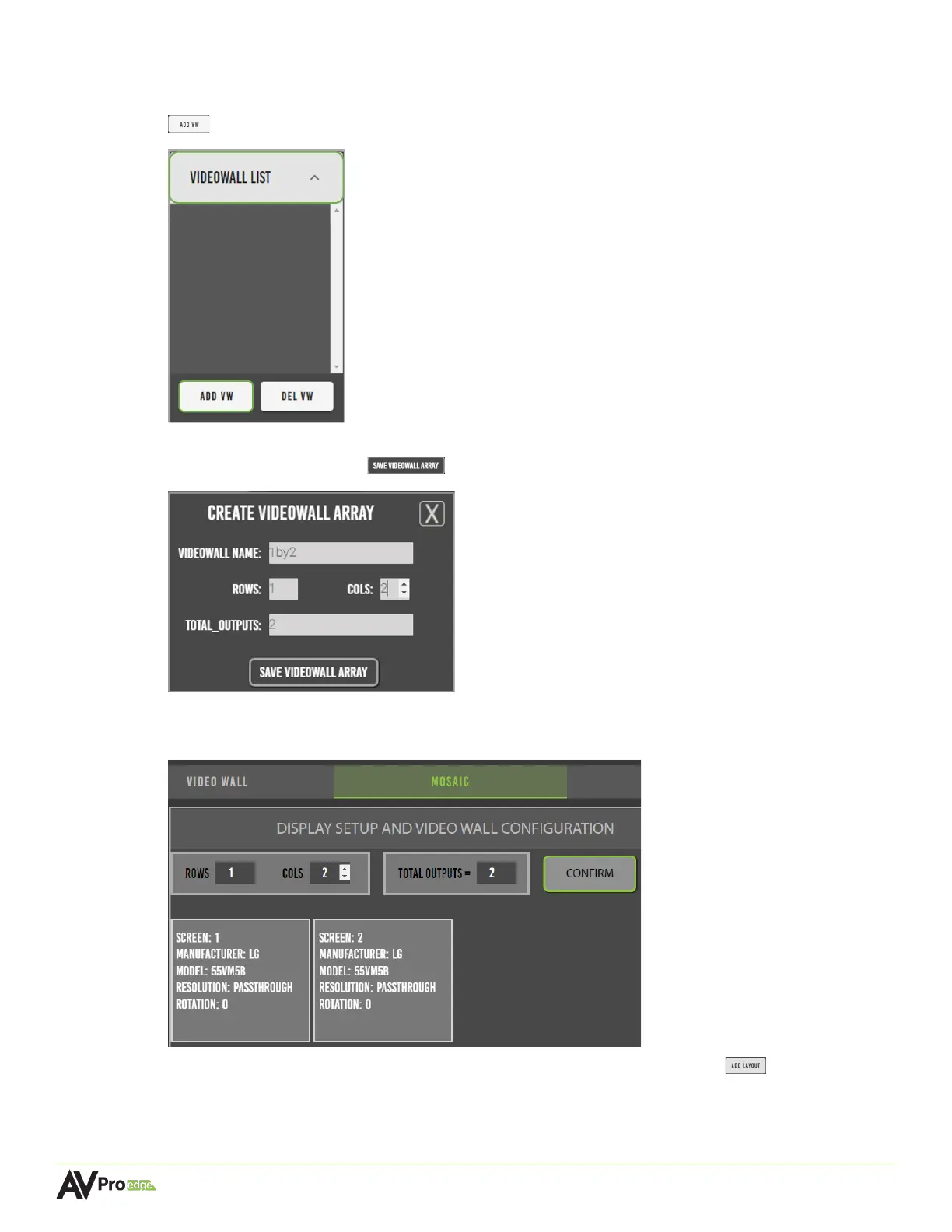
1 In the Mosaic tab, select the videowall list dropdown menu and select the add vw button
.
2 Enter in the video wall name, the number of rows and columns, and select the save
video wall array button .
3 Mentor will then generate the “panels” of the video wall layout, with the previously saved
array now appearing under the VideoWall List.
4 Select the layouts dropdown menu and select the add layout button .



 To Next Page