Page 57 of 78
TIP:
One physical video wall can have multiple video wall
layouts. Every different input source will have a new
layout.
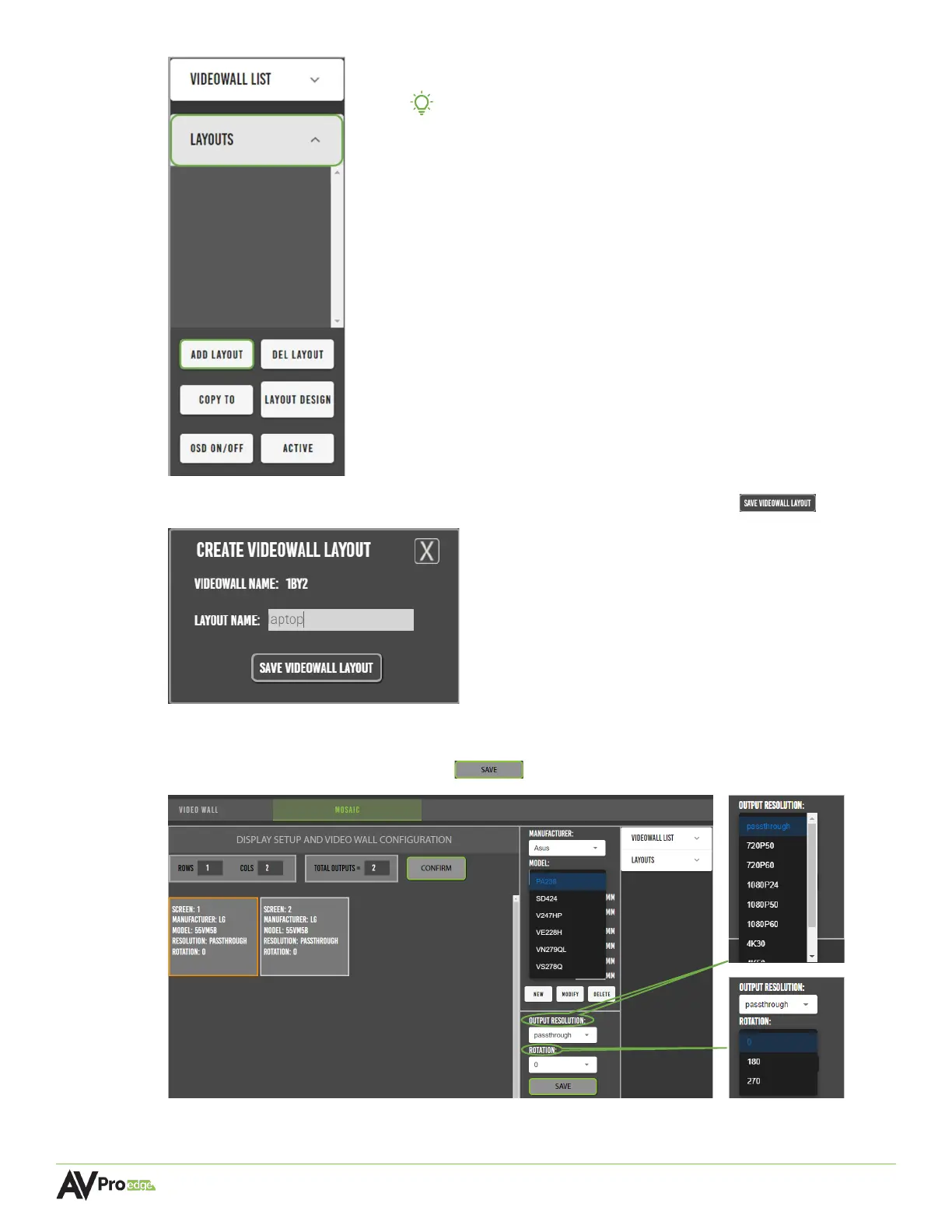
5 Enter in the layout name and select the save videowall layout button .
6 Select the first panel, an orange border will highlight the selected panel. Select the display’s
manufacturer, model, output resolution, and rotation from their respective dropdown
menus, then select the save button . Repeat this step for the other panel.



 To Next Page