Page 58 of 78
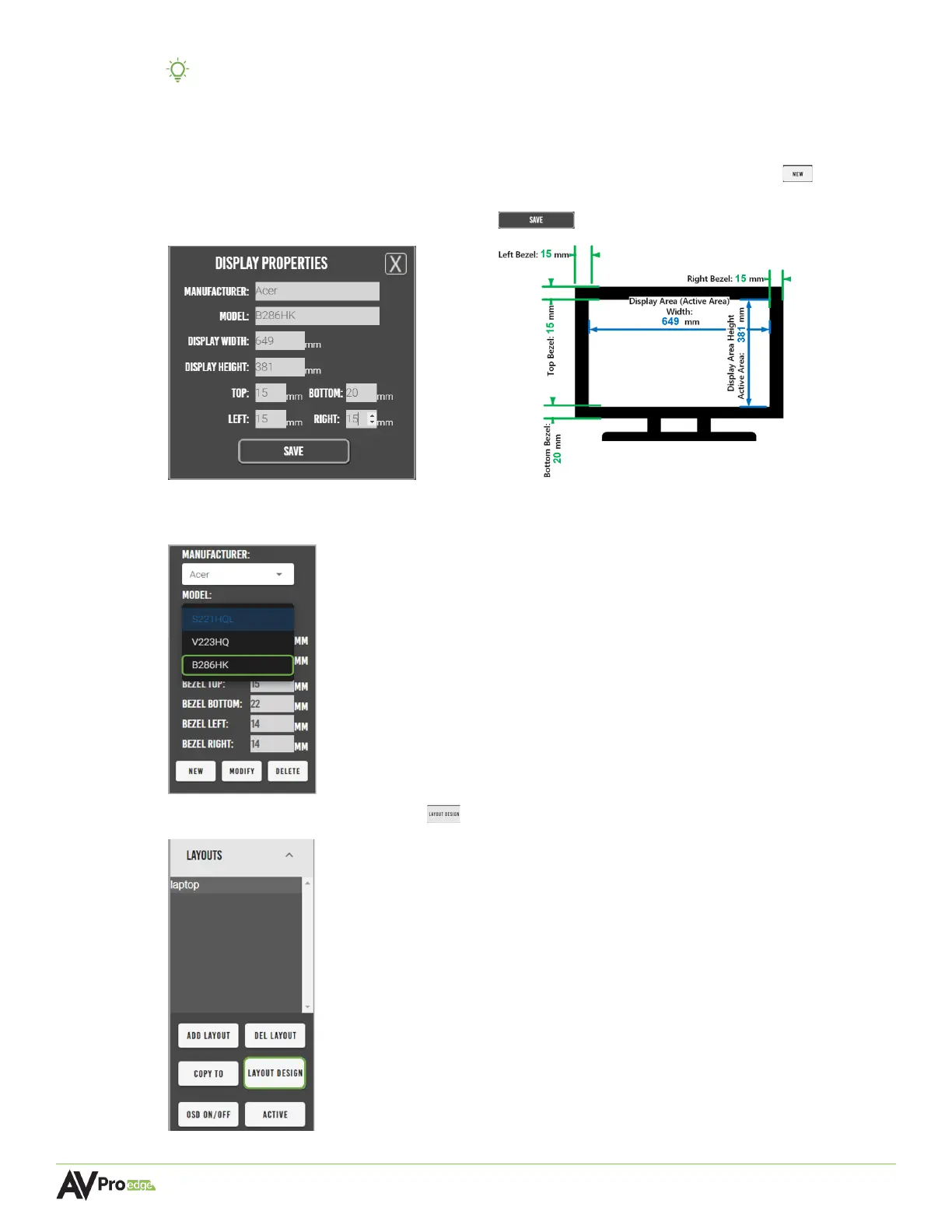
TIP: Mentor provides an internal catalog of the most commonly used displays. Selecting
the manufacturer and model from these dropdown lists will auto-populate the
display’s dimensions into the appropriate fields.
7 If the display is not listed under the dropdown menus, select the new button to open
the Display Properties window. Enter in the display’s manufacturer, model, and
dimensions, then select the save button .
The newly added display and saved dimensions will now be added to both the
Manufacturer and Model dropdown menu lists and can now be selected for the display(s).
8 Select the layout design button , this will open a separate window.



 To Next Page