© AXION TECHNOLOGIES LTD. INSTALLATION
0001
TEST MODE
The test mode allows the signs to display messages in sequence to ensure they properly
operate. The message sequence is as follows:
● Lit and unlit squares display alternately.
● Lit and unlit lines display alternately (one lit line every four lines).
● Axion logo.
● Sign dimensions in terms of number of lines and columns.
2.4.2. STEP 2: CONTROL CONSOLE CONFIGURATION
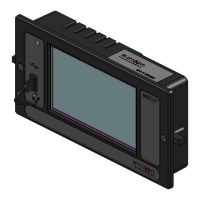
The configuration of the Control Console must correspond to that of the installed EDSS. Turn
on the Control Console and verify that the LCD configuration corresponds to that of the
system installed on the vehicle. Refer to Section 4.1.1.2 to find the configuration code
interpretation. Entering Menu 09 of the Control Console (Section 4.1.1.9) also displays the
configuration. If configurations do not match, you must reconfigure the network to make it
functional (Section 4.1.1.9, Menu 1).
2.4.3. STEP 3: DISTRESS (EMERGENCY) SWITCH TEST (IF INSTALLED)
Check correct functioning of the Emergency Switch (If installed). Turn on Emergency Switch
and check that signs display the distress signal. Enter "00" on the Control Console keypad to
deactivate the emergency mode.
2.4.4. STEP 4: YIELD SWITCH TEST (IF INSTALLED)
Check correct functioning of the Yield Switch (If installed). Turn on momentarily Yield Switch
and check that Rear sign displays the YIELD message for at least 12 seconds.
2.4.5. STEP 5: OFF DELAY FUNCTIONALITY TEST
Check correct functioning of the OFF delay. The factory programmed value is one minute.
Follow the following steps:
● Turn off the Master Run Switch of the bus.
● Wait for one minute to confirm that the EDSS turns off.
2.4.6. STEP 6: PHOTOSENSOR LIGHT INTENSITY CONTROL
Enter Menu 15 of the Control Console (Section 4.1.1.9). Every sign displays a number
corresponding to its current intensity level. Check correct functioning of the light intensity
control by blocking or allowing light to the sensor. The Destination Sign decreases/increases
light intensity accordingly. Otherwise, refer to Section 5.1.3 to find the cause.
User Manual (Revision A) Document No.: 3042145 Page 20


 To Next Page
 Loading...