
EasyManua.ls Logo

Axion 40 Series - User Manual

Axion 40 Series
87 pages
Print Icon
To Next Page IconTo Next Page
Loading...
0
ELECTRONIC DESTINATION SIGN
SYSTEMS - SERIES 40
USER MANUAL
Axion Ref. No.3042145
( Revision A )
Passenger Information System for Mass Transit Applications
Système d'information aux passagers pour le transport en commun

Table of Contents

Questions and Answers

Axion 40 Series Specifications

General IconGeneral
BrandAxion
Model40 Series
CategoryControl Unit
LanguageEnglish

Summary

SECTION 1

1. INTRODUCTION

General overview of the EDSS and its purpose in passenger information systems.

1.1. GENERAL

Overview of AXION Technologies' Electronic Destination Sign Systems (EDSS).

1.2. FEATURES

Presentation of the features specific to each component of the EDSS.

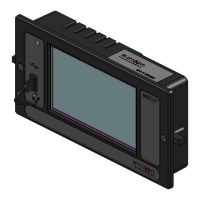
1.2.1. CONTROL CONSOLE; OSCP

Details the control unit interface, its functions and error indication.

1.2.2. DESTINATION SIGN

Explains the design concept and display capabilities of destination signs.

1.2.2.1. The 8.5-inch Character Sign

Describes the largest and most visible EDSS sign model and its applications.

1.2.2.2. The 8-inch Character Sign

Details the features and functionality of the 8-inch character sign.

1.2.2.3. The 6-inch Character Sign

Describes the 6-inch sign, its primary uses, and display capabilities.

1.2.2.4. The 4.5-inch Character Sign

Explains the typical usage scenarios and features of the 4.5-inch sign.

1.2.2.5. The 3.2-inch Character Sign

Details the smallest sign model's features and its common applications.

1.3. DATABASE TRANSFER

Explains the process of programming and transferring the message database.

1.3.1. DATA TRANSIT SOFTWARE

Describes the software interface used for managing the sign system database.

1.3.2. TRANSFER UNIT (TU)

Lists the available methods for transferring the database to the EDSS.

1.4. DISTRESS SIGNAL

Explains the distress signal feature, its purpose, and activation.

1.5. YIELD SIGNAL

Describes the yield signal feature and its activation for traffic.

SECTION 2

2. INSTALLATION

Overview and guidelines for installing the EDSS components.

2.1. MECHANICAL INSTALLATION

Instructions for the physical installation of system components.

2.1.1. CONTROL CONSOLE; OSCP INSTALLATION

Detailed steps for installing the control console or OSCP unit.

2.1.2. INTERIOR SIGNS INSTALLATION

Recommendations for installing signs inside the vehicle.

2.1.3. OUTSIDE REAR SIGN INSTALLATION

Instructions for mounting the outside rear sign on the vehicle.

2.1.4. DISTRESS SIGNAL SWITCH INSTALLATION

Guidelines for installing the switch to activate the distress signal.

2.1.5. YIELD SWITCH INSTALLATION

Guidelines for installing the switch to activate the yield signal.

2.2. ELECTRICAL INTERCONNECTION

Procedure for interconnecting all components of the EDSS.

2.2.1. MAIN POWER CABLE

Details the composition and wiring of the main power cable.

2.2.1.1. BATT+ Wire

Explains the connection and specifications for the BATT+ wire.

2.2.1.2. GND Wire

Describes the connection and specifications for the GND wire.

2.2.1.3. IGN Wire

Details the connection and specifications for the IGN wire.

2.2.1.4. ACC Wire

Explains the optional ACC wire connection and specifications.

2.2.2. CONTROL CONSOLE POWER CABLE

Describes the connection of the control console power cable.

2.2.3. OSCP POWER CABLE

Describes the connection of the OSCP power cable.

2.2.4. OSCP COMMUNICATION CABLE

Details the connection of the OSCP communication cable.

2.2.5. THE 802.11 b;g Wi-Fi MODULE ANTENNA CABLE FOR CONTROL CONSOLE

Explains how to connect the Wi-Fi antenna cable for the control console.

2.2.6. THE 802.11 b;g;n Wi-Fi MODULE ANTENNA CABLE FOR OSCP

Instructions for connecting the Wi-Fi antenna cable for the OSCP.

2.2.7. CURB SIDE SIGN POWER CABLE

Describes the connection of the power cable for the curb side sign.

2.2.8. ROUTE SIDE SIGN POWER CABLE

Details the connection of the power cable for the route side sign.

2.2.9. REAR SIGN POWER CABLE

Describes the connection of the power cable for the rear sign.

2.2.10. KEY NUMBER SIGN POWER CABLE

Explains the connection of the power cable for the key number sign.

2.3. INSTALLATION FINAL CHECKS

Procedures for verifying correct installation of all EDSS components.

2.4. CONTROL CONSOLE POST-INSTALLATION FUNCTIONALITY TEST

Steps to test the control console's functionality after installation.

2.4.1. STEP 1: EDSS STARTUP

Initial startup procedure for the EDSS system.

2.4.2. STEP 2: CONTROL CONSOLE CONFIGURATION

Verifying and configuring the control console settings.

2.4.3. STEP 3: DISTRESS (EMERGENCY) SWITCH TEST (IF INSTALLED)

Testing the functionality of the distress switch.

2.4.4. STEP 4: YIELD SWITCH TEST (IF INSTALLED)

Testing the functionality of the yield switch.

2.4.5. STEP 5: OFF DELAY FUNCTIONALITY TEST

Checking the operation of the off delay feature.

2.4.6. STEP 6: PHOTOSENSOR LIGHT INTENSITY CONTROL

Testing the photosensor and light intensity adjustment.

2.5. OSCP POST-INSTALLATION FUNCTIONALITY TEST

Steps to validate the OSCP's operation with the EDSS.

2.5.1. STEP 1: SIGNS SYSTEM STARTUP

Initial startup steps for the signs system with OSCP.

2.5.2. STEP 2: DISTRESS (EMERGENCY) SWITCH TEST (IF INSTALLED)

Testing the distress switch functionality via OSCP.

2.5.3. STEP 3: YIELD SWITCH TEST (IF INSTALLED)

Testing the yield switch functionality via OSCP.

2.5.4. STEP 4: PHOTOSENSOR LIGHT INTENSITY CONTROL

Testing photosensor and light intensity control via OSCP.

2.5.5. STEP 5: OFF DELAY FUNCTIONALITY TEST

Verifying the off delay functionality via OSCP.

SECTION 3

3. MAINTENANCE

Information required for proper maintenance of the EDSS.

3.1. TEST EQUIPMENT

Identifies necessary tools for performing system maintenance.

3.2. CLEANING

Instructions for cleaning the EDSS components.

3.2.2. FUSE REPLACEMENT

Procedure for safely replacing blown fuses in the system.

SECTION 4

4. EDSS OPERATION

Presents the various functions and operations of the EDSS.

4.1. CONTROL UNITS

Focuses on the operation of the system's control units.

4.1.1. USE OF THE CONTROL CONSOLE

Guide to using the control console's user interface and keypad.

4.1.1.1. INTRODUCTION TO THE USER INTERFACE

Overview of the control console user interface and keypad definitions.

4.1.1.2. STARTUP OF THE CONTROL CONSOLE

Steps for starting up the control console and validating configuration.

4.1.1.3. ENTERING A ROUTE

Procedure for entering route information on the control console.

4.1.1.4. ENTERING A PUBLIC MESSAGE

Steps for entering public service announcements via the console.

4.1.1.5. ENTERING TEXT FOR KEY NUMBER SIGN

Procedure for inputting text for key number signs.

4.1.1.6. PROGRAM AND RECALL ROUTE USING THE DEST A and DEST B KEYBUTTONS

How to program and recall routes using DEST A/B buttons.

4.1.1.7. USING THE BACKLIGHT KEYBUTTON

Adjusting the control console LCD backlight intensity.

4.1.1.8. USING THE ERASE KEYBUTTON

Functionality of the ERASE key button.

4.1.1.9. USING THE FUNCTIONS AVAILABLE THROUGH THE MENUS KEYBUTTON

Accessing and using control console menu functions.

SECTION 5

5. TROUBLESHOOTING

Guidance for diagnosing and solving system problems.

5.1. FAULT FINDING

General approach to identifying and locating system faults.

5.1.1. POWER SUPPLY PROBLEMS

Troubleshooting steps for issues related to the power supply.

5.1.2. CONSOLE UNIT PROBLEMS

Troubleshooting steps for issues with the control console unit.

5.1.3. SIGN PROBLEMS

Troubleshooting steps for issues related to the signs themselves.

5.2. INTERPRETATION OF ERROR MESSAGES DISPLAYED ON CONTROL CONSOLE LCD

Explains error messages shown on the control console's LCD.

5.2.1. COMMUNICATION ERROR MESSAGE

Interpretation of communication error messages ('E' symbol).

5.2.2. LINE OF PRODUCTS ERROR MESSAGE

Interpretation of line of products error messages ('G' symbol).

5.2.3. IDENTITY ERROR (I SYMBOL)

Interpretation of identity error messages ('I' symbol).

5.2.4. SIGN DATABASE ERROR MESSAGE

Interpretation of database incompatibility error messages ('D' symbol).

5.2.5. PHOTOSENSOR ERROR MESSAGE

Interpretation of photosensor error messages ('P' symbol).

5.2.6. SIGN OPERATING FREQUENCY ERROR MESSAGE

Interpretation of operating frequency error messages ('C' symbol).

5.2.7. PTU ERROR MESSAGES

Interpretation of PTU related error messages.

5.2.8. GENERAL ERROR MESSAGES

Interpretation of general error messages.

5.3. INTERPRETATION OF ERROR MESSAGES DISPLAYED ON OSCP

Explains error messages shown on the OSCP.

5.3.1. COMMUNICATION ERROR MESSAGE

Interpretation of OSCP communication error messages.

5.3.2. SIGN IDENTITY ERROR MESSAGE

Interpretation of OSCP sign identity error messages.

5.3.3. SIGN DATABASE ERROR MESSAGE

Interpretation of OSCP database error messages.

5.3.4. PHOTOSENSOR ERROR MESSAGE

Interpretation of OSCP photosensor error messages.

5.3.5. SIGN OPERATING FREQUENCY ERROR MESSAGE

Interpretation of OSCP operating frequency error messages.

5.4. EDSS LEDS DEFINITION

Explains the meaning of various LEDs on the EDSS.

5.4.1. CONTROL CONSOLE LED

Definition of LEDs on the control console.

5.4.2. OSCP LED

Definition of LEDs on the OSCP.

5.4.3. LED-DRVR-PS-CPU BOARD LEDs

Definition of LEDs on the LED-DRVR-PS-CPU board.

5.4.4. LED-DRVR-PS BOARD LEDs

Definition of LEDs on the LED-DRVR-PS board.

SECTION 6

6. DRAWINGS

Visual representations of system components and connections.

6.1. INTERCONNECTION DIAGRAM

Diagram showing how system components are interconnected.

6.2. MAIN POWER CABLE

Diagram and details of the main power cable.

6.3. CONTROL CONSOLE CABLE

Diagrams for various control console cables.

6.3.1. CABLE w;o INVERTER AND w;o J1708 AND RS-232 CONNECTION

Specific control console cable without inverter/J1708/RS-232.

6.3.2. CABLE WITH INVERTER AND YIELD

Specific control console cable with inverter and yield.

6.3.3. CABLE WITH INVERTER AND YIELD AND WITH J1708 AND RS-232 CONNECTION

Control console cable with inverter, yield, J1708, and RS-232.

6.4. OSCP CABLE

Diagrams for various OSCP cables.

6.4.1. POWER CABLE

Diagram of the OSCP power cable.

6.4.2. POWER CABLE WITH INVERTER AND RS-232 COMMUNICATION

Diagram of OSCP power cable with inverter and RS-232.

6.4.3. COMMUNICATION CABLE WITH J1708 AND RS-232

Diagram of OSCP communication cable with J1708 and RS-232.

6.5. CURB;ROUTE SIDE SIGN CABLE

Diagram for curb/route side sign cable.

6.6. EXTERIOR REAR NUMBER SIGN CABLE

Diagram for exterior rear number sign cable.

6.7. KEY NUMBER SIGN CABLE

Diagram for key number sign cable.

6.8. CONTROL CONSOLE AND OSCP CUTOUT SIZE

Information on cutout dimensions for control console and OSCP.

6.9. OUTSIDE REAR SIGN CUTOUT SIZE

Information on cutout dimensions for the outside rear sign.

SECTION 7

7. REFERENCE TABLES

Contains reference tables for system identification and configuration.

7.1. SIGN IDENTIFICATION CODES

Table listing sign identification codes and CPU DIP switch settings.

7.2. EDSS FUSE TABLE

Table detailing fuse values for different EDSS models.