4. ClickShare installation
In this example, we will connect to the wireless network of the Base Unit. If you want to use a different network, please contact
your IT administrator.
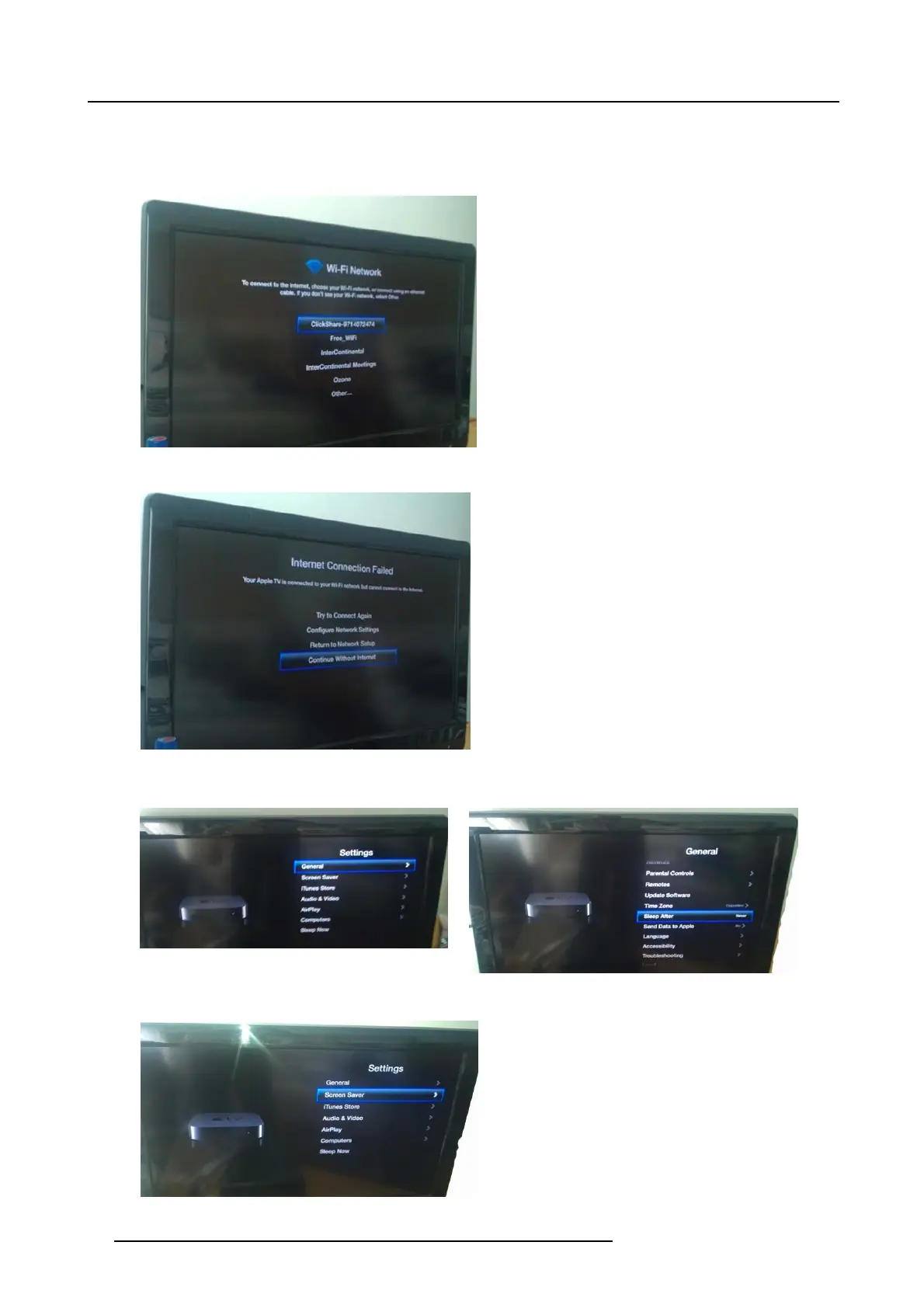
- Go into the Apple TV main m enu and connect to the ClickShare Base Unit WiFi (IP addres s = 192.168.2.1, passwor d :
clickshare,SSID:ClickSharre-”serial number unit”)
Image 4-23
- Continue without internet. Set IP via DHCP.
Image 4-24
- GototheSettings page, select General, S
leep after and set to Never;
Image 4-25
Image 4-26
- GototheSettings page, select Screen Saver, Start After and set to Never.
Image 4-27
30 R5900004 CLICKSHARE 23/12/2014















 To Next Page