42-101-01175_01178 Revision D Page | 7
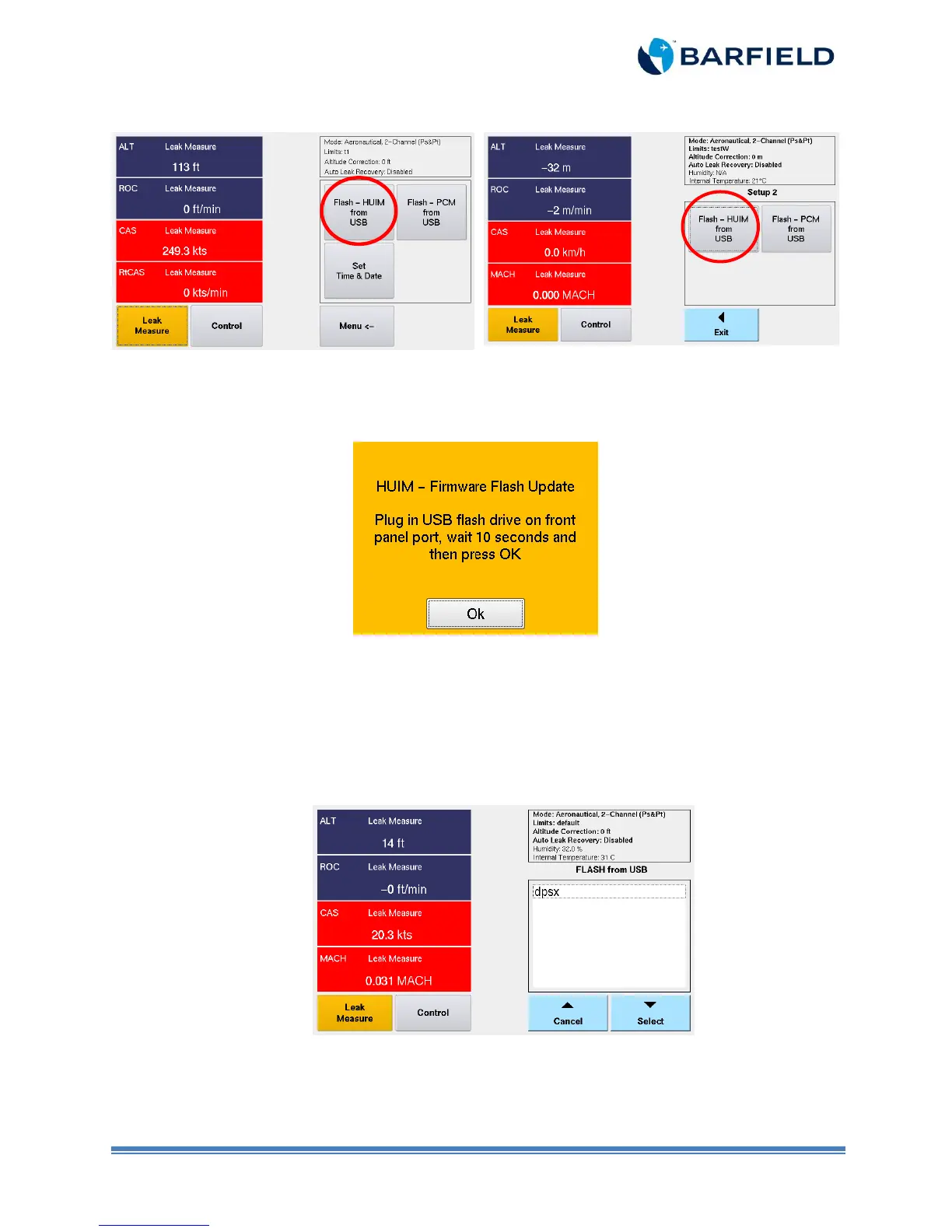
Menu with firmware 3.2.1 and older
Menu with firmware 3.2.4 and newer
Figure 1.7 Firmware Update Screen
8. A pop up screen appears with a message prompting you to insert the USB.
Figure 1.8 HUIM Update Message
9. Plug the USB flash drive in USB setup of the DPS1000/1811NG front panel. Wait 10
seconds before pressing “OK”.
Note: The firmware 3.2.4 version and up gives you the capability to select a file from the
list (Figure 1.9).
Figure 1.9 Flash Drive Screen
10. Touch the desired file. Once the file is highlighted, press “Select”.
11. The unit will display a progression bar during the installation (this process takes less
than 10 seconds).



 To Next Page