42-101-01175_01178 Revision D Page | 9
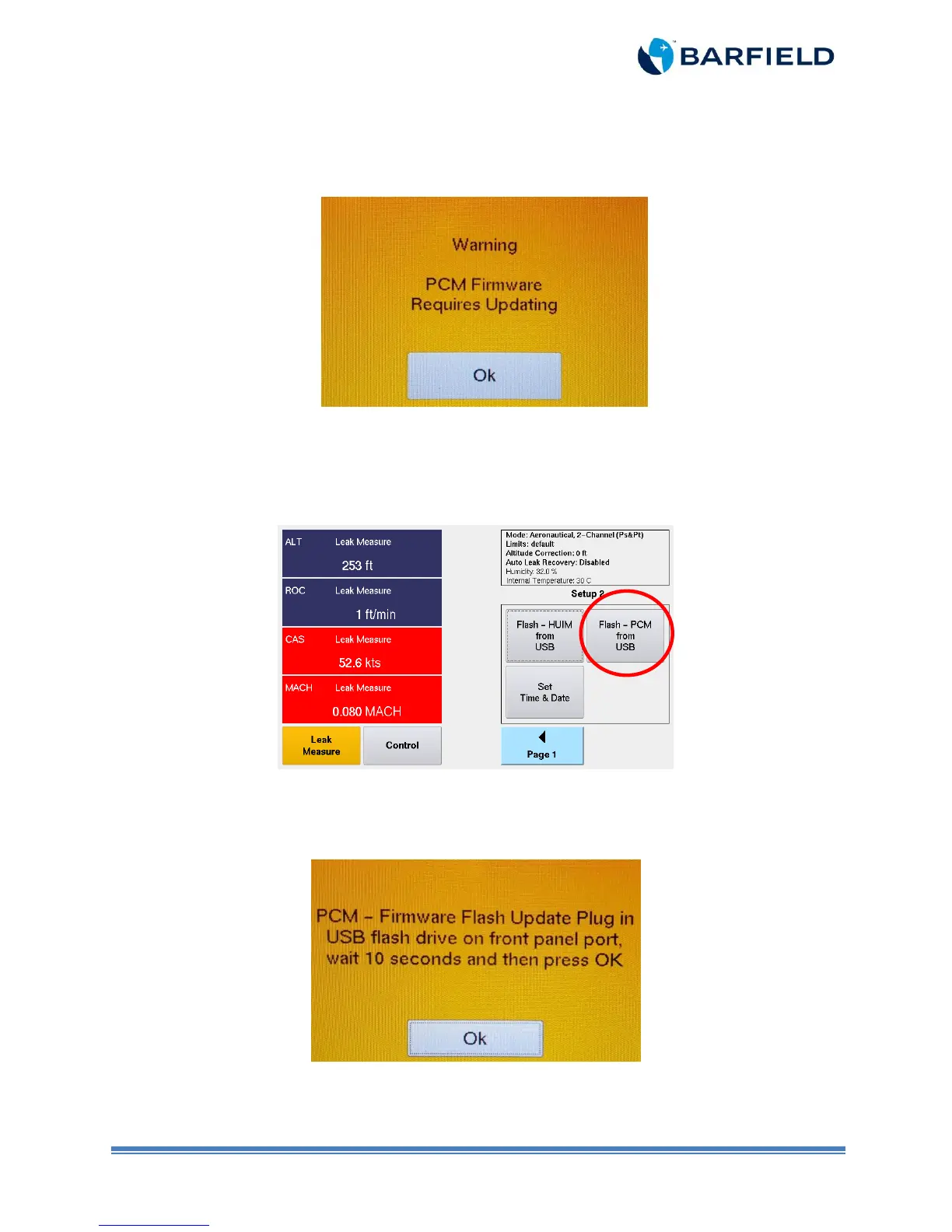
Note: However, if a PCM firmware is required, the system will skip the initialization
process and will display the following message (Figure 1.12):
Figure 1.12 Warning Screen
15. If the “Warning – PCM Firmware Requires Updating” is displayed, select “OK”. The
software menu appears. Touch “Flash – PCM from USB” as shown in Figure 1.13 below:
Menu with firmware 3.2.4 and newer
Figure 1.13 Software Update Screen
16. A “pop up” message will prompt you to insert the USB. Plug the USB flash drive in the
USB setup on the DPS1000/1811NG front panel. Wait 10 seconds before pressing “OK”
(Figure 1.14).
Figure 1.14 PCM Update Message
17. Select the desired file from the list. Press Select Key (Figure 1.15).



 To Next Page