42-101-01175_01178 Revision D Page | 12
2. Updating both HUIM and PCM Software (Patent Pending)
a) In Step 2, touch the “Connect” button. A new window appears.
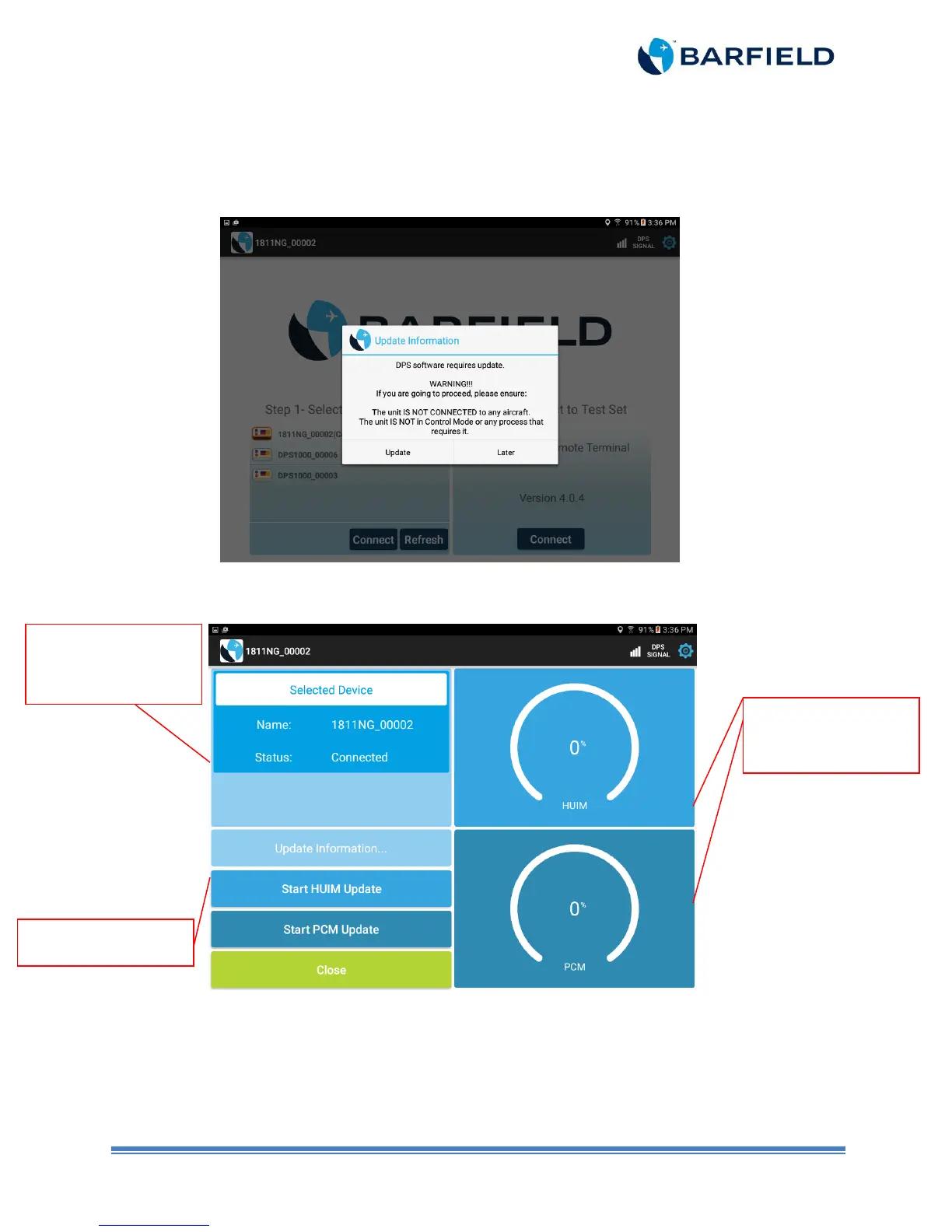
Note: If the tablet app detects an older version than the one it supports, a pop-up screen
appears with the following message (See Figure 2. 2).
Figure 2.2 Software Update Screen
b) The new screen shows the update process for the HUIM and the PCM (Figure 2.3).
Figure 2.3 HUIM and PCM Update Screen
Note:
Always start the updating process with HUIM. If HUIM is already updated in
the unit, the button will be disabled.
Shows current Wi-Fi
connection.
progress for HUIM



 To Next Page