42-101-01175_01178 Revision D Page | 13
If not ready to update the software, touch “close” and a pop-up screen will
appear. Choose “later” to leave and cancel the updating process.
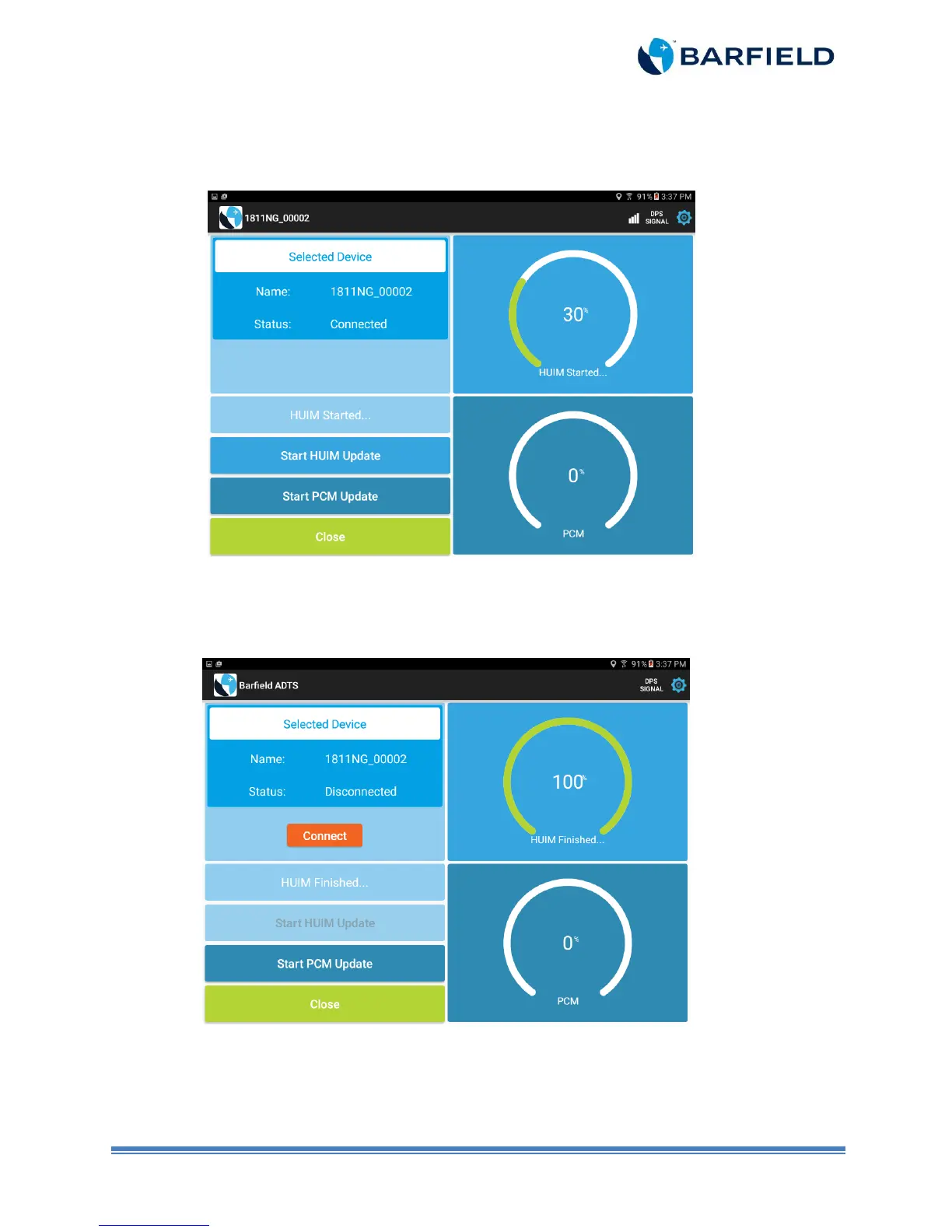
c) Touch the “Start HUIM Update” panel. The update takes about a minute (Figure 2.4).
Figure 2.4 HUIM Update Progress Screen
d) Once update is completed, the unit restarts and Wi-Fi connection is lost.
e) A “Connect” button appears in the information panel. Touch the “Connect” button and
the app will connect to the previously selected unit (Figure 2.5).
Figure 2.5 End of HUIM Update Screen
Note: Ensure HUIM initialization process is completed before proceeding to f.



 To Next Page