Baumer_EAx_EtherNetIP_EN_MNL 25/81 www.baumer.com
02.20
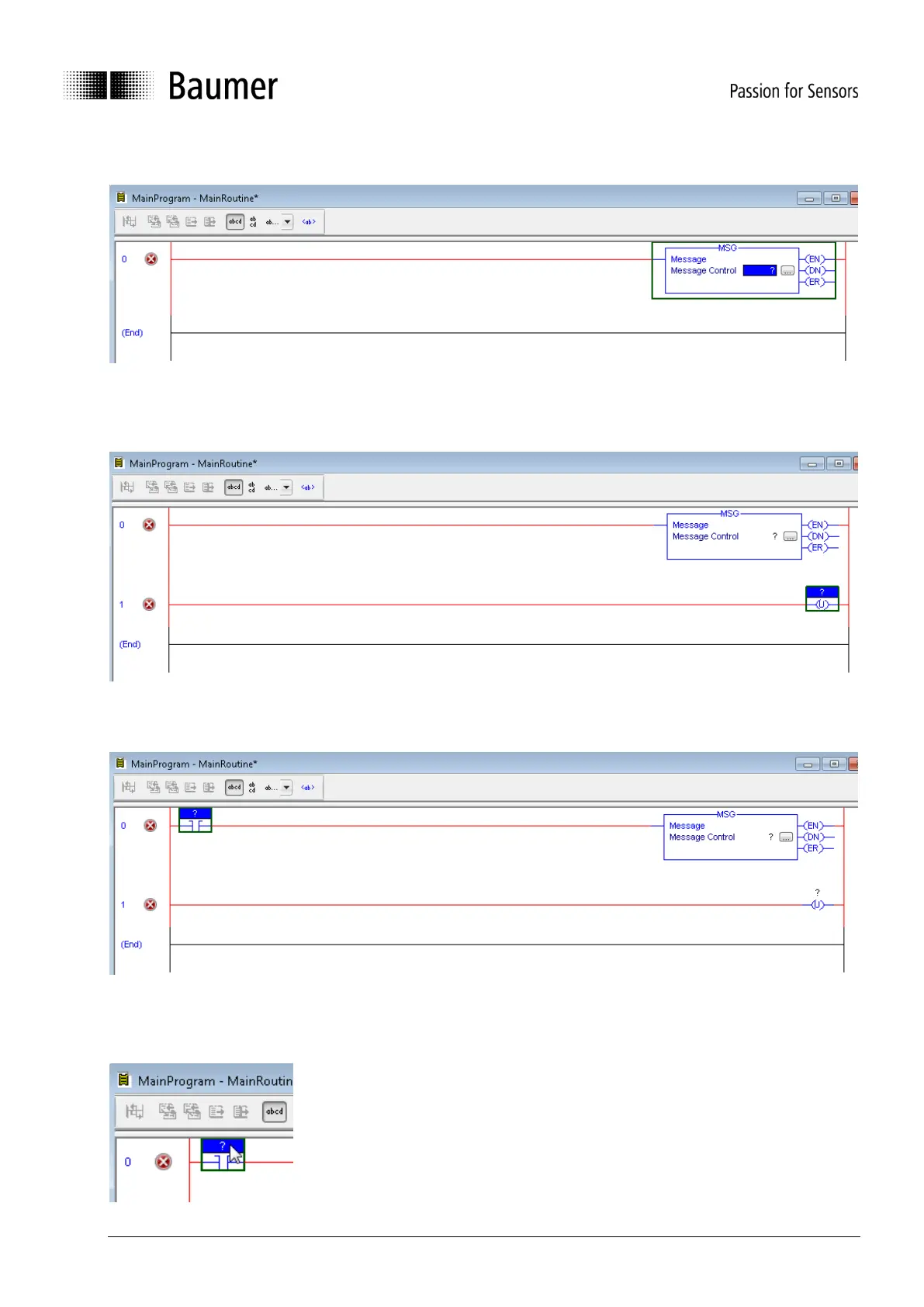
The following box appears.
Right-click in area below “0” and click on “Add Rung”. A new red line appears. Click near “1” to select the
lower red line. Click on “Output Unlatch” in tab “Favorites”. A new box appears.
Click near “0” to select the upper red line. Click on “Examine On” in tab “Favorites”. A new box appears.
The three new boxes contain question marks. They have to be linked to tags.
Double-click on the question mark of the “Examine On” box:



 To Next Page