9-13
TotalAlert Innity™ HTM Medical Gas Notication System
4107 9016 60.01
NOTE:
Logging in applies only to the computer on
which the login occurs. If more than one
PC is being used to access the alarm web
pages, each one must be logged in individu-
ally. The computer stays logged in until the
user closes the browser or until the device
has been rebooted.
Figure 283
The TotalAlert Innity Combination alarm is
designed to combine the functionality of an
Area alarm and a Central alarm.
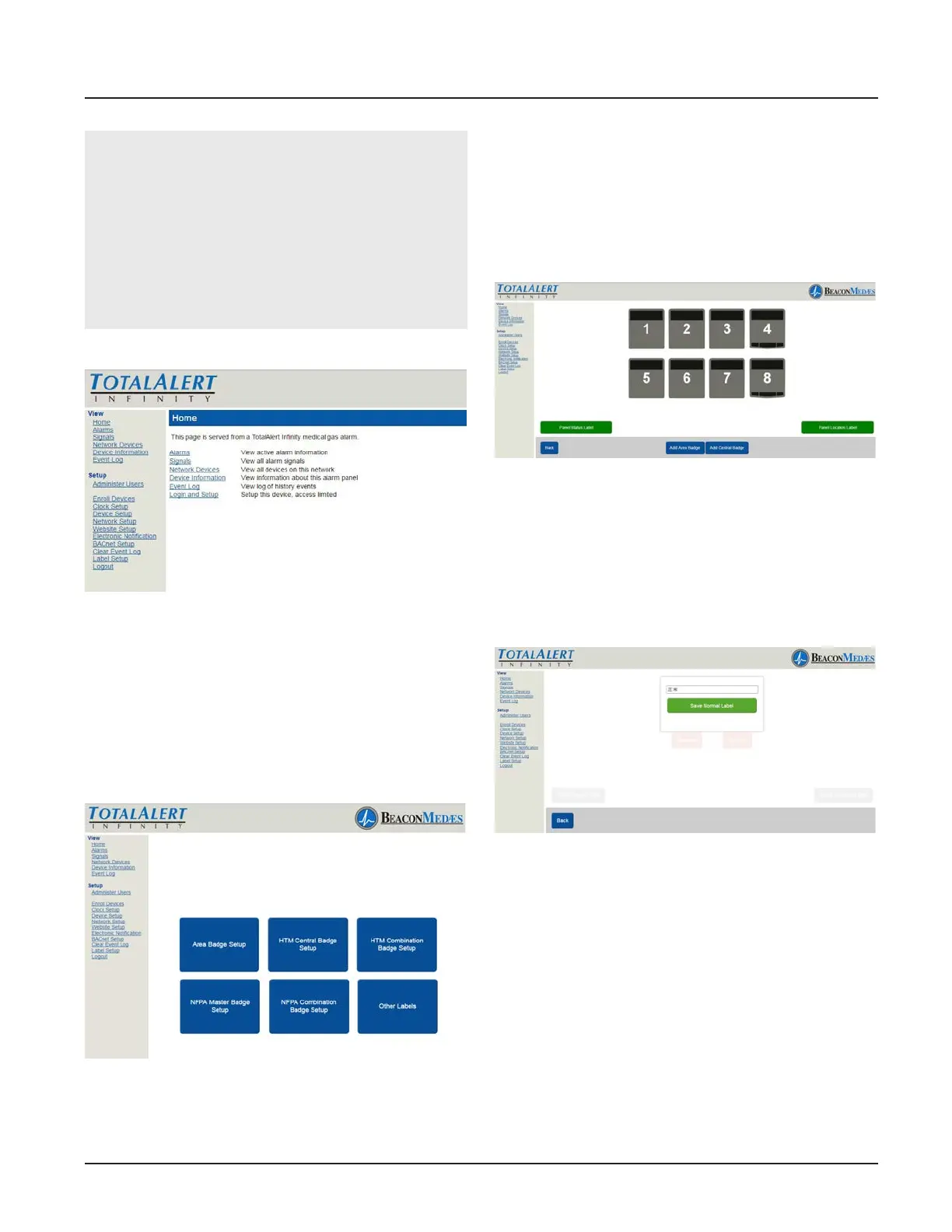
1. Choose HTM Combination Badge Setup
button. (See Figure 284)
Figure 284
The conguration screen shows a combina-
tion of source and area badges.
2. Setup display is similar to what is dis-
played on the alarm home screen. (See Fig-
ure 285) To Setup panel status label, select
“Panel Status Label” button.
Figure 285
3. Enter non-latin language text for mean-
ing of “Normal”. Click save button to enter.
(See Figure 286) Choose “Back” button to
return to the main setup screen.
Figure 286
4. To setup Panel Location Label, select
“Panel Location Label”. Enter the non-latin
language for the location of the panel.
Click save button to enter. (See Figure 287)
Choose “Back” button to return to the main
setup screen.



 To Next Page