9-18
TotalAlert Innity™ HTM Medical Gas Notication System
4107 9016 60.01
Figure 303)
Figure 303
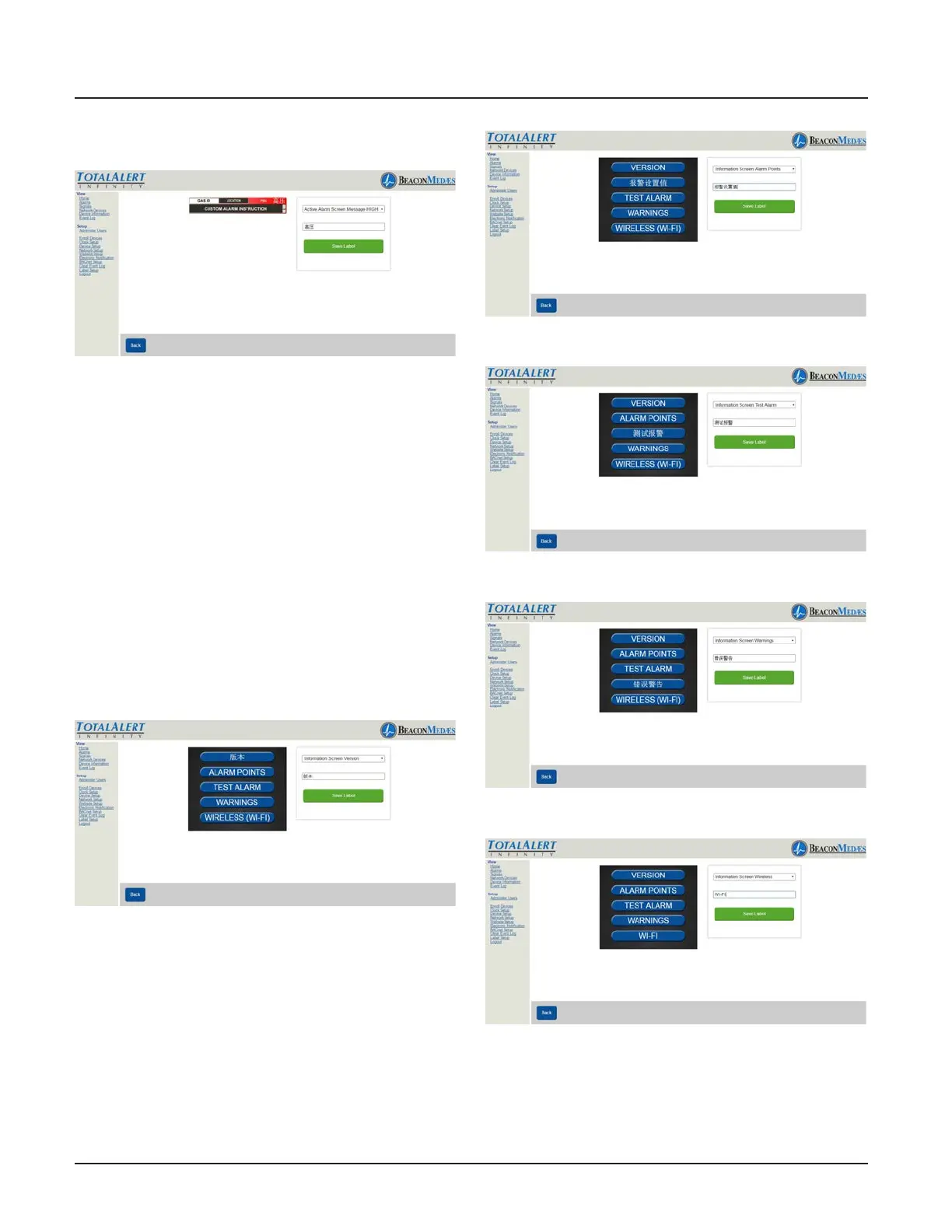
31. To setup Information Screen from the
pull down menu, Choose “Information
Screen Version”. Then input the non-latin
language character for “Version” in the writ-
able tab. (See Figure 304)
32. To save, select “Save Label” button.
Repeat the proceedure for setting up the
Alarm Points, Test Alarm, Warning, and
Wireless (Wi-Fi). See Figures 305 thru 308.
Save the label after each non-latin language
addition.
Figure 304
Figure 305
Figure 306
Figure 307
Figure 308
21. Then go to physical alarm screen.
22. Go to cong screen.



 To Next Page