4-12
TotalAlert Innity™ HTM Medical Gas Notication System
4107 9016 60.01
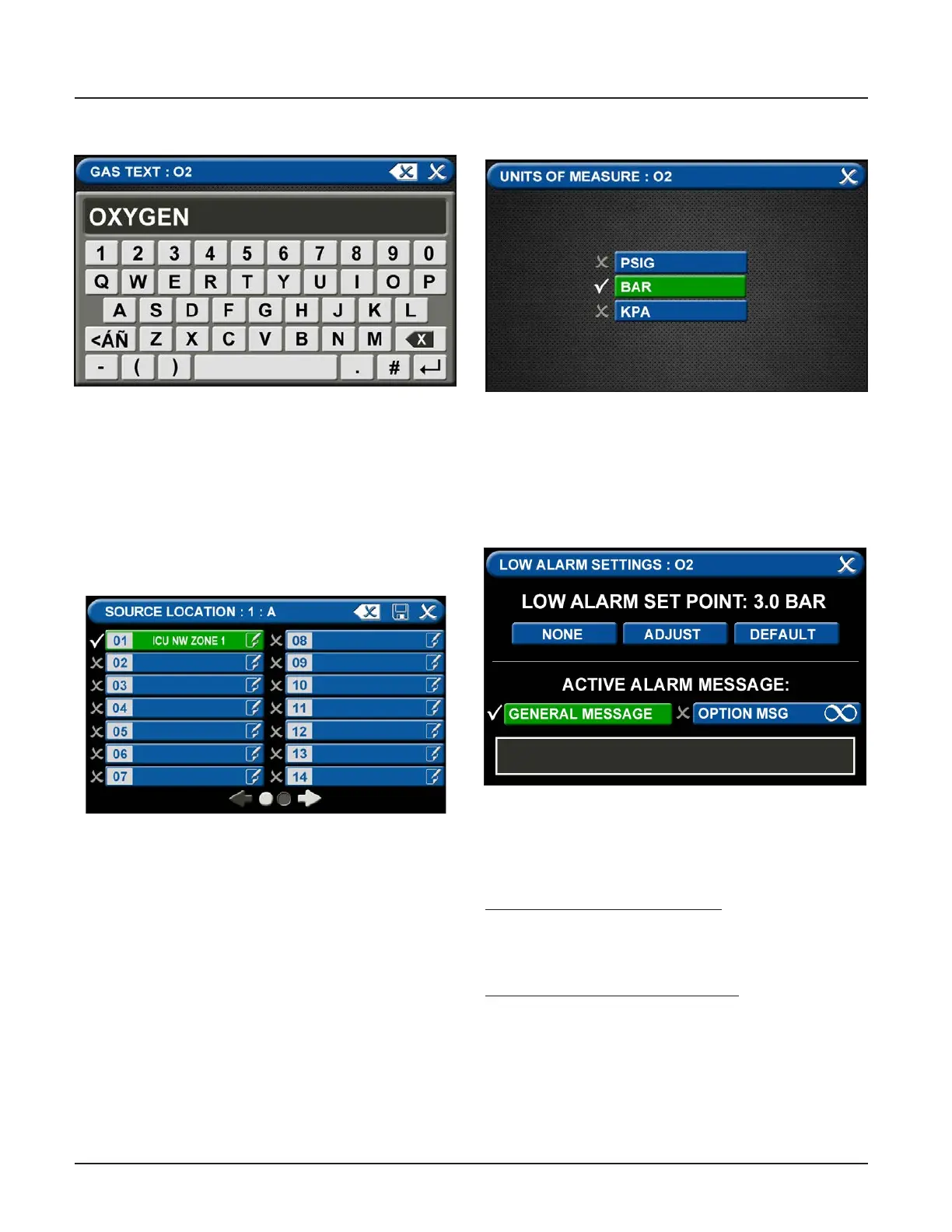
Figure 38: Gas Text Screen
Figure 39: Area Monitored Tab
Figure 40: Units of Measure Tab
Figure 41: Low Alarm Settings Tab
C = [Gas Name] Tab
• Touch the Erase button on the keyboard to delete
the gas name.
• Enter the new gas name. Touch the [<ÁÑ] to toggle
to symbols and extended Latin Characters. Touch
the [1AZ] key to toggle back to letters and num-
bers.
• Touch the Save button
D = Area Monitored Tab
To add locations to be monitored:
1. Touch an unused location tab.
2. Using the keyboard, enter the name of the location
that you would like to monitor (e.g., ROOM 1). Enter
multiple locations as needed (e.g., Room 1, Room
5).
3. A check appears when the location is selected, the
save button has to be pressed if the selection is
new.
To edit the location information, touch the Pencil
button.
E = [Units of Measure] Tab
To change the unit of measure:
1. Touch the tab for the appropriate unit of measure.
2. Touch the Save button to close the screen.
F = Low Alarm Settings Tab
You can remove the low alarm set point or customize
the low alarm set point.
To remove the low alarm set point:
1. Touch the NONE tab.
2. Touch the check on the CONFIRM SETTINGS
CHANGE screen.
To customize the low alarm set point:
1. Touch the ADJUST tab.
2. Enter the new set point.
3. Touch the Save button.



 To Next Page