125
20 08 CONTESSA
EQUIPMENT — 5
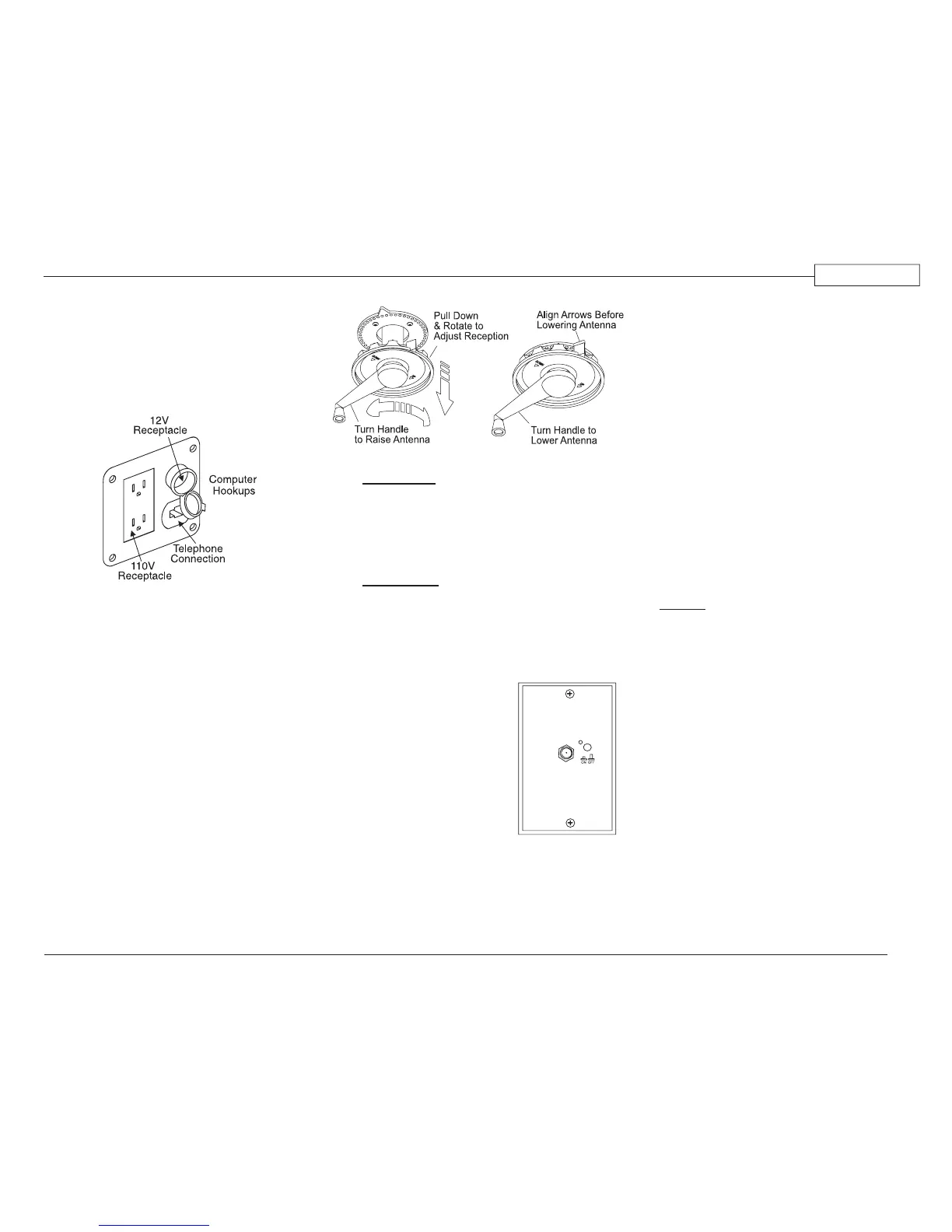
Connections - Cable TV, Computer & Phone
The motorhome is equipped with cable TV
and phone hook-ups located in the water service
bay. For convenience, the auxiliary outlet is
located at the cockpit.
TV Antenna
To Raise the Antenna:
Rotate the crank handle clockwise to raise
the antenna (approximately 14½ turns).
Pull down on the outside directional
wheel and rotate the antenna until the
best picture is obtained. The directional
wheel is spring loaded.
To Lower the Antenna:
Pull down on the directional wheel and
align arrows together.
Rotate the crank handle
counterclockwise to lower the antenna
fully into the cradle. Make an outside
visual inspection to ensure the antenna is
properly stowed.
CAUTION:
DO NOT move motorhome with
antenna in the raised or partially
raised position and risk damage by tree
limbs or wires. Worm gear damage or
breakage may result.
WARNING:
Before raising antenna, make an outside
visual inspection for any obstructions or
overhead electrical wires. Damage to the
antenna, severe shock, personal injury
or death can occur from inadequate
clearance.
Antenna Select
The antenna select
switch (located in
the cockpit overhead
cabinet) will select
between the roof antenna
or shore cable.
To Watch TV Using Roof Antenna:
With the button in the ON position, the input
to the TV is set to roof antenna and the LED
will illuminate.
To Watch TV Using Shore Cable:
With the button in the OFF position, the input
to the TV will be set to shore cable and the LED
will be off.
Television/Entertainment System - Front
The front television entertainment system
consists of a TV and DVD Home Theater System.
To Operate Any Component:
Hook to shore power, start the generator
or turn on the inverter.
Use the battery cut-off switch to turn on
interior house power.
Ignition key must be in the OFF position.
NOTE:
It is necessary to read the individual
component owner’s manuals to fully
understand the entertainment system
components.
To Watch TV from Antenna/Shore Cable:
Press the Power button on the TV. Press
the Video button on the TV until the TV
tuner displays.
Select either Roof Antenna (On) or Shore
Cable (Off) on the Selector switch in the
curbside overhead cabinet.
Select the desired channel and adjust
volume on the TV.
If home theater sound is desired, turn
on the Home Theater System. Press the
Source button on the DVD player until
AUX 1 displays. Turn the television
volume down for best results.
030804C
030024d
030989b


 To Next Page