ELECTRICAL SYSTEMS - CHASSIS — 9
184
20 08 CONTESSA
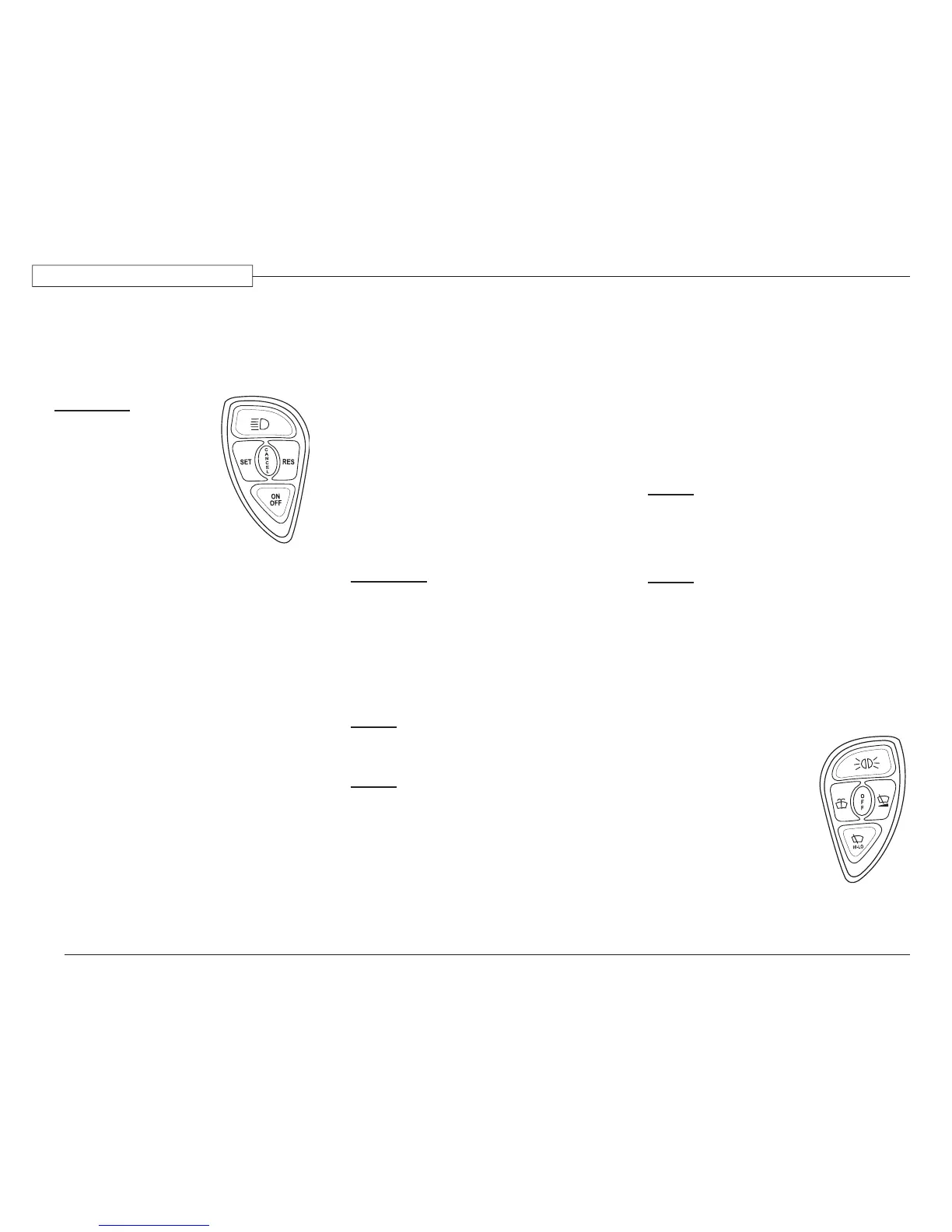
Cruise Function:
Cruise On/Off: Turns cruise control
power On or Off. Dash Icon will
illuminate indicating cruise control
power is enabled.
WARNING:
Cruise control is not
to be used as an aid
to maintain driver
attentiveness. While
cruise control can be
used as an aid in driving,
it is not a substitute for
safe driving practices
and driver alertness and
awareness.
Cruise Set/Res: Cruise Set maintains
road speed.
To Set Cruise Control Speed:
1. Accelerate to desired speed.
2. Turn Cruise Control power On.
3. Press the Set switch. This will set
cruise control and maintain road
speed automatically.
Road speed may vary by one or two miles an
hour (depending on terrain) when cruise con-
trol is enabled. Cruise speed can be increased
or decreased one or two mph by momentarily
pressing Set to increase or Res to decrease road
speed. Pressing and holding Set will gradually
increase road speed. When the desired speed is
obtained, release the switch. This speed will be
the new set cruise speed. Pressing and holding
Res will slowly decrease road speed.
Release the Res switch when the desired road
speed is obtained. Cruise Res returns vehicle
speed to previously set cruise speed after a brake
application or cruise cancel is pressed.
To Cancel Cruise Control:
Step on the brake.
Press the Cruise Cancel button.
Turn Cruise Control power off.
To return to the previously set cruise speed,
momentarily press Res. Cruise speed in memory
is deleted when cruise control power is turned
off. Follow steps 1 through 3 above to reengage
cruise control.
WARNING:
For safety purposes DO NOT engage
cruise control in heavy traffic or on
roads that are winding, slippery or
unpaved. Do Not shift the transmission
into “N” (Neutral) with the cruise
control engaged. Engine speed may
dramatically increase until cruise
control is cancelled or turned off.
NOTE:
Cruise control will not cancel when the
Engine brake switch is enabled.
NOTE:
The transmission shift schedule is
adjusted to reduce frequent downshifts
when Cruse power is enabled. Turn the
Cruise power off when in mountainous
terrain or heavy traffic.
To use the CAT High Idle Feature:
Turn cruise control on.
Press and hold the Set button to increase
RPM.
Press and hold the Resume button to
decrease RPM.
Press and immediately release either
button to adjust in 25 RPM increments.
Turn cruise off or apply the brake pedal
to return to regular idle.
NOTE:
There is a “Fast Idle” switch on the
driver’s console. Press this switch to
raise the idle to 1000 RPM. Press again
to return to regular idle.
NOTE:
The transmission will not shift into gear
if the engine RPM is at or above 900.
The display will flash “6” indicating the
engine RPM is excessive. Select “N” and
lower the engine RPM. The brake also
deactivates high idle.
Wiper Function
The windshield wipers are
driven by a single motor. Any
wiper function generates a
Headlamp On signal from
the Master Controller. To
disengage automatic headlight
illumination, turn off the
ignition or activate and then
deactivate the dashboard
headlamp switch.
080507c
080507b


 To Next Page