1 695 600 968 2019-01-28| Beissbarth GmbH
88 | MT ZERO 6 LCD | Initial commissioning
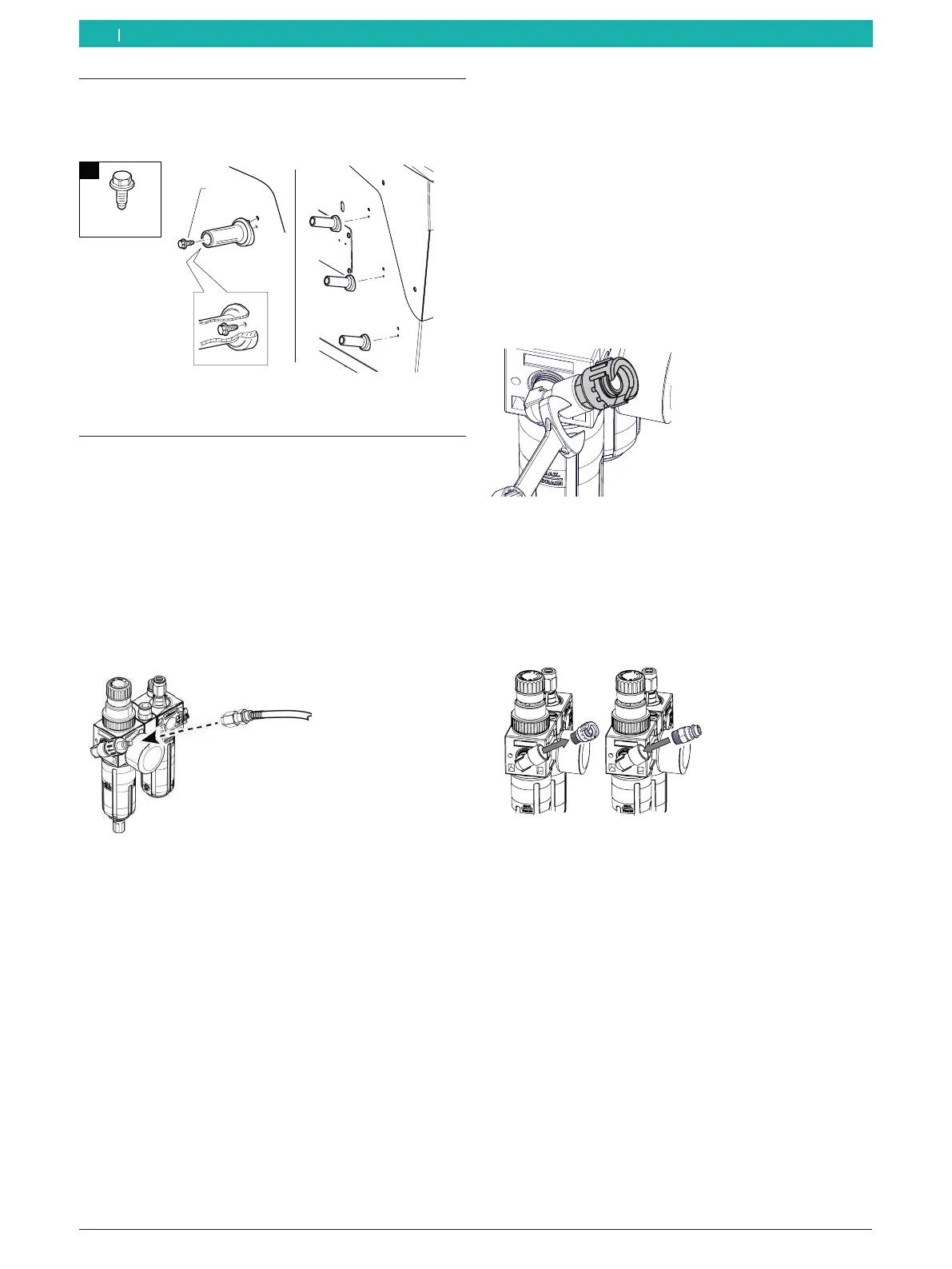
4.10 Installing the clamping tool holders
¶ Use the screw set included in the scope of delivery
to install the holders as shown in the figure.
n°3
651127-39_BM
6,3x16
1
Fig. 44: Installing the clamping tool holders
4.11 Connecting the compressed air
i The compressed air connection is present only on
MT ZERO 6 LCD AWxP.
1. Connect the MT ZERO 6 LCD AWxP to the
compressed air supply.
i With a bayonet connection, it is sufficient to move
the compressed air hose to the connection of the
filter unit and tighten the threaded clamp.
Fig. 45: Compressed air connection
2. Set a pressure between 8 – 10 bar.
First pull the pressure reducer (red knurled
screw) upwards. Then turn to set a press be-
tween 8 – 10 bar.
Monitoring the pressure on the pressure gauge.
! A quick-release coupling with 1/4 thread is supplied
with the vehicle to enable a compressed air
connection to be made even if no bayonet connector
is available.
3. Use a 14mm wrench to remove the swivel
connection at the filter unit.
Fig. 46: Removing swivel connection
4. Pull out the swivel connection and attach the quick-
release connection. Then tighten with a 14mm
wrench.
! Place the original seal back in position.
Fig. 47: Fitting the quick-release connection
en



 To Next Page