1 695 600 968 2019-01-28| Beissbarth GmbH
100 | MT ZERO 6 LCD | Operation
i If the electronic rim-distance gauge is returned to
its rest position, the data collection screen will be
shown and the ALU2 balancing program will be
selected automatically.
8.7 Manual balancing program selection
1. Press the <ALU> key.
2. Press the <+> or <-> key to scroll through the
available programs until the desired program is
displayed.
The programs appear on the display above the
wheel profile.
i The program used last is always saved.
8.8 Acquiring rim data automatically
The data collection screen opens immediately following
automatic selection of the program; the data recorded in
the preceding phase and the required balancing program
are displayed here.
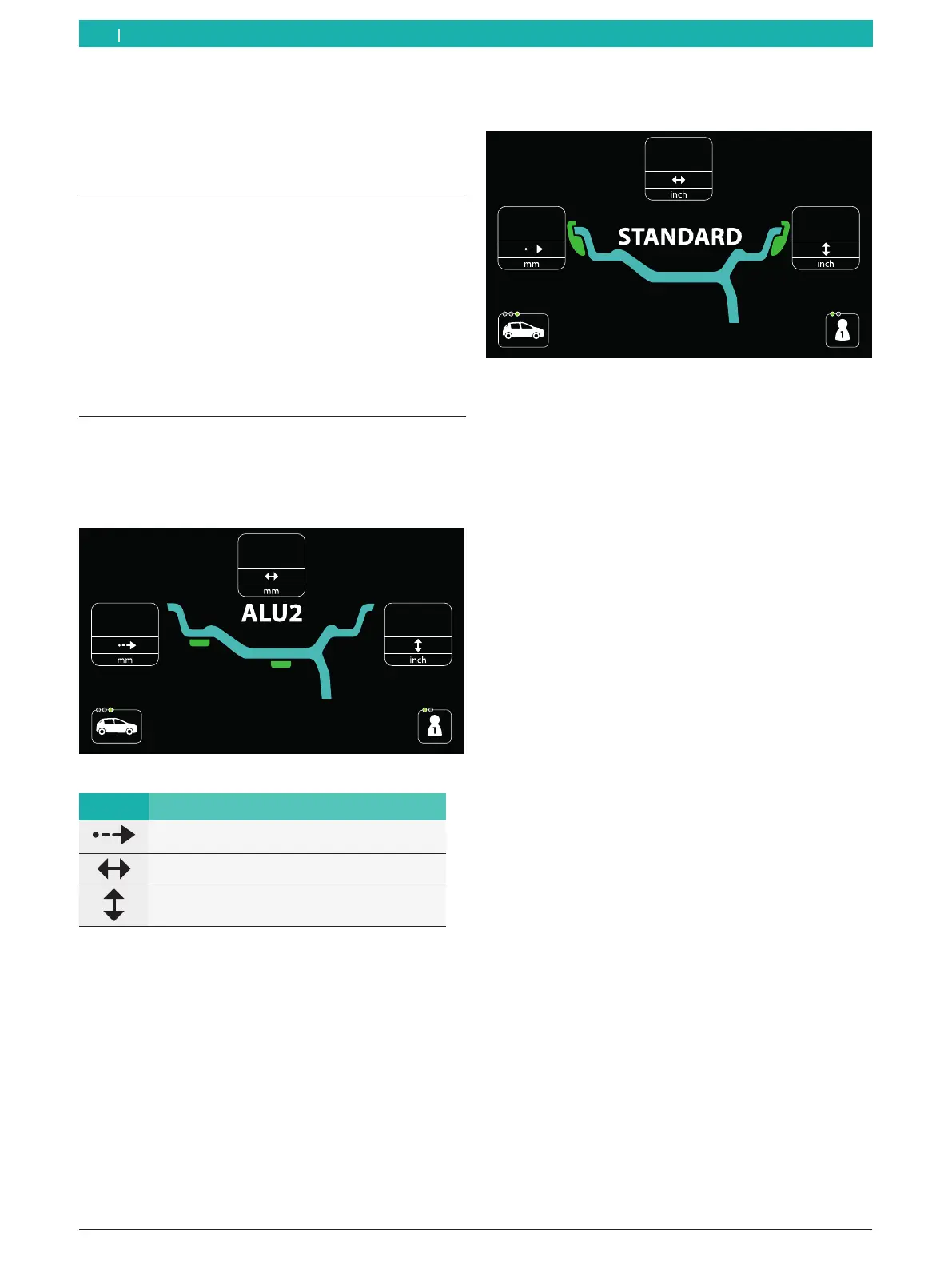
Fig. 72: Example of a data collection screen
Symbols Description
Distance between the rim and the wheel
balancing machine
Rim width
Rim diameter
i The data collected can be changed manually.
i After the electronic rim-distance gauge has been
removed, the screen for automatic balancing
program selection will be shown again. That way,
the dimensions can be measured again.
8.8.1 Standard, ALU1 (PAX1), ALU4, ALU5 and all
static balancing programs
Fig. 73: Example of a data collection screen for static balancing
programs
Distance and rim diameter
After the automatic selection of the balancing program,
all input boxes will be automatically filled in.
i To change the values recorded for the various
menu items, press the <RIM DISTANCE> or <RIM
DIAMETER> key and scroll through the numerical
values to the desired value with the aid of the <+> or
<-> key.
Rim width
i The rim width can be measured electronically by
sonar for the standard programs.
See the "Technical data" section for specifications
on the sensing range of the sonar probe.
i The data is automatically collected when the
wheel guard is lowered to activate the start of the
imbalance measurement or when the <START> key is
pressed while the protective hood is already closed.
The input box will be gray to indicate that the data has
not yet been collected.
i The data present before the protective hood has
been lowered does not refer to the wheel currently
attached.
en



 To Next Page