1 695 600 968 2019-01-28| Beissbarth GmbH
Operation | MT ZERO 6 LCD | 99
i If the electronic rim-distance gauge is returned to
its rest position, the data collection screen will be
shown and the Standard balancing program will be
selected automatically.
For ALU2 and ALU3, proceed with the following
steps without moving the rim-distance gauge to its
rest position.
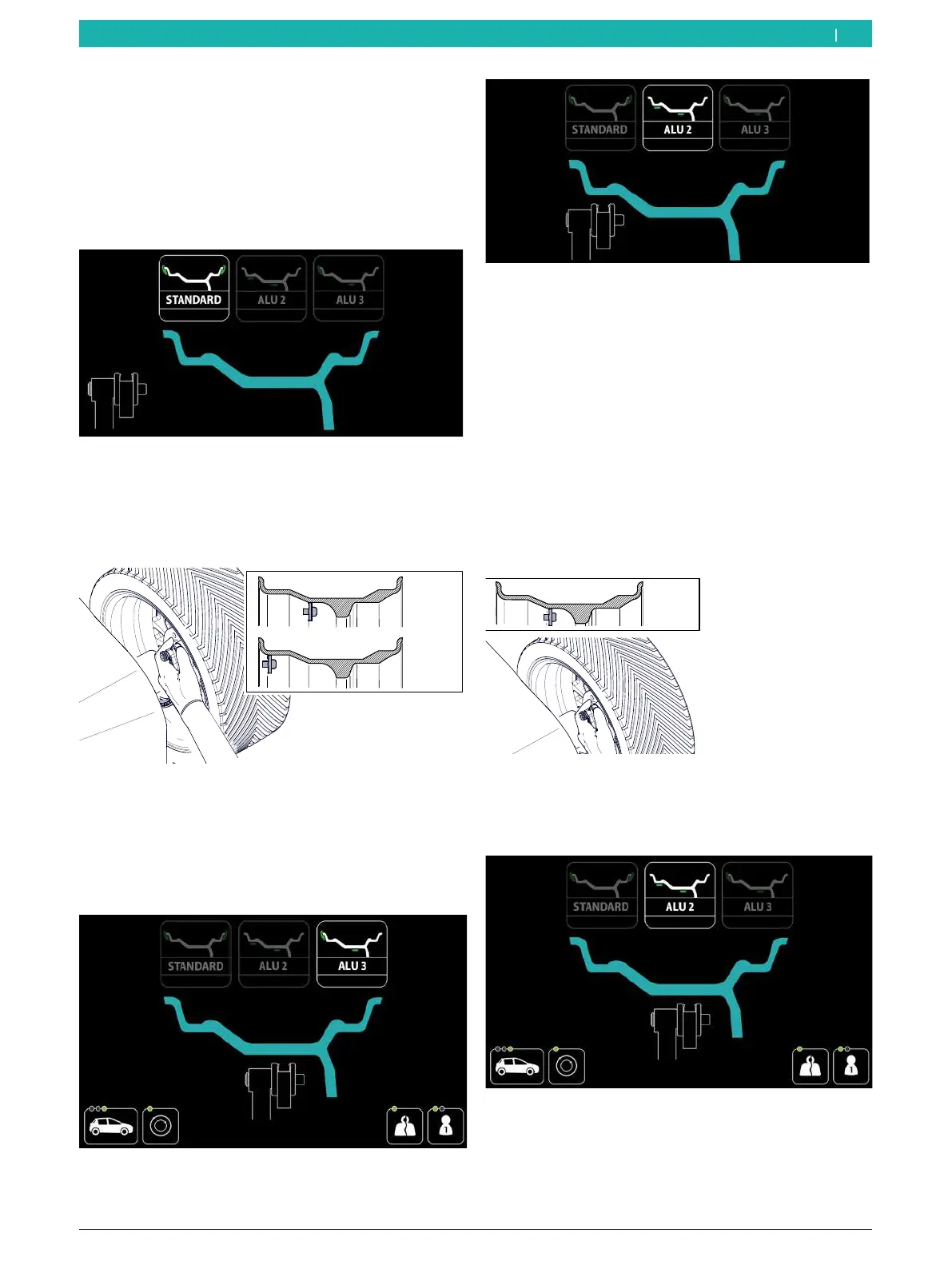
Fig. 66: Selecting the standard program
3. Position the electronic rim-distance gauge at
the 2nd measurement point (without previously
moving the electronic rim-distance gauge to its rest
position), and keep it in that position for 1 second.
ALU3
ALU2
651127-67_BM
Fig. 67: 2nd measurement point and 2nd balancing plane for
ALU3
2nd measurement point and 1st balancing plane for
ALU2
An audible signal will confirm that the position
has been acquired.
Fig. 68: Showing the 2nd
measurement point for ALU3 on the
display
Fig. 69: Showing the 2nd
measurement point for ALU2 on the
display
i If the electronic rim-distance gauge is returned to
its rest position, the data collection screen will be
shown and the ALU3 balancing program will be
selected automatically.
For ALU2, proceed with the following steps without
moving the rim-distance gauge to its rest position.
4. Position the electronic rim-distance gauge at the 3rd
measurement point (without previously moving the
electronic rim-distance gauge to its rest position),
and keep it in that position for 1 second.
ALU2
651127-68_BM
Fig. 70: 3rd measurement point and 2nd balancing plane for
ALU2
An audible signal will confirm that the position
has been acquired.
Fig. 71: Showing the 3rd
measurement point for ALU2 on the
display
en



 To Next Page