1 695 600 968 2019-01-28| Beissbarth GmbH
Operation | MT ZERO 6 LCD | 95
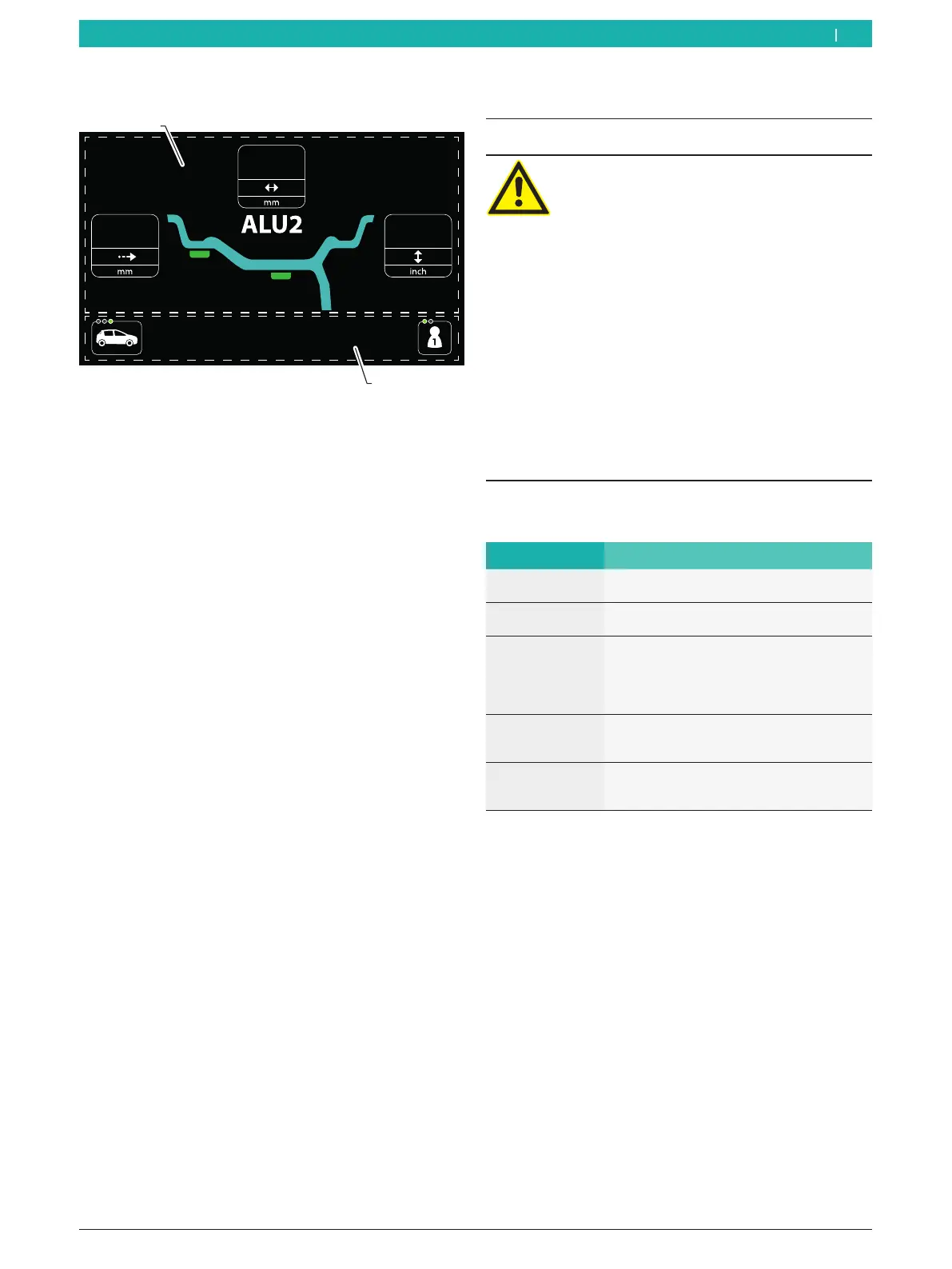
7.2.2 Data collection screen
Fig. 59: Data collection screen
1 Display of rim data and balancing program
2 Status area with display of user and vehicle type
8.1 Important notes on balancing
DANGER – incorrectly balanced wheels!
Risk of injury due to changes in vehicle handling
characteristics.
¶ The MT ZERO 6 LCD must rest on a flat
surface and be firmly bolted to the ground.
¶ The specified flange must be fitted to a
clean and grease-free machine shaft.
¶ Use the specified accessories (cone,
spacer rings).
¶ The rim must make proper contact with
the flange. Remove any dirt.
¶ If many corrections are needed to calculate
and position the balance weights, calibrate
the wheel balancing machine.
¶ Perform a verification measurement after
attaching balance weights.
Designations used:
Denomination Description
Distance Distance between the rim and the
MT ZERO 6 LCD
Rim diameter Measured wheel diameter or rated wheel
diameter specified on the rim
Rim
width
In the standard programs, this value
corresponds to rim width,
for ALU2 (PAX2) and ALU3 (PAX3), it
corresponds to the
distance between the 2 balancing planes.
1st balancing
plane
= weight on inside
Balance weight nearest to the rim-distance
gauge in resting position.
2nd balancing
plane = weight on
outside
Balance weight farthest from the rim-
distance gauge in resting position.
Tab. 1: Designations used
i The balancing plane is the plane on which the
balance weight is attached.
i The position of the balancing planes depends on
which program is selected.
i Static balancing is recommended for wheels with a
rim width of less than 3.5". In this case, only the rim
diameter value is entered.
en
8. Balancing the wheel



 To Next Page