1 695 600 968 2019-01-28| Beissbarth GmbH
98 | MT ZERO 6 LCD | Operation
8.6 Automatic balancing program
selection
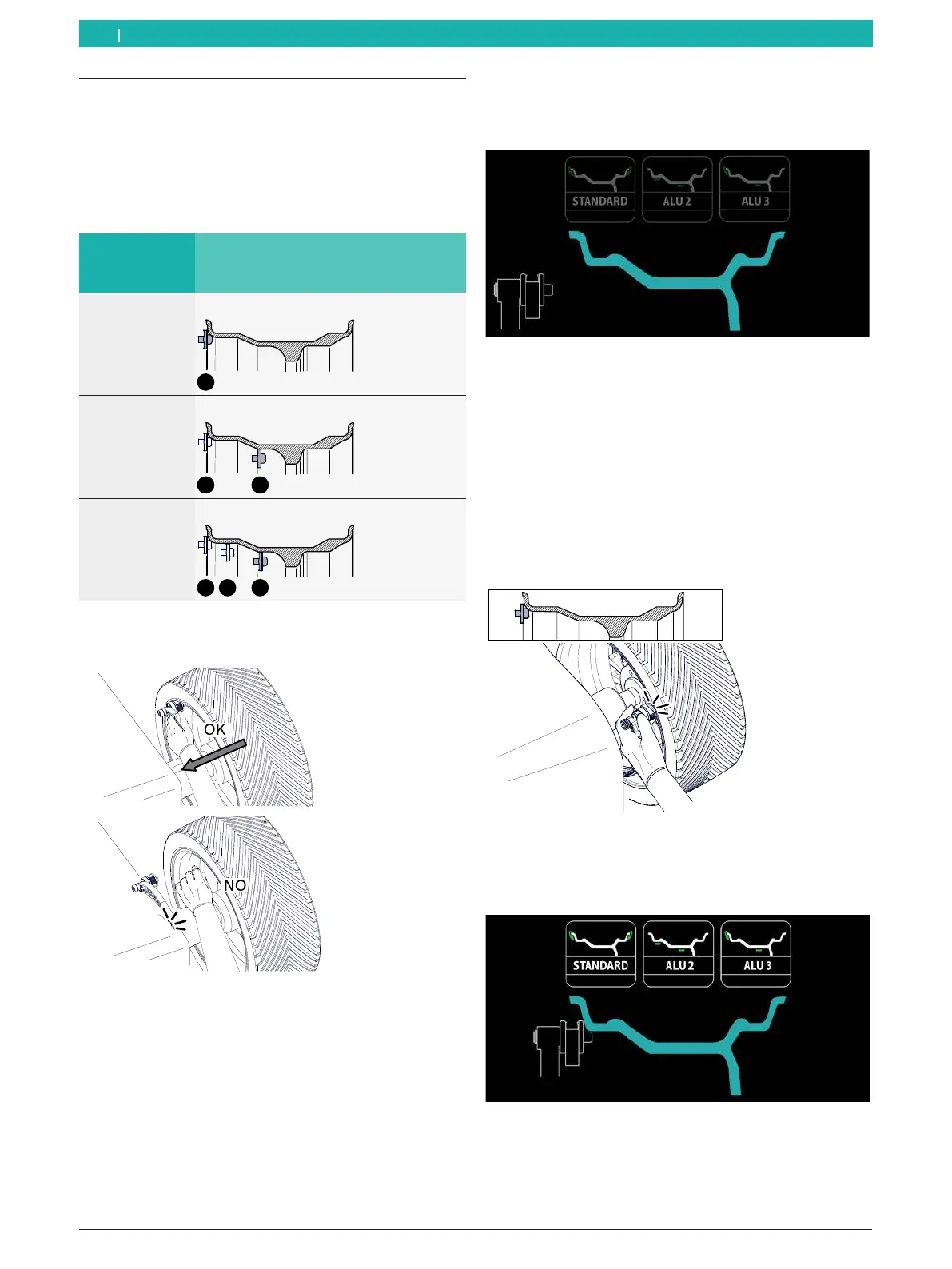
The MT ZERO 6 LCD automatically selects the 3
standard balancing programs, ALU2 and ALU3.
Of the
3 programs, one is selected based on the number of
points acquired by the electronic rim-distance gauge.
Number of
measurement
points
Automatically selected program
1 Standard
2 ALU3
3 ALU2
! To prevent damage to the electronic rim-distance
gauge, always move it to the rest position by hand.
651127-66_BM
Fig. 62: Moving the electronic rim-distance gauge to the rest
position by hand
i After the electronic rim-distance gauge has been
moved to its rest position and the dimensions have
been measured by the program, the process can be
repeated if necessary. The process can be carried
out for imbalance measurement until the first start.
1. Take the electronic rim-distance gauge and approach
the centering flange.
The monitor will show the following screen.
Fig. 63: Display for automatic selection
i Follow the instructions on the monitor if applicable.
The software will respond directly to movement
of the electronic rim-distance gauge and provide
immediate feedback to the user.
2. Position the electronic rim-distance gauge that
measures the distance and diameter of the rim
on the rim flange and keep it in that position for a
second.
651127-65_BM
Fig. 64: Determining the 1st measurement point and 1st
balancing plane for Standard and ALU3
An audible signal will confirm that the position
has been acquired.
Fig. 65: Showing the 1st
measurement point on the display
en



 To Next Page