1 695 600 968 2019-01-28| Beissbarth GmbH
96 | MT ZERO 6 LCD | Operation
8.3 Basic wheel balancing procedure
Perform the following steps to complete the balancing
process of a wheel properly:
1. Switch on the MT ZERO 6 LCD.
2. Select the type of vehicle.
3. By using the automatic selection, determine the rim
data with the balancing program.
4. Manual change of the balancing program (optional).
5. Measure imbalance.
6. Minimize imbalance (optional).
7. Apply split program (optional).
8. Attach balance weights.
9. Perform reference measurement.
i The various phases are described in detail in the
following.
i The current settings for attachment of an adhesive
balance weight (see "Attaching adhesive balance
weights" section) only apply to PAX2 and ALU2
(inside and outside) as well as ALU3 (outside).
Otherwise, always attach the adhesive and clip-on
balance weights at the 12-o'clock position.
i In this description, the audible signal for confirming
position detection is active.
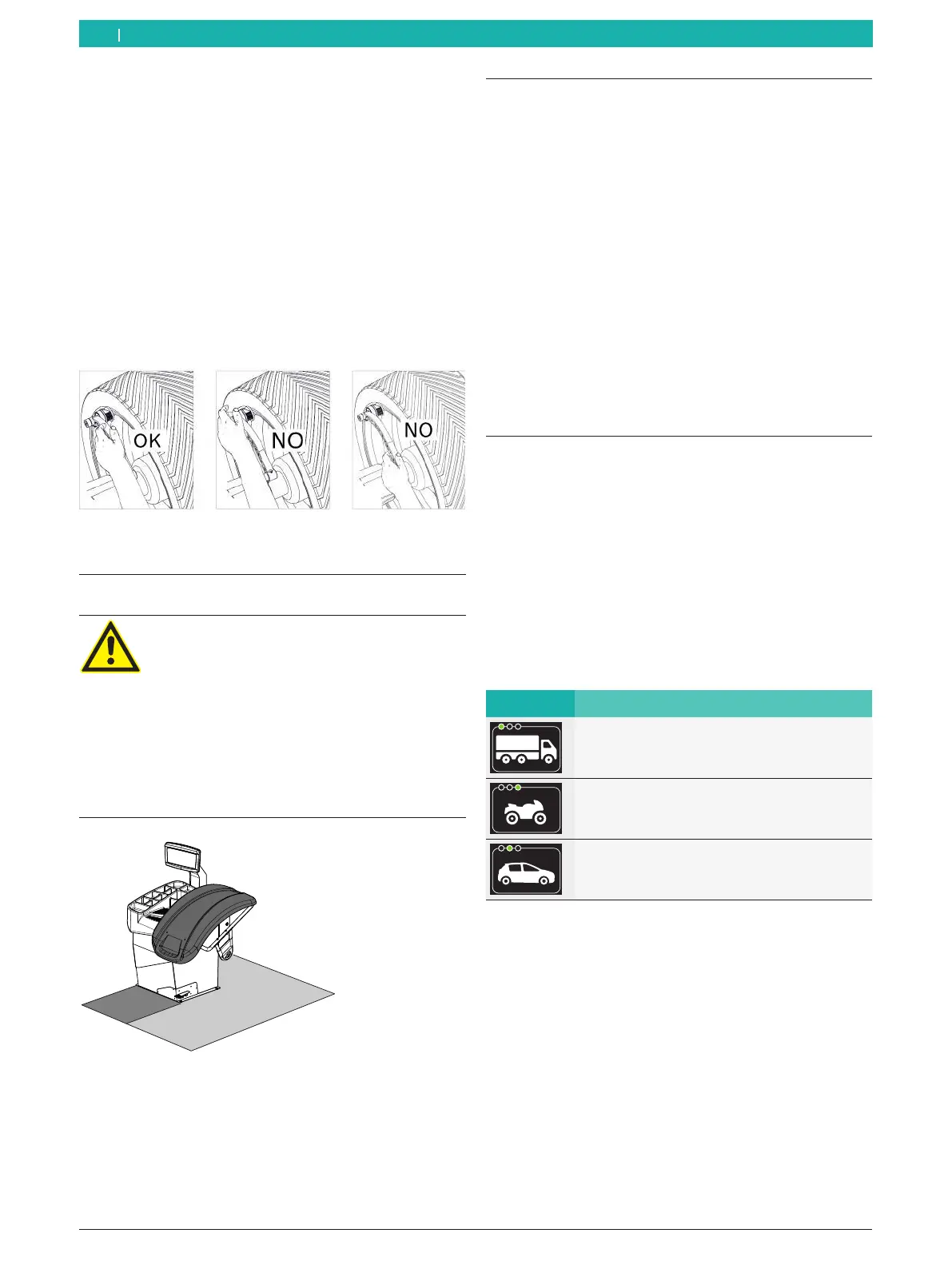
! When acquiring/entering the rim data, hold the
handle of the electronic rim-distance gauge correctly
and put it in the rest position manually to avoid
errors during balancing.
Fig. 60: Correct handling of the electronic rim-distance gauge
8.2 Working range
DANGER – risk of injury when the wheel is
turning!
Danger of crushing limbs to persons in the
restricted area when the wheel is turning.
¶ When the wheel is turning, the operator
must stay in the work area.
¶ No personnel is permitted in the restricted
area while the wheel is turning.
¶ Make sure the rotation of the wheel is not
impaired by tools or other objects.
1
2
651127-44_BM
Fig. 61: Definition of work area
1 Area that can be occupied during a measurement
2 Area restricted during a measurement
8.4 Selecting the type of vehicle
The MT ZERO 6 LCD is able to balance the wheels of
passenger cars, trucks and motorcycles.
i To balance motorcycle wheels, additional, special
wheel attachment flanges must be fitted.
¶ Press the <VEHICLE> key repeatedly until the vehicle
type to be balanced appears on the display.
i The symbol for the vehicle is always displayed at the
bottom left on the screen.
Symbols Description
Symbol for trucks
Symbol for motorcycles
Symbol for passenger cars
i When the wheel balancing machine is switched
on, the passenger car symbol will be selected by
default.
en



 To Next Page