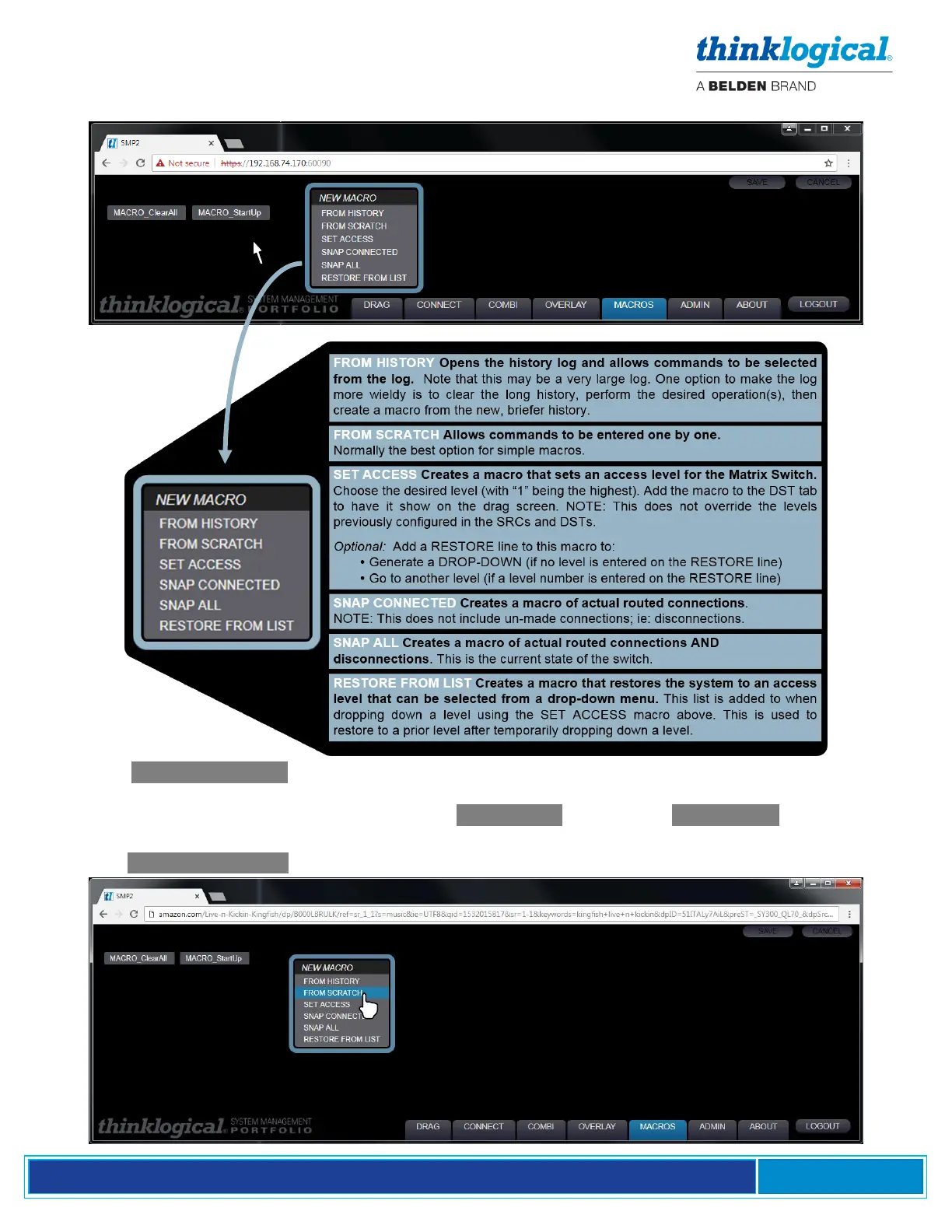
Right-click anywhere on the screen to get the drop-down menu for adding new macros.
Pick the .FROM HISTORY option to use previous operations. Connections that have been created
from the Connect page or from Drag N Drop will appear here. This will likely be a long list. Select all
actions to be included in the macro. Every .CONNECT will have a CONTROL line below it.
Selecting a CONTROL line gives KM control to that connection.
Pick the .FROM SCRATCH option to create a new Macro by adding new commands as required.



 To Next Page