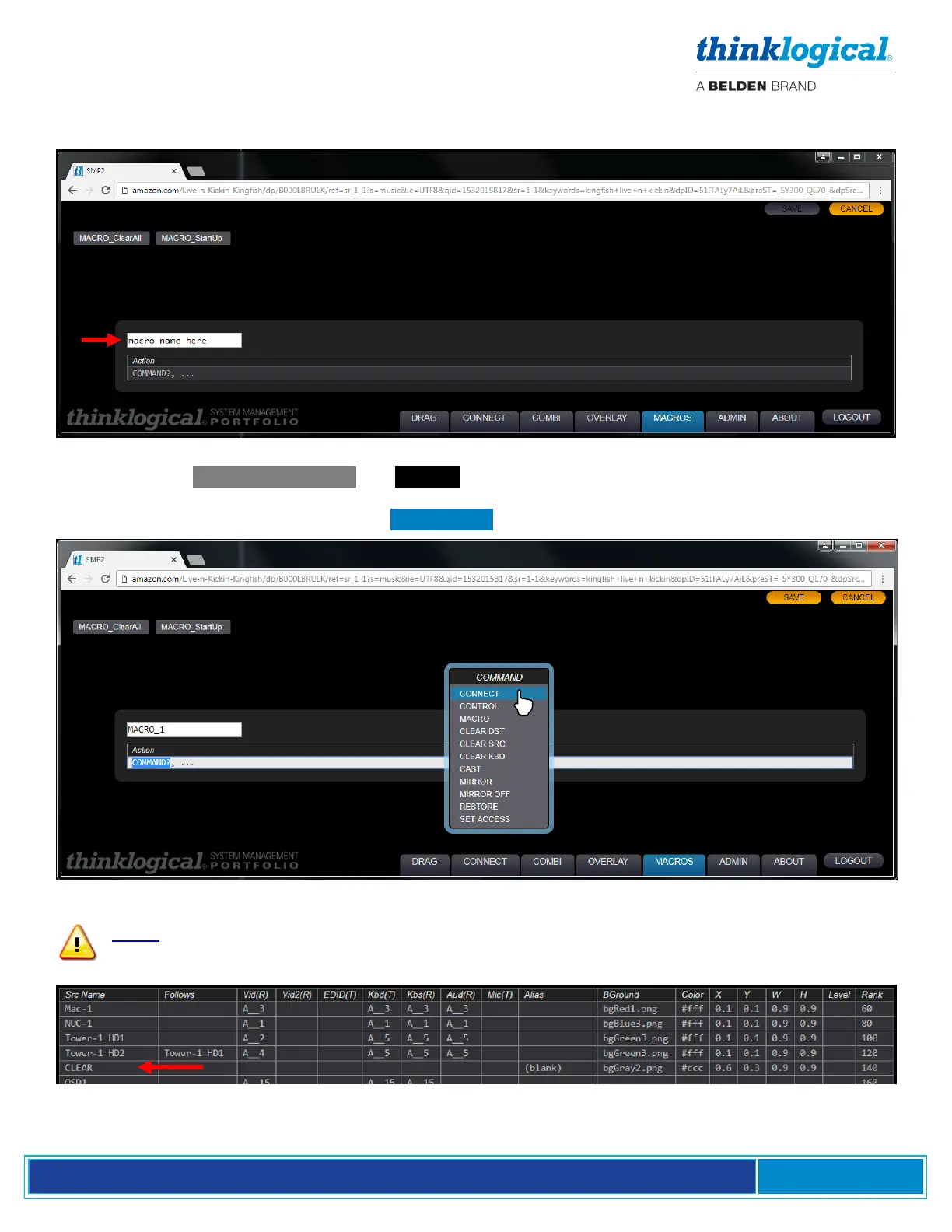
Enter a name in the macro name here field. If this macro is used in Drag N Drop, it must follow the
MACRO_xxx naming convention (“MACRO” is case sensitive).
When choosing .FROM SCRATCH , an Action line appears below the macro’s name. Left-click on
COMMAND and a drop-down menu appears. Here Actions, Sources and Destinations are defined
manually. For example users can select .CONNECT. as below.
Note: The default CLEAR line on the SRCS page, while not requiring size and shape
parameters, is necessary for the CLEAR actions to function properly.



 To Next Page