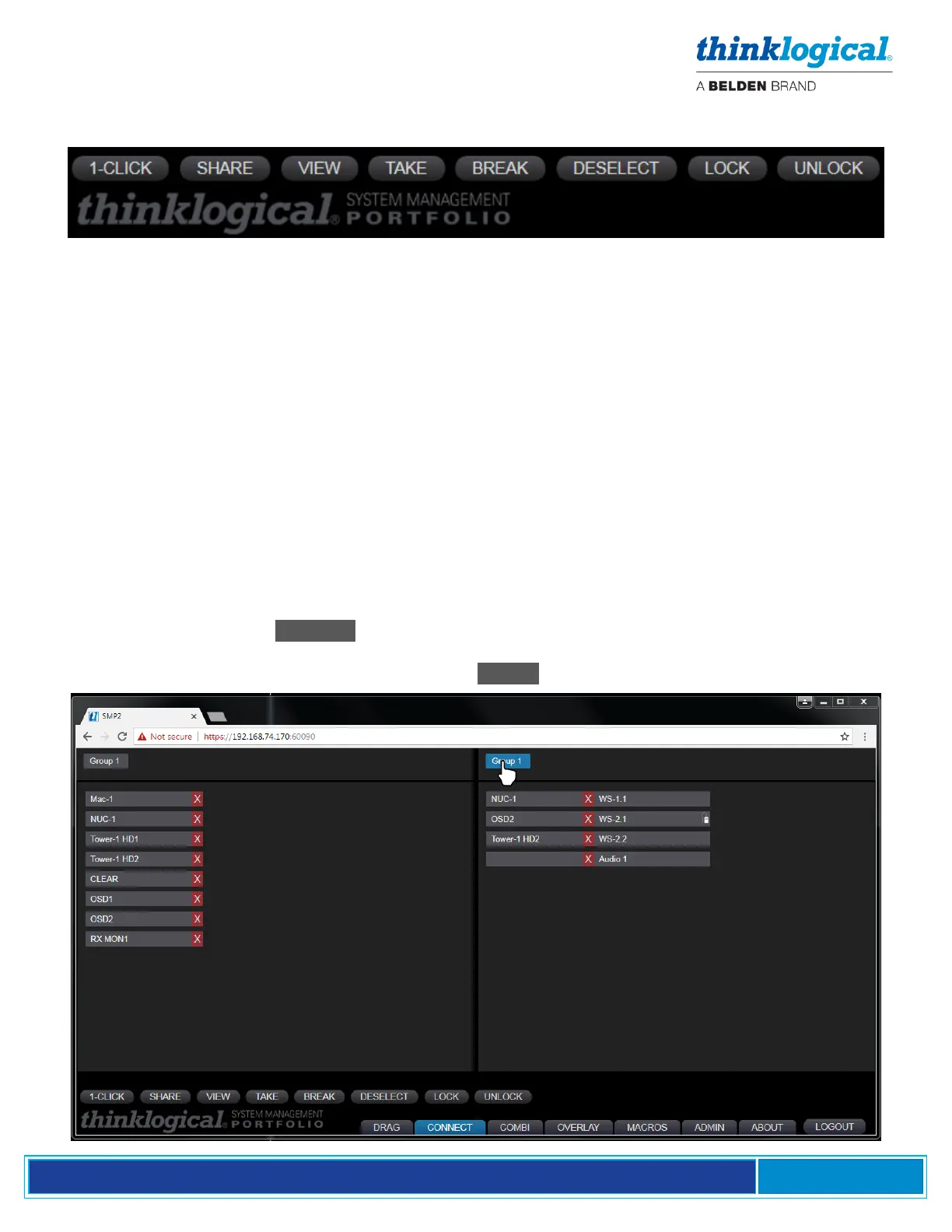
A set of tabs along the bottom, left portion of the page (below) gives users a variety of ways to make
and break single or multiple video and data connections.
▪ 1-CLICK: Click on any Source and any Destination to make a connection. Must be used in
conjunction with the other tabs, listed below. (If 1-CLICK and either SHARE, VIEW, TAKE, or
BREAK are selected, as shown above, then the selected action (SHARE, VIEW, TAKE, or
BREAK) will be executed immediately.)
▪ SHARE: By default, when additional Destinations are connected to a previously connected
Source, they will all share the video from the Source, but only the last one connected will have
control of the mouse, or data return (as shown by the mouse icon).
▪ VIEW: Each newly connected Destination can view the video but will not take the data return.
▪ TAKE: Each newly connected Destination removes the video from all previous Destinations and
the new Destination will take the data return.
▪ BREAK: Will break the connections of any highlighted Sources or Destinations.
▪ DESELECT: Clears all highlighted selections at once.
▪ LOCK: Prevents a source or destination from being “taken” or rerouted.
▪ UNLOCK: Removes a Lock condition.
Connections can also be divided into Tags that appear in the tabs along the top. As shown in the
example below, when the Group 1 Tag is selected on the Destination side, it will turn blue and only
destinations that are members of Group 1 are displayed. This feature is most useful at larger sites with
many Sources and Destinations. See the separate TAGS section for configuration.



 To Next Page