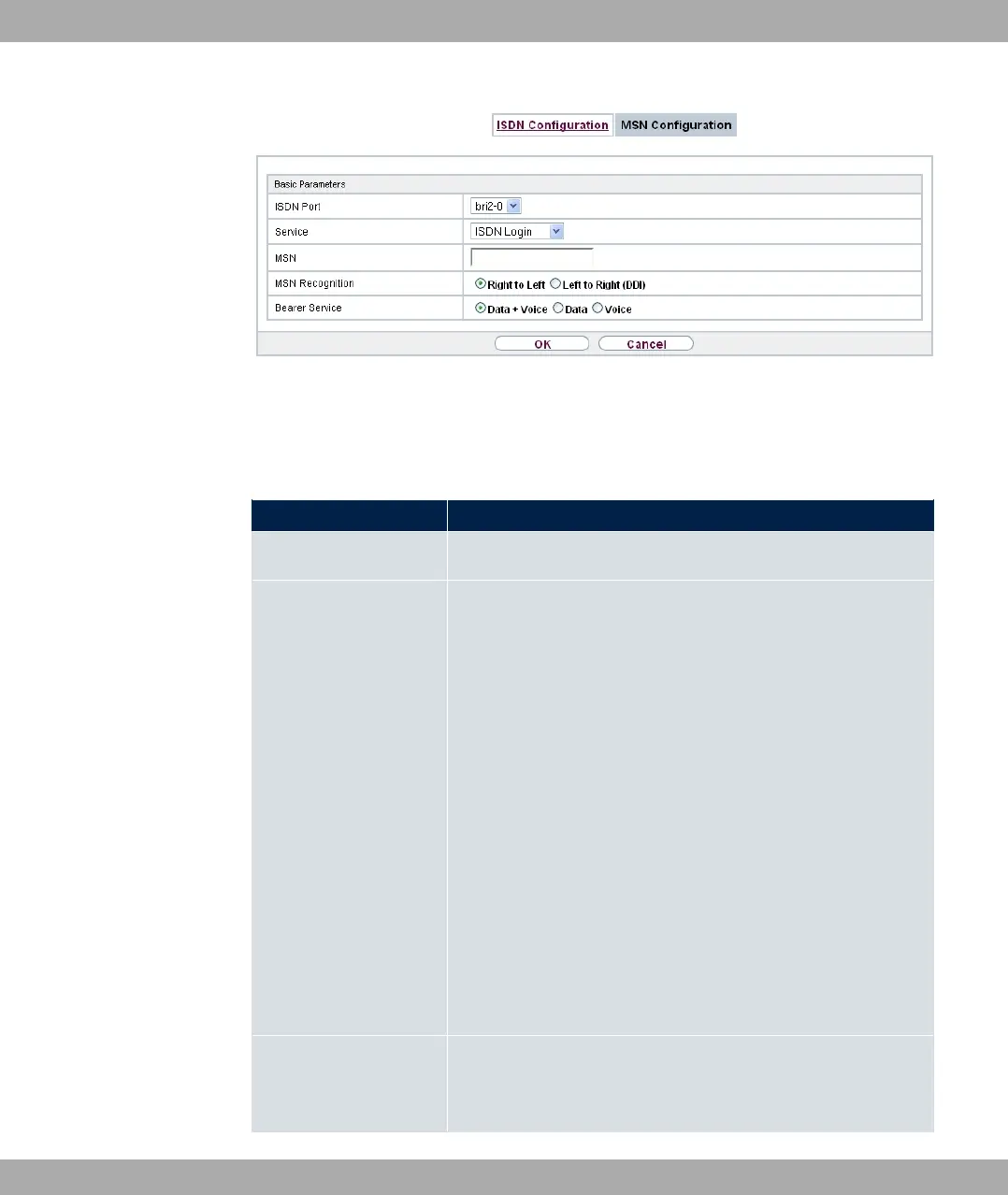
Fig. 63: Physical Interfaces->ISDN Ports->MSN Configuration->New
The menu Physical Interfaces->ISDN Ports->MSN Configuration->New consists of the
following fields:
Fields in the Basic Parameters menu.
Field Description
ISDN Port Select the ISDN port for which the MSN is to be configured.
Service Select the service to which a call is to be assigned on the MSN
below.
Possible values:
• 5) 0# (default value): Enables login with 5) 0
#
• A#!: Default setting for PPP routing. Contains
automatic detection of the PPP connections stated below ex-
cept 5-9;.
• %: Enables a number to be defined for IPSec callback.
• - !: Other services can be selected: :
(Allows 64 kpbs PPP data connections), : (Allows
56 kpbs PPP data connections), 9!
9!, 9!, 9&!
(Allows PPP connections with V.110 and bitrates of 9,600
bps, 14,400 bps, 19,200 bps, 38,400 bps), 9
(Allows PPP connections with V.120).
MSN Enter the number used to check the called party number. For
the call to be accepted, it is sufficient for the individual numbers
in the entry to agree, taking account of MSN Recognition.
bintec elmeg GmbH
8 Physical Interfaces
bintec RS Series 147



 To Next Page