Pin Position
1 Vbus
2 D-
3 D+
4 GND
Shell Shield
3.7 Inserting the SIM card
The bintec RS120wu device is fitted with a card slot for a SIM card.
Proceed as follows to insert the SIM card:
• Unscrew the middle screw on the back of the device and slide the cover upwards.
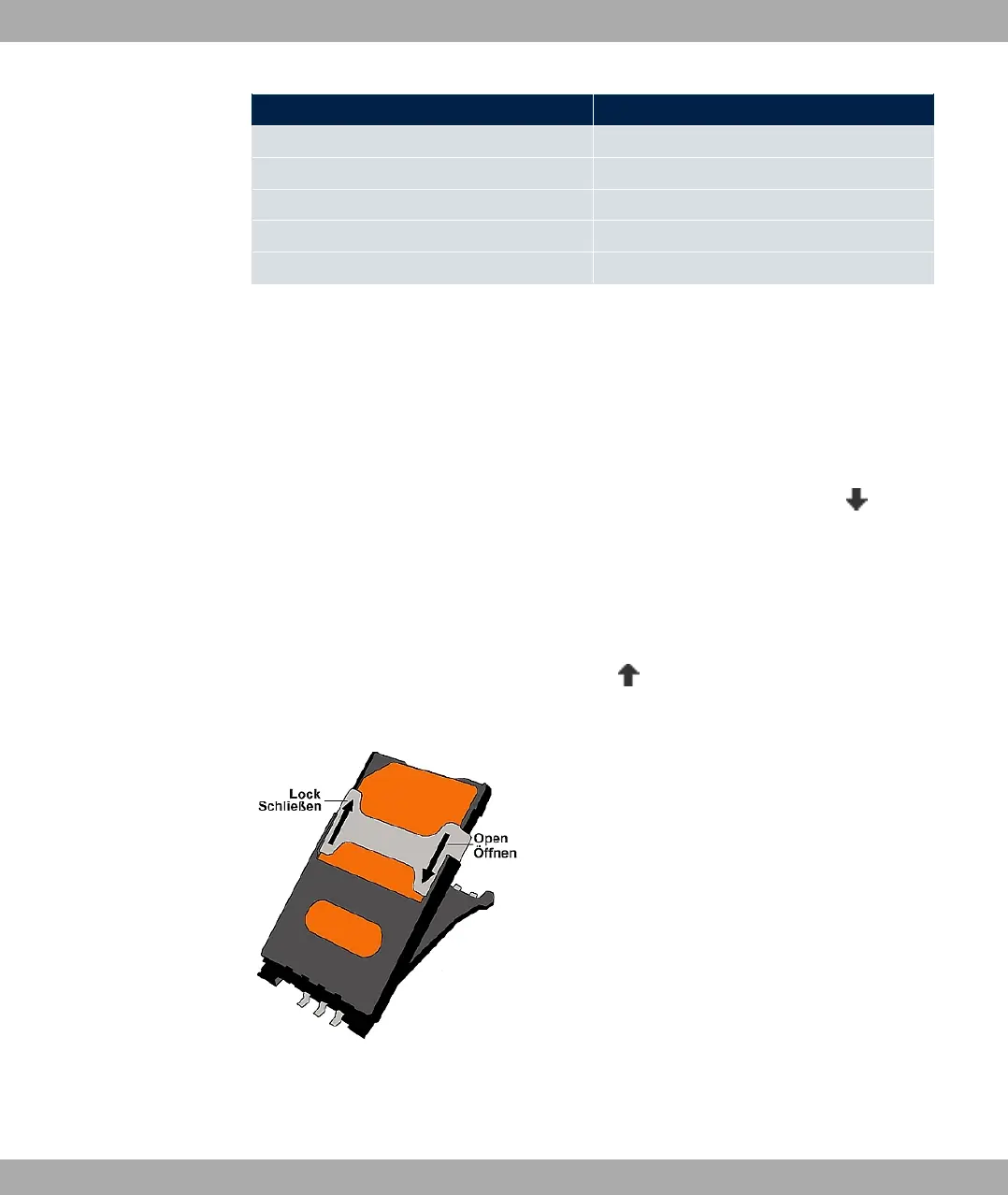
• Open the card slot. To do this, push the card lock in the direction of the arrow and lift
the card slot slightly.
• Make sure that that contacts on the SIM card are facing downwards.
• Push the SIM card into the card slot so that the bevelled edge of the card is facing up-
wards.
• Close the card slot. Press the card slot downwards again.
• Push the card lock in the direction of the arrow . You will hear a click as the card locks
into place.
Fig. 26: SIM card
bintec elmeg GmbH
3 Installation
bintec RS Series 47



 To Next Page