5.2.1 User names and passwords in ex works state
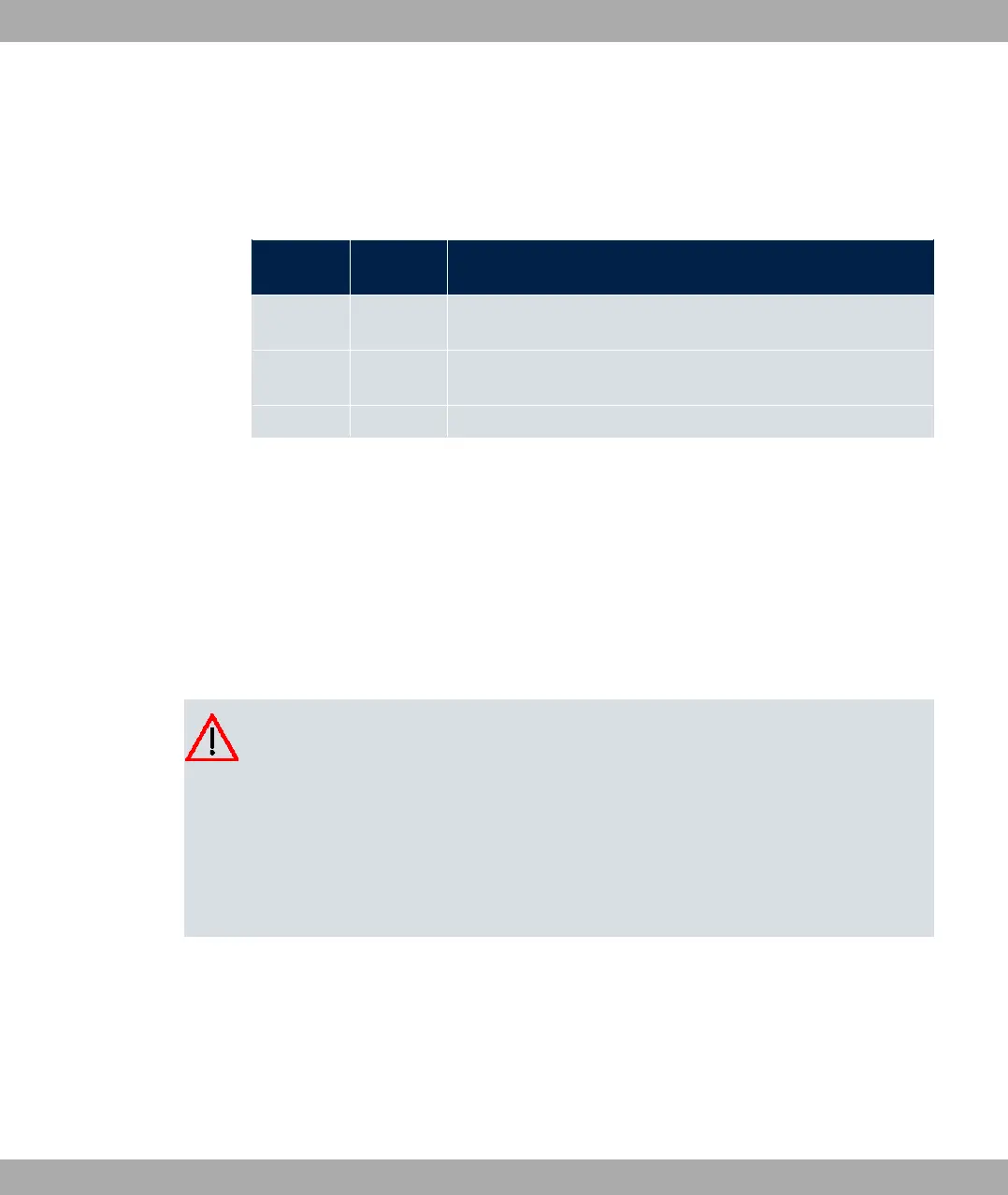
In its ex works state, your device is provided with the following user names and passwords:
User names and passwords in ex works state
Login
name
Password Authorisations
%! %! Read and change system variables, save configurations; use
GUI.
8 2( Read and write system variables (except passwords) (changes
are lost when you switch off your device).
% 2( Read system variables (except passwords).
It is only possible to change and save configurations if you log in with the user name %
!. Access information (user names and passwords) can also only be changed if you log
in with the user name %!. For security reasons, passwords are normally shown on the
Setup Tool screen not in plain text, but only as asterisks. The user names, on the other
hand, are displayed as plain text.
The security concept of your device enables you to read all the other configuration settings
with the user name %, but not the access information. It is therefore impossible to log in
with %, read the password of the %! user and subsequently log in with %! and
make changes to the configuration.
Caution
All bintec elmeg devices are delivered with the same username and password. As long
as the password remains unchanged, they are therefore not protected against unau-
thorised use. How to change the passwords is described in Passwords on page 87.
Make sure you change the passwords to prevent unauthorised access to your device!
If you have forgotten your password, you must reset your device to the ex works state,
which means your configuration will be lost.
5.2.2 Logging in for Configuration
Set up a connection to the device. The access options are described in Access Options on
page 60.
GUI (Graphical User Interface)
5 Access and configuration bintec elmeg GmbH
66 bintec RS Series



 To Next Page