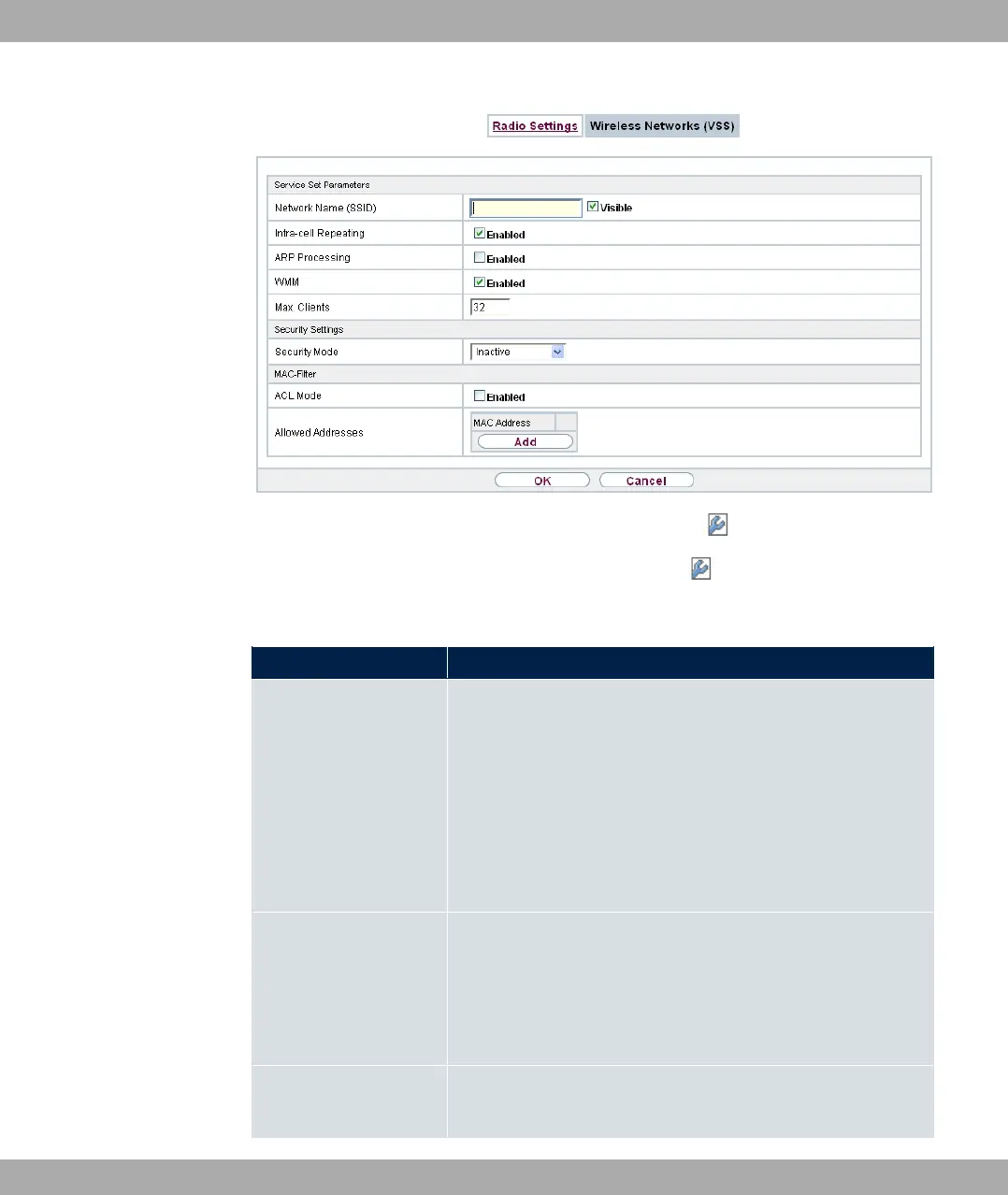
Fig. 76: Wireless LAN->WLAN->Wireless Networks (VSS)-> ->New
The Wireless LAN->WLAN->Wireless Networks (VSS)-> ->New menu consists of the
following fields:
Fields in the menu Service Set Parameters
Field Description
Network Name (SSID) Enter the name of the wireless network (SSID).
Enter an ASCII string with a maximum of 32 characters.
Also select whether the Network Name (SSID) is to be trans-
mitted.
The network name is displayed by selecting 9"1.
It is visible by default.
Intra-cell Repeating Select whether communication between the WLAN clients is to
be permitted within a radio cell.
The function is activated by selecting "1.
The function is enabled by default.
ARP Processing Select whether the ARP Processing function should be activ-
ated. The ARP data traffic is reduced in the network by the fact
bintec elmeg GmbH
10 Wireless LAN
bintec RS Series 189



 To Next Page