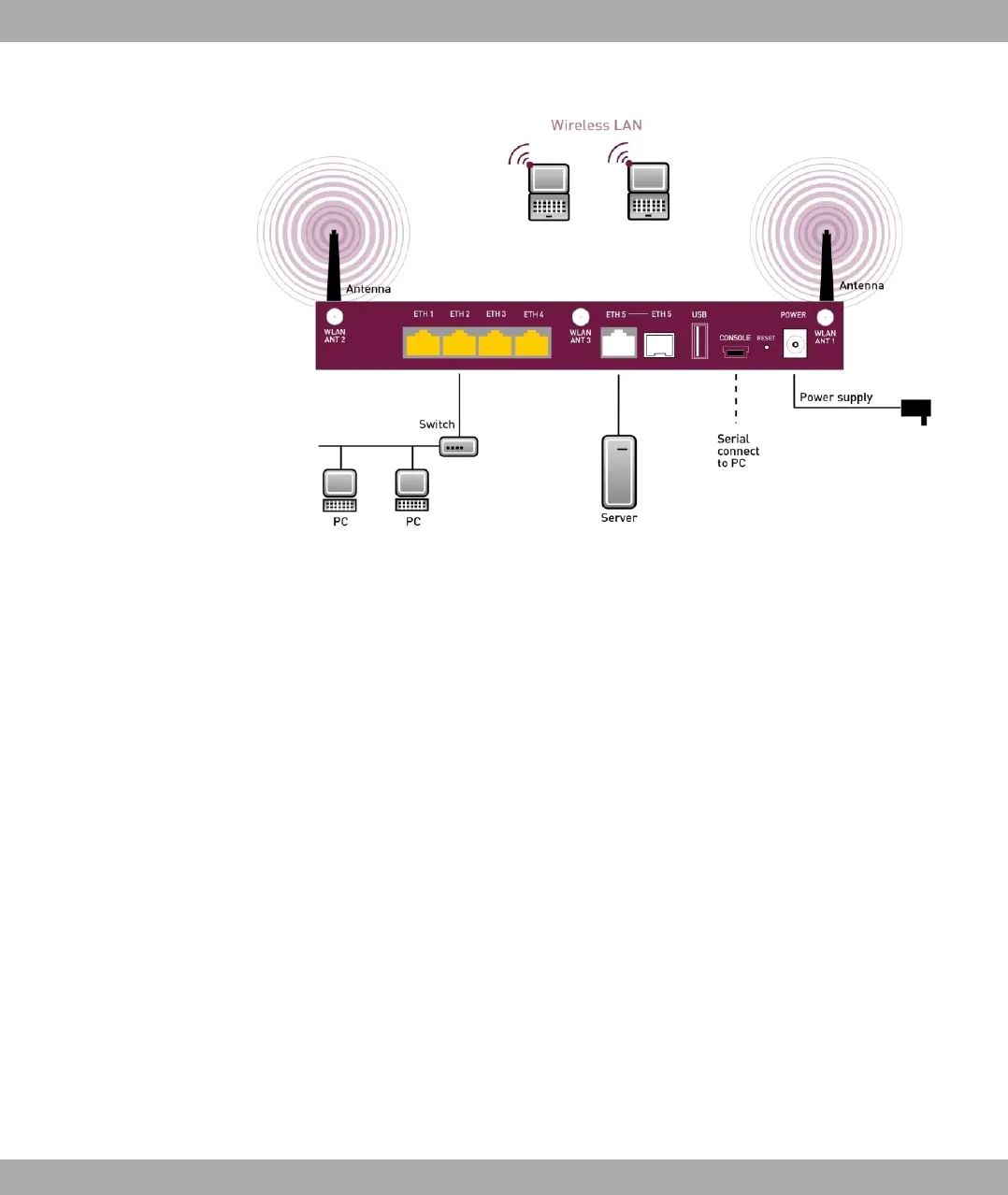
Fig. 6: Connection options using the example of bintec RS120wu
When setting up and connecting, carry out the steps in the following sequence:
(1) Antennas
With bintec RS120wu screw the external WLAN antennassupplied to the RSMA
connections provided for this purpose, also screw the two UMTS antenna to the
SMA connections.
(2) Place your device on a solid, level base.
(3) Mains connection
Connect the device to a mains socket using the mains device supplied.
You can set up further connections as required:
• DMZ
Connect the WAN interface (ETH, white connector) of your device to the Ethernet con-
nection of your DMZ via another Ethernet cable
• USB
Connect a wireless flash drive to the USB port on your device.
• Other LANs/WANs
Connect any other terminals in your network to the remaining switch ports (2, 3 or 4) of
your device using other Ethernet cables.
• Serial connection
3 Installation bintec elmeg GmbH
16 bintec RS Series



 To Next Page