108 Biodex Medical Systems, Inc. © 2017
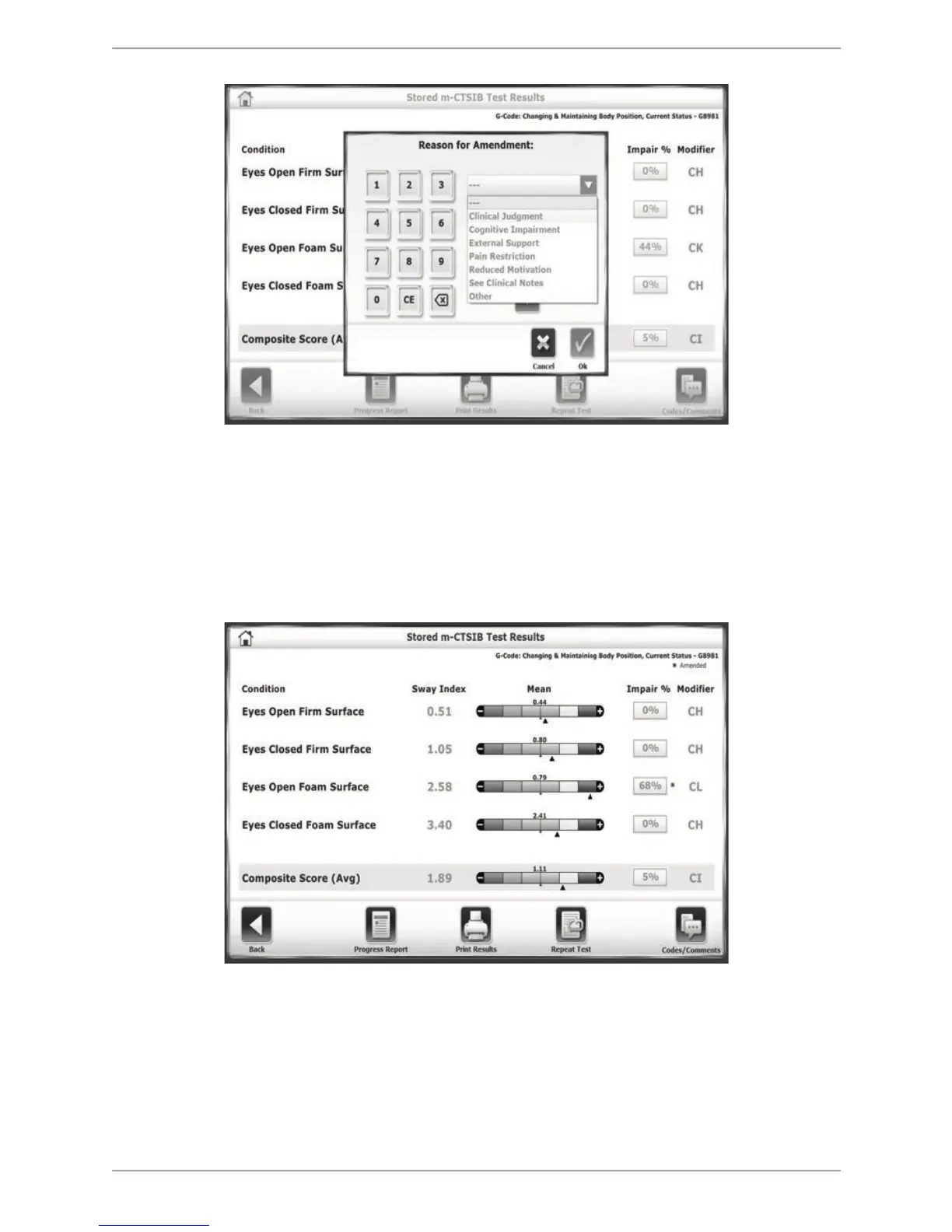
Figure 10.11. Reason for Amendment external screen. Use this screen to set a new Impairment %, as well
as giving a reason for making the change.
5. Once a new Impairment % number and a reason for the change have been entered/selected,
touch <OK>. The new Impairment percent as well as a new modifier code (since in this case
the change in percentage [44 to 68] was significant enough to warrant a change in Modifier
Code category; from CK to CL) is displayed on the resultant screen. A red asterisk is
displayed next to the data that has been changed.
Figure 10.12. Stored Test Results, with updated Impair % number, Modifier code, and red ‘Amended’
asterisk.



 To Next Page