152 Biodex Medical Systems, Inc. © 2017
3. Enter the following formula for each row in column F from cell E2 to E100:
=IF(E2,LN(E2),"")
Note: Any erroneous sample that has a value of 0 will be discarded by the use of the IF in
the formula.
4. Repeat step 3 for the other columns: H, J, and L from cell 2 to 100.
Note: Remember to change the column name in the formula for each column.
5. At the end of the Data (row 101 for our example), enter the following formula for each of
the following columns: E, G, I, and K:
=AVERAGE(E2:E100)
Note: Remember to change the value in the parentheses (e.g., E2: E100) with the
appropriate value for each column.
6. Enter the following formula on row 102 for each of the following columns F, H, J, and L.
=STDEV(F2:F100)
Note: Remember to change the value in the parentheses (e.g., F2: F100) with the
appropriate value for each column.
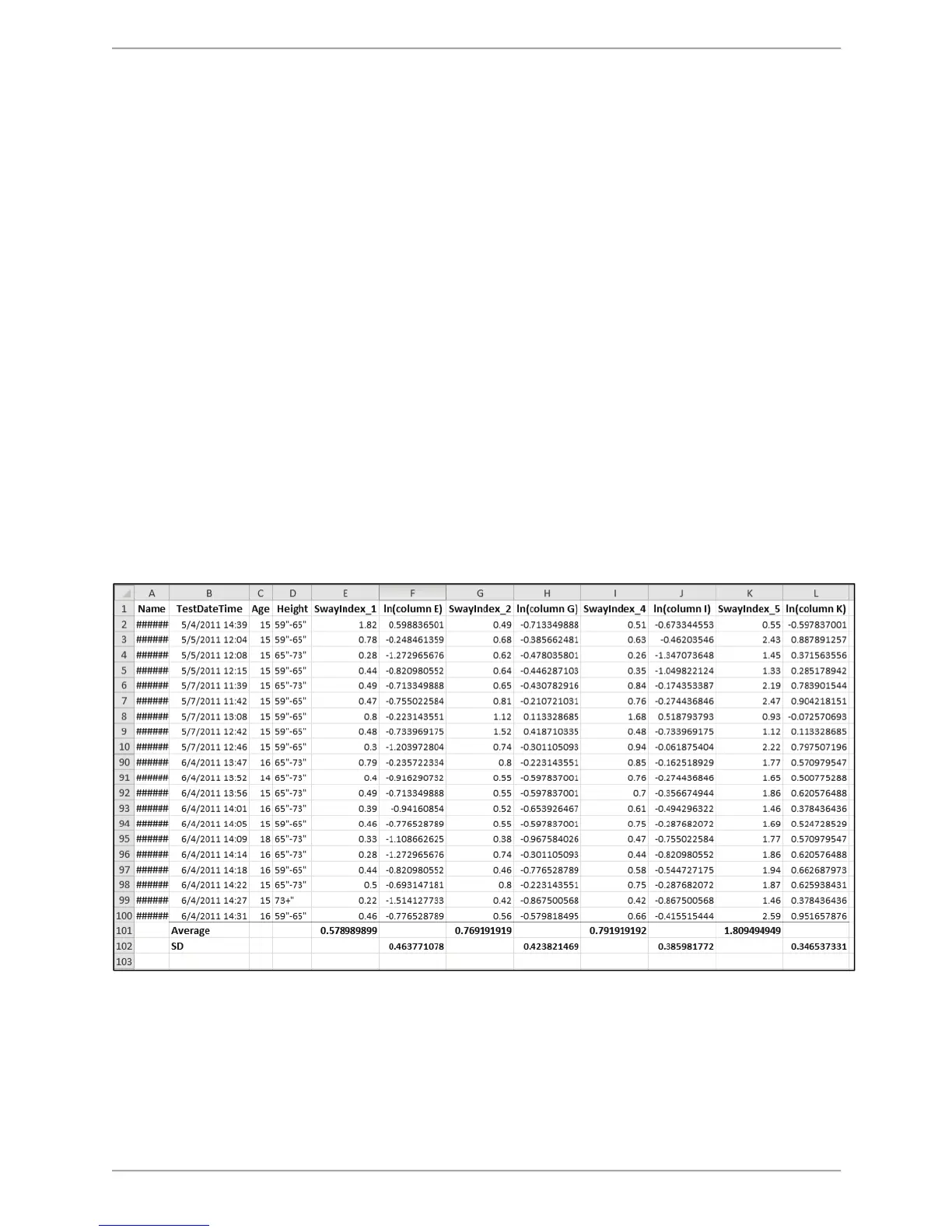
Figure C.27. Display of CTSIB Data Columns with those that are not of Interest Deleted.
7. The example in Figure C.27 illustrates the final format after the necessary modification has
been made to the original CSV file. The Average and the Standard Deviation was calculated
from Sway indexes (with Natural Logarithm applied on each score). This can be used as the
normative value and can be entered into the Balance product software (BioSway and/or SD).



 To Next Page