30 Biodex Medical Systems, Inc. © 2017
4. Touch <Test Options> to advance to the Percent Weight Bearing Training Options screen if
desired. Here, the total time for the exercise can be set, the Scoring range can be set, and
the Display Tracing, Display Cursor, and Scoring Tone can be turned on or off.
5. Use the <"> or <#> keys to set the total time in ten-second increments. During the
routine, the system will count down from the time setting selected. If no time is set, the
timer will count up from 00:00 to a maximum of 12:00 minutes.
6. Use the <"> or <#> keys to set the scoring forgiveness range, which is used to make it
easier or harder for patients to perform the weight shifting tasks they will be asked to
perform. Values from 3% to 15% can be set.
7. Touch <OK> to confirm the selections or <Cancel> to return to the Patient Setup Information
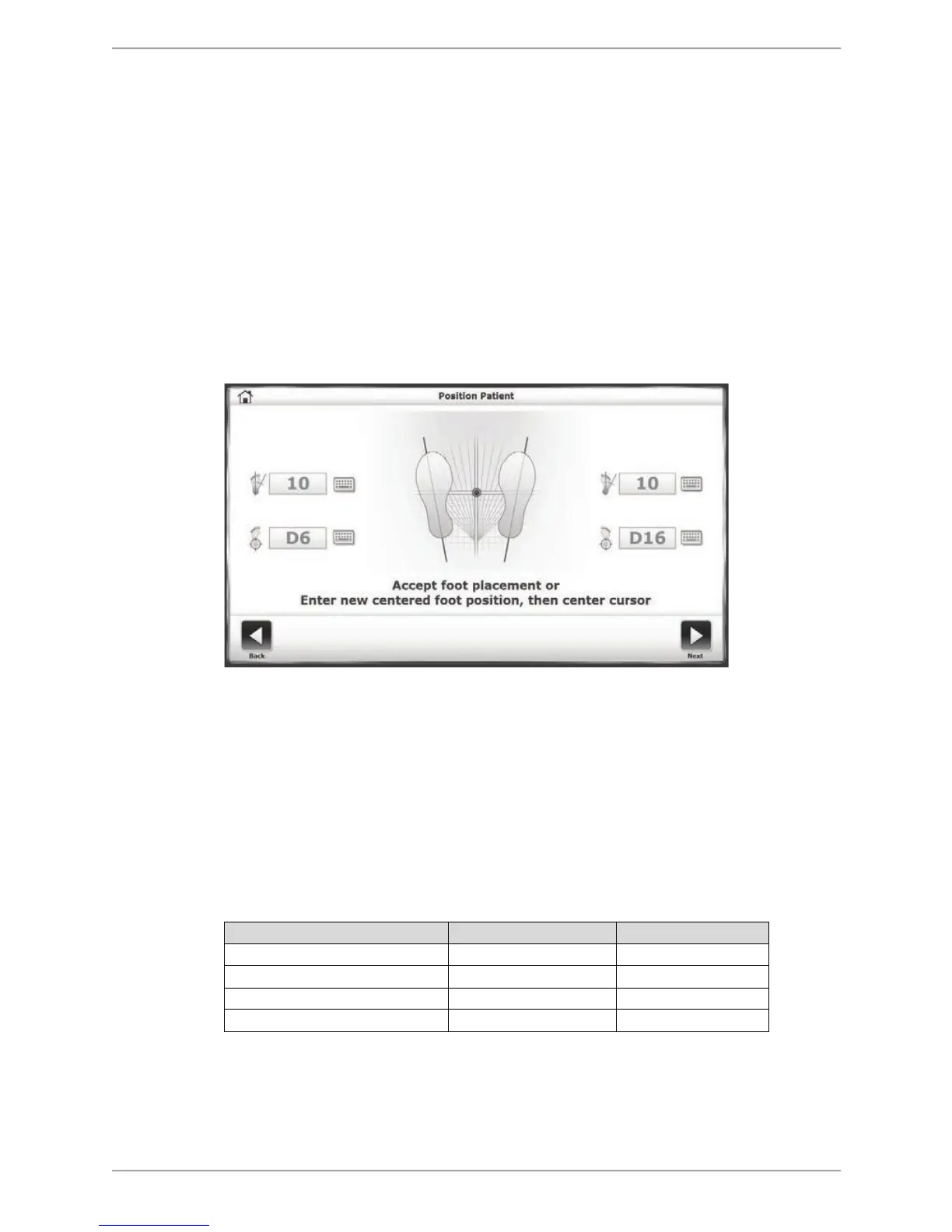
screen without making changes. Touch <NEXT> to advance to the Position Patient screen.
Figure 6.4. Position Patient Screen
8. The dot on the Position Patient screen represents the patient’s Center of Gravity. Have the
patient stand in a natural stance, slightly adjusting foot placement until the dot is on or
close to the center axis. Using the four keypads, enter the patient’s left foot, left heel, right
foot and right heel positions using the midline of the foot and the platform grid as
reference points. As a reference, use the table below for foot positioning based on patient
height*:
Table 6.1 Patient Foot Placement
9. Touch <Next> to advance to the Percent Weight Bearing Training screen (see Figure 6.5).
10. On the Percent Weight Bearing Training screen, touch one of the three <Axis> icons to
select an exercise orientation.



 To Next Page