60 Biodex Medical Systems, Inc. © 2017
Touch <OK> to return to the Bilateral Comparison Testing Options screen and set the
Ending Platform Stability in the same manner.
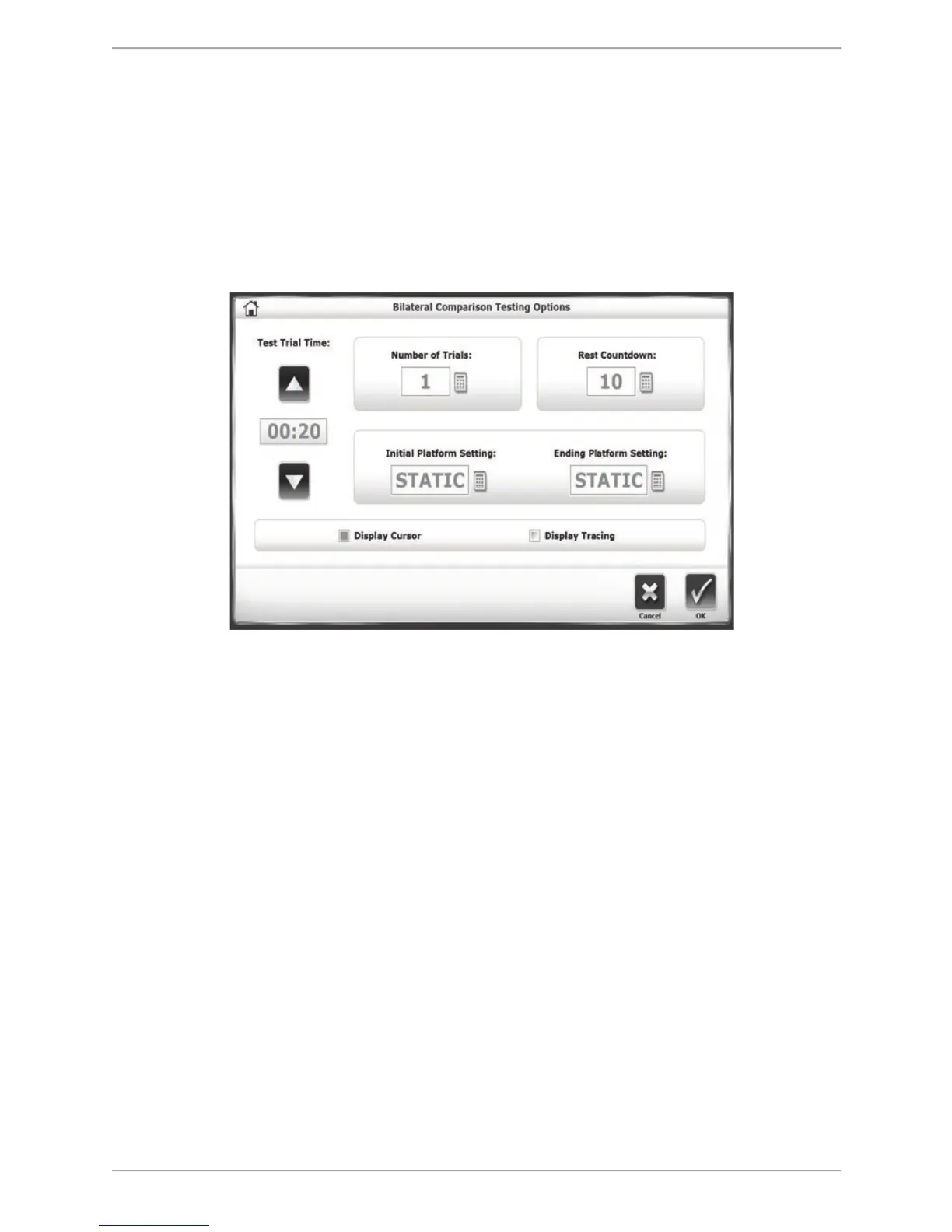
• To set the Number of Trials or Rest Countdown, touch the appropriate key and enter the
setting from the displayed keypad.
• To have either the cursor or tracing biofeedback displayed during the test, touch the
checkboxes next to the choices.
5. Touch <OK> to confirm the selections and return to the Patient Setup screen.
Figure 7.14. The Bilateral Comparison Testing Options screen.
6. Touch <Next> to advance to the Bilateral Comparison Testing screen.
7. If desired, touch the <Show Tracing> icon (the left-most icon under Tracing). Press the
<Clear Tracing> eraser icon (the right-most icon under Tracing) to remove any tracing that
is left from a previous training session.
8. Press <Start> to activate the Bilateral Comparison Test screen.
9. With the patient ready to begin the test, touch <Collect Data>. The screen will provide a
three-second countdown before beginning each test trial. The display screen will include
Test Trial Time, the Sway Index, what number Trial is occurring, and the Platform Setting. If
desired, touch the <Magnifying Glass> icon to enlarge the grid circle.
10. Please note, directly under the grid circle is an indicator of which leg is being tested. There
are two tests in each trial; one for each leg.



 To Next Page