Balance System SD (with v4.X software) 67
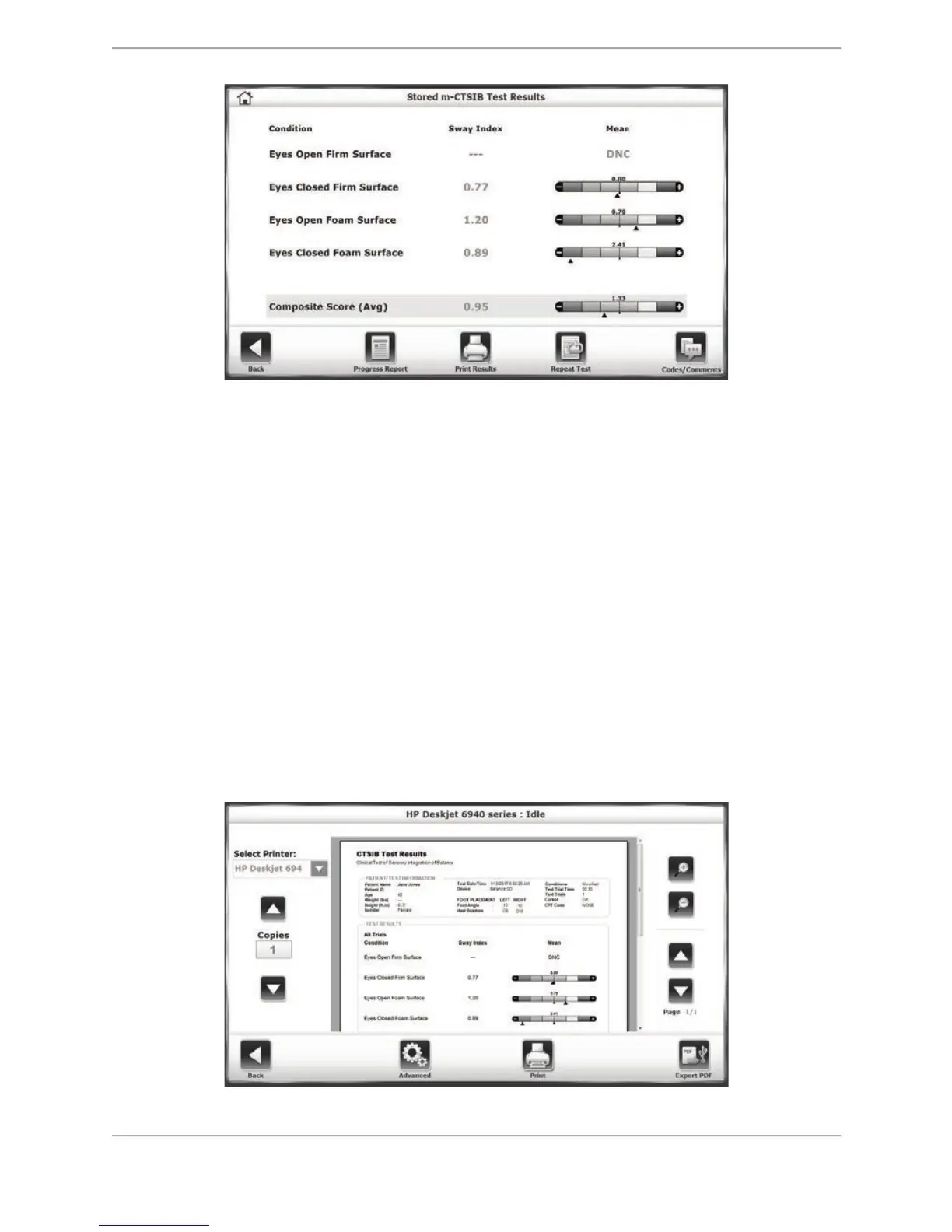
Figure 8.5. Sample Stored Test Results screen for an m-CTSIB test. In this example, the DNC
designation means that the patient did not complete the Eyes Open Firm Surface test
condition.
4. Clicking on <Print Results> on the Stored Test Results screen will display a print preview for
the report.
• On this screen, the user can select the printer to be used in the drop-down menu on the
left. Under <Copies>, the user enters the number of copies to be printed.
• Touch <Export PDF> to export a PDF version of the report to a flash drive inserted in one
of the display’s USB ports.
• Touch one of the <Magnifying Glass> buttons to zoom in (+) or zoom out (-) increasing
or decreasing the size of the print preview.
• If the report contains more than one page, use the <"> or <#> keys to navigate
through the pages.
• Touch <Advanced> to display a Windows print dialog screen. From this Windows screen,
the user can select options to further refine the printed report.
Figure 8.6. Print options screen.



 To Next Page