S10/S12/S10A/S12A Patient Monitor User’s Manual
1-6
8. CO2 connector
9. C.O. connector
10. IBP connector
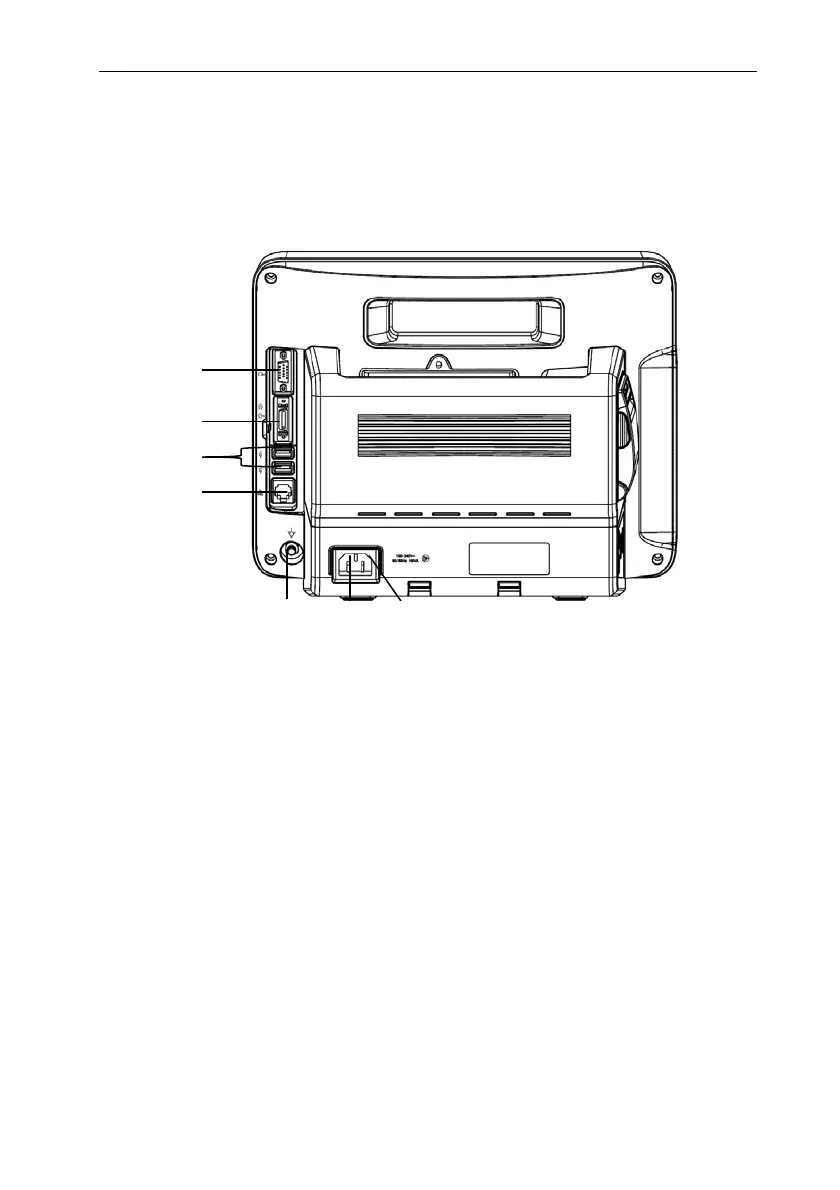
1.4.3. Rear View
1. VGA connector(optional)
Connect secondary display with a standard VGA connector. Auxiliary display and
monitoring are performed by connecting a secondary display. The display content of the
secondary display is consistent with the monitor display.
2. Multifunction connector(optional)
Simultaneously output defibrillation synchronization signal, nurse call signal and
analog output signal.
3. USB connector
It includes 2 standard USB2.0 connectors, which can be connected to USB devices
such as U disk and barcode scanner.
4. Network connector
The standard RJ45 interface, enabling networking with the central monitoring system,
other bed communications and system upgrades via.
1
2
3
4
5
6
7



 To Next Page