S10/S12/S10A/S12A Patient Monitor User’s Manual
1-7
5. Equipotential grounding terminal
When other devices and monitors are unified used, the wires should be used to
connect the equipotential grounding terminal of other devices and monitors to eliminate
the potential difference between different devices and ensure safety
6. AC power socket
7. Cable retainer
1.5. Screen Display
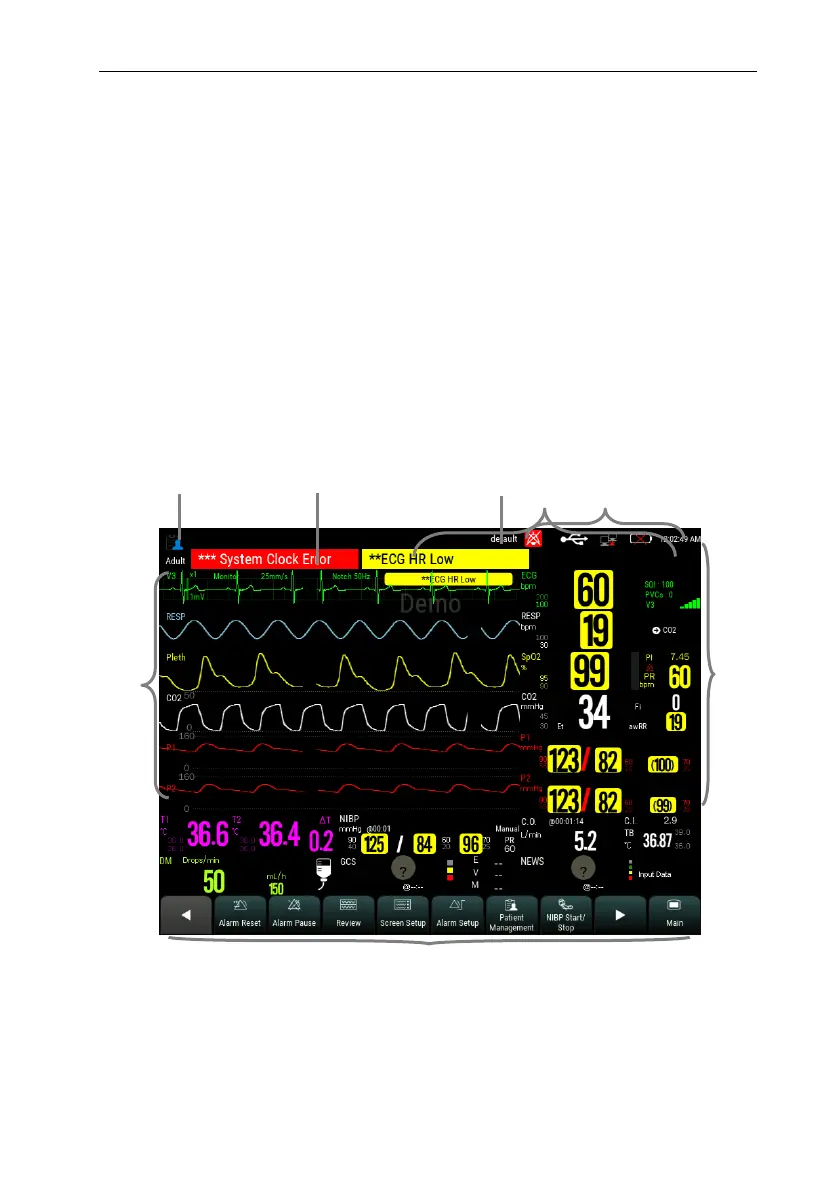
The monitor adopts a display screen of high-resolution TFT LCD. Measurement
parameters, waveforms, patient information, alarm area and menu can be displayed on the
screen. Standard screen is shown as follows:
1. Patient info area
Shows the room number, bed number, patient name, patient category and so on.
Select this area to enter the【Patient Management】menu and detailed description please
6
3
1
2
5
4
8
7



 To Next Page