411829-L, Description and Specifications April 2012 Page 1-13
1
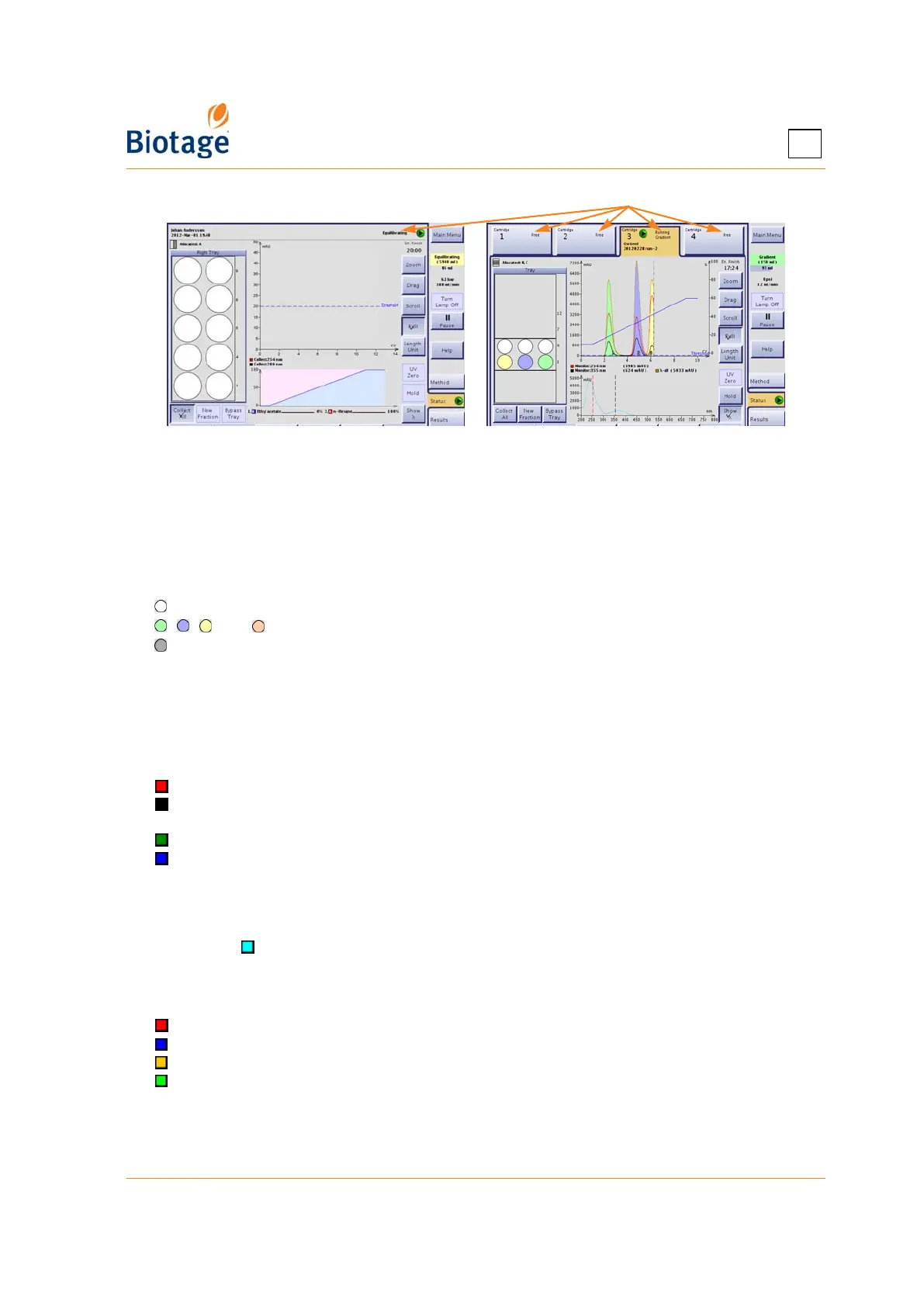
Figure 1-9. Status Tab (Isolera LS and
Isolera Four EXP with Spektra License Shown)
Color Legends
Fractions
Fractions that are already collected can be located by matching their colors on the chromatogram
with the vessel colors in the tray overview:
= The vessel is allocated but has not been used.
, , , and = The vessel contains a fraction.
= The vessel contains flush liquid.
If fractions are collected through the waste channel (i.e. the Bypass Tray mode is enabled), the
fractions are colored in magenta in the chromatogram and numbered W1, W2, and so on.
Light Absorbance
Light absorbance and the Start Threshold (if defined) are displayed in the chromatogram using the
following colors:
= Absorption measured by the internal detector, channel 1.
= Absorption measured by the internal detector, channel 2. (Not available if using the fixed
detector.)
= Absorption measured by the external detector (when connected).
= The defined threshold in mAU.
The defined wavelengths and the measured absorption in mAU
are displayed underneath the
chromatogram.
If a Spektra license has been installed on your system, the absorbance spectrum for the whole
detector range ( ) can be viewed in the gradient view by pressing the Show λ button.
Gradient Graph and Table
The colors used in the gradient graph and table are:
= Solvent A and the equilibration line (only in the graph).
= Solvent B and the gradient line in segments with Solvent A and B (only in the graph).
= Solvent C and the gradient line in segments with Solvent B and C (only in the graph).*
= Solvent D and the gradient line in segments with Solvent C and D (only in the graph).*
The gradient graph shows the defined gradient (excluding the additive*). The actual percentage of
pumped solvents (including the additive*, if used) are displayed underneath the graph.
* Not available when using an Isolera Prime system.
Cartridge status



 To Next Page