411829-L, System Settings April 2012 Page 3-3
3
6. Select the Extended Flush Volume text box and enter the amount of solvent that has to be
added to the flushes due to the flow cell volume and/or the extra tubing associated with the
external detector.
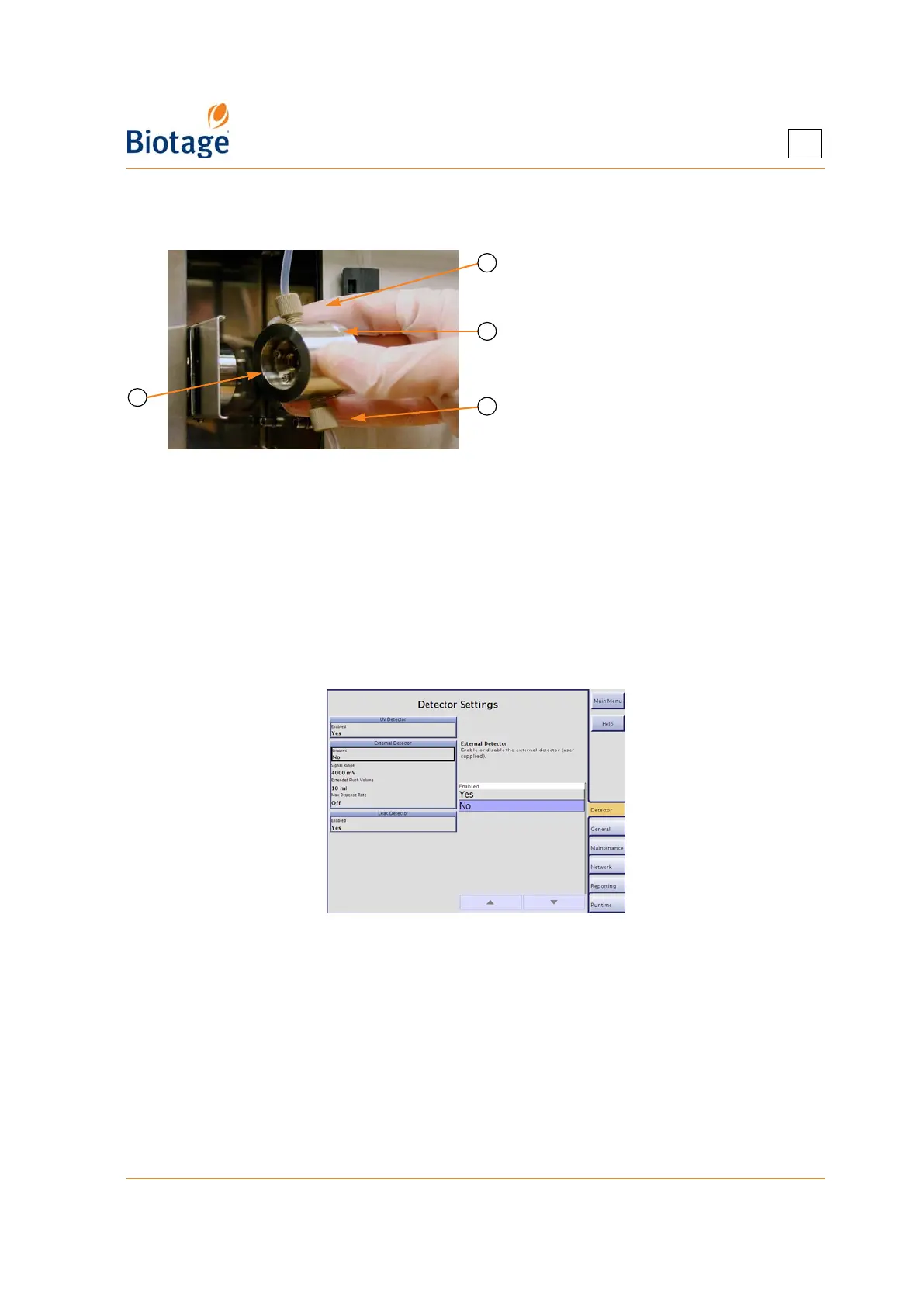
Figure 3-3. Internal Detector Flow
Cell (Isolera Prime, One, and Four
Shown)
7. Select the Max Dispense Rate text box and enter the maximum speed at which liquid can be
pushed into the tubing of the external detector during the dispense stroke. The valid range is
1 to 200 ml/min when using an Isolera Prime, Isolera One, or Isolera Four system and 50 to
500 ml/min when using an Isolera LS system. If this parameter is turned off, the system's
maximum dispense rate will be used (i.e. 200 ml/min or 500 ml/min).
3.2.3 Disable an External Detector
To disable the external detector:
1. Select the Detector tab in the right-hand panel.
2. Select the Enabled text box in the External Detector field and select No.
Figure 3-4. Detector Tab
3.2.4 Enable or Disable the Leak Detector
Biotage Leak Detector can be used for safe, unattended operation. The leak detector is standard on
Isolera LS and optional on Isolera Prime, Isolera One, and Isolera Four.
To enable Biotage Leak Detector:
1. For installation instructions, see the “Moving an Isolera System” section in the “Isolera
Installation and Safety” document (P/N 411828).
2. Select the Detector tab in the right-hand panel.
3. Select the Enabled text box in the Leak Detector field and select Yes.
A Flow Cell Outlet Tube
B Flow Cell
C Flow Cell Inlet Tube
D Opened Retaining Latch
C
D
B
A



 To Next Page