411829-L, Operation April 2012 Page 4-35
4
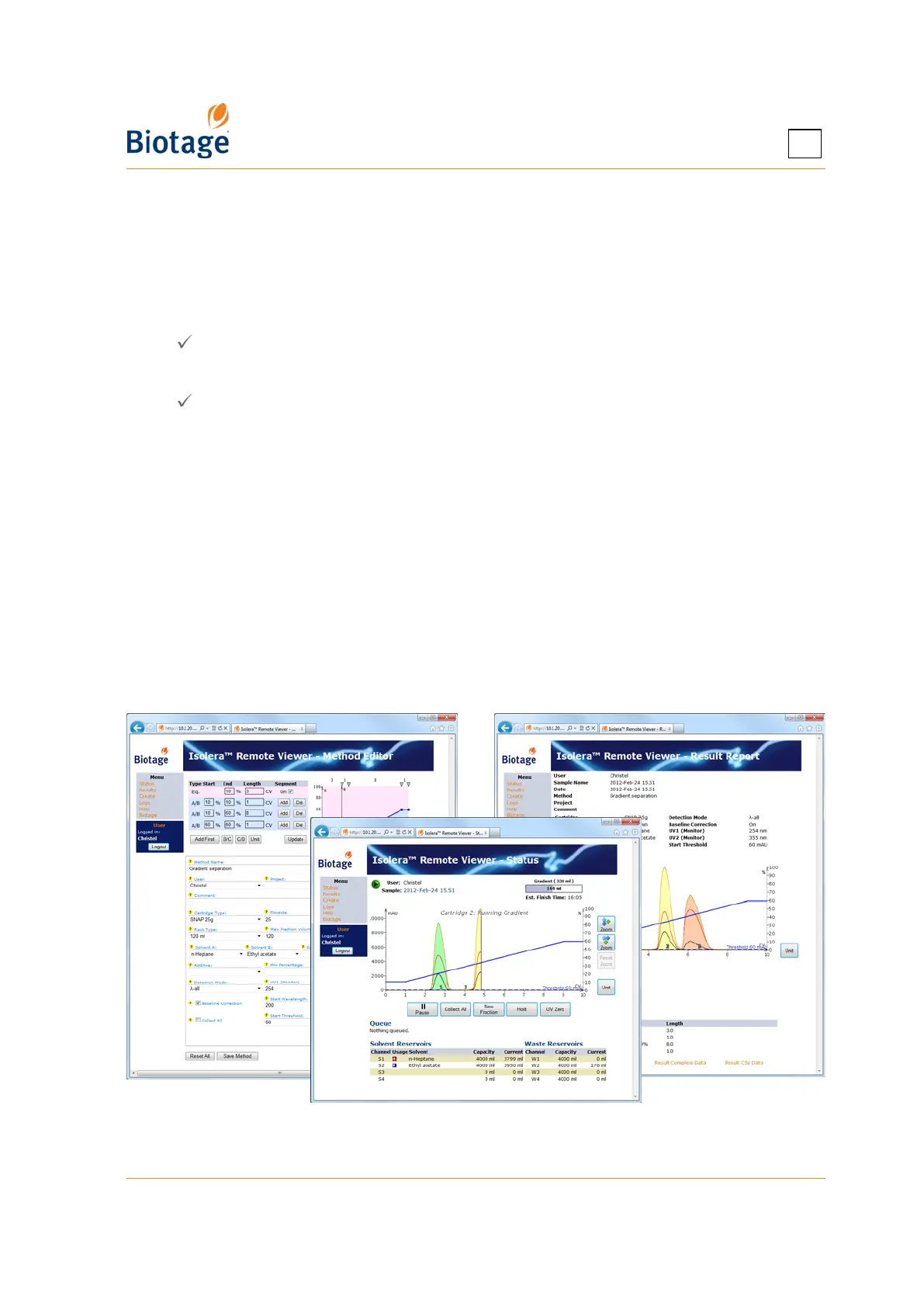
4.12 Access the Isolera Remote Viewer
With the system connected to your network, it is possible to perform the following tasks through a
standard web browser (through the Isolera Remote Viewer feature):
• Create a new method. If desired, the method can be based on a previous purification found
in the Results view.
• Check the status of the system and the progress of a purification.
• Instruct the system to start and stop collecting fractions by clicking the Collect All button
( = fractions are collected).*
• Instruct the system to switch to a new collection vessel by clicking the New Fraction button.*
• Instruct the system to start and end an isocratic segment by clicking the Hold button
( = isocratic hold is enabled).*
• Instruct the system to pause the purification in progress by clicking the Pause button. For
safety reasons, it is only possible to pause and not resume a run from your office.
• Instruct the system to set the current UV level to 0 (zero) AU by clicking the UV Zero button.*
• View, print, and export purification results.
* You must be logged in as the user defined in the purification run.
To access the Isolera Remote Viewer:
1. Enter the URL http://MACHINENAME in a web browser (where MACHINENAME is the hostname
or the host IP address). The hostname and host IP address are available in the About dialog at
the main menu.
2. Press ENTER and the Isolera Remote Viewer web page is loaded. The page is automatically
updated every five seconds.
NOTE
If you need help accessing the Isolera Remote Viewer, contact your IT
administrator.
Figure 4-28. Isolera Remote Viewer
(System with Four Solvent Inlets and Spektra License Shown)



 To Next Page