411829-L, Operation April 2012 Page 4-24
4
4.7.4 Collect Through the Waste Channel
If you want to start collecting fractions through the waste channel, press the Bypass Tray button
at the Status tab during the gradient run ( = collection through waste is enabled). You will be
requested to connect a collection vessel to the waste channel and enter the max collection volume
of the vessel. You can at any time switch to a new collection vessel by pressing New Fraction or
stop collecting through the waste channel and go back to collecting on the tray by pressing the
Bypass Tray button.
Fractions collected through the waste channel are colored in magenta in the chromatogram and
numbered W1, W2, and so on.
4.7.5 Start and End an Isocratic Segment
You can at any time during the gradient run start an isocratic segment by pressing the Hold button
( = isocratic hold is enabled). End the segment by pressing the Hold button again.
4.7.6 Control a Manual Collection
If you have set up a purification with manual collection, you can instruct the system to start and
stop collecting fractions by pressing the Collect All button at the Status tab ( = fractions are
collected). The system will fill each collection vessel according to the defined max fraction volume.
You can at any time switch to a new collection vessel by pressing New Fraction.
4.7.7 Edit and Manually Extend a Purification
If the system is collecting fractions and remaining light absorption is detected when the system
nears the end of a purification, the system enters the Auto-Extend mode (if enabled in the system
mode). This extends the gradient purification stage of the run with 25% of the total gradient length
using the final conditions in the method.
To edit and manually extend a purification:
1. Select the Status tab in the right-hand panel.
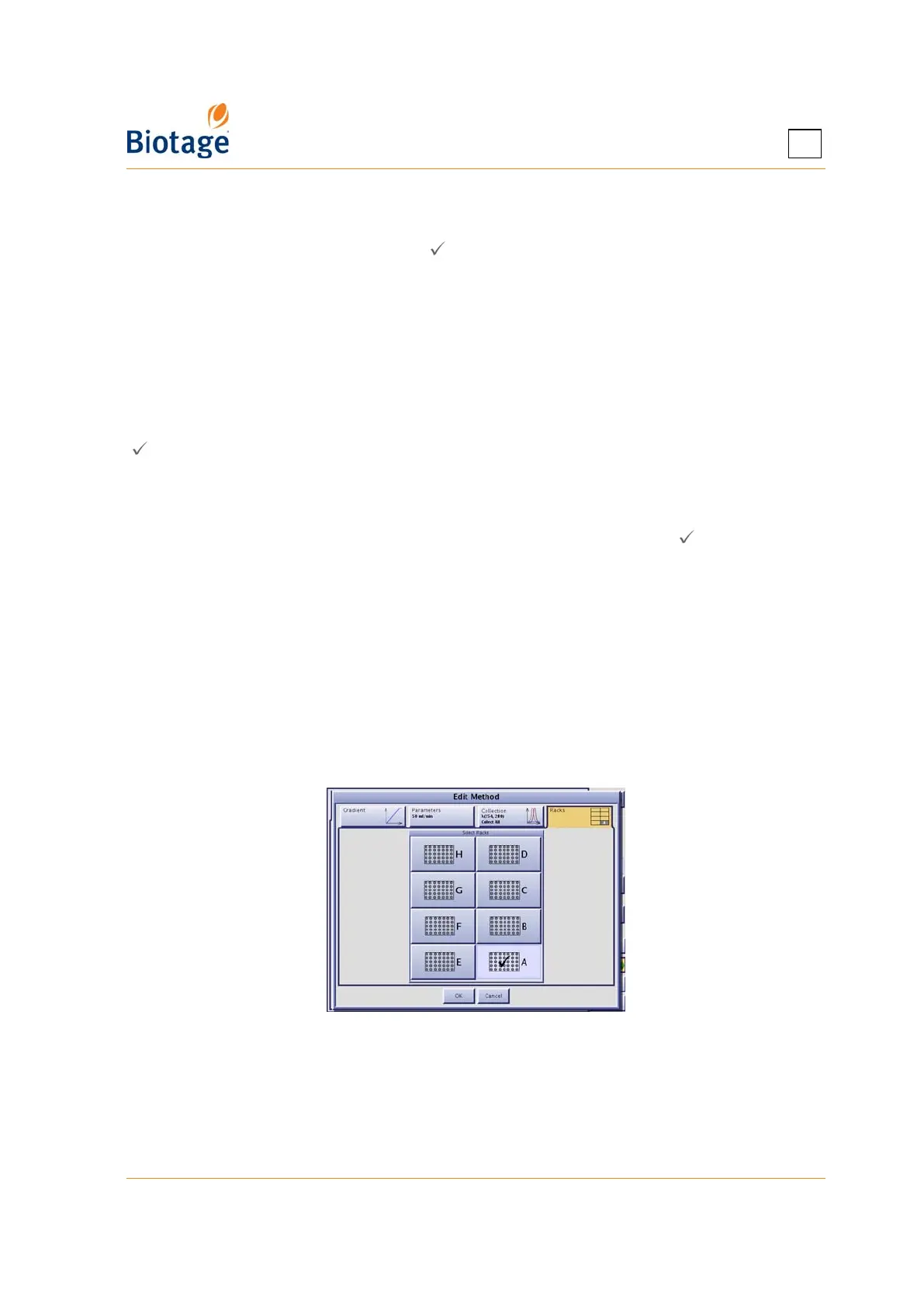
2. Press Edit.... The system is paused and the Edit Method dialog opens.
Figure 4-19. Edit Method Dialog
3. Edit the method settings.
4. To save the changes and resume the operation (if the system was paused), press OK.



 To Next Page