411829-L, System Settings April 2012 Page 3-8
3
3.5.3 Set Up Auto Send of Reports
If the Auto Send Reports option is enabled, a report is sent to the e-mail address specified in the
user’s account when a purification has been completed. An e-mail will also be sent to the user when
user interaction is required, e.g. when a rack has to be replaced, a solvent needs to be replenished
(if monitoring is enabled), a waste reservoir needs to be emptied (if monitoring is enabled), and a
leak is detected (if using Biotage Leak Detector).
1. Configure the network connection; see instructions on page 3-5.
2. Select the Reporting tab in the right-hand panel.
3. Enter the outgoing e-mail server address by selecting the E-mail Server (SMTP) text box.
For more information, contact your IT administrator.
4. Select the Auto Send Reports text box and select Yes.
5. To test the connection, press Test in the E-mail field. The Test E-mail dialog opens.
6. Enter your e-mail address and press Send. If you receive a test message, the connection is
working properly.
3.6 Change Runtime Settings
3.6.1 Enable or Disable Audible Alarm
If the Audible Alarm option is enabled, an audible warning will sound in the following situations:
1) rack change is needed, 2) leakage (if using Biotage Leak Detector), 3) high pressure, 4) low
solvent volume (if solvent monitoring is enabled), 5) full waste reservoir (if waste monitoring is
enabled), 6) misalignment of the collection arm, 7) pump failure, 8) waste reservoir has to be
reconnected (when using the bypass tray function), and 9) the hold function has been active for
8 hours.
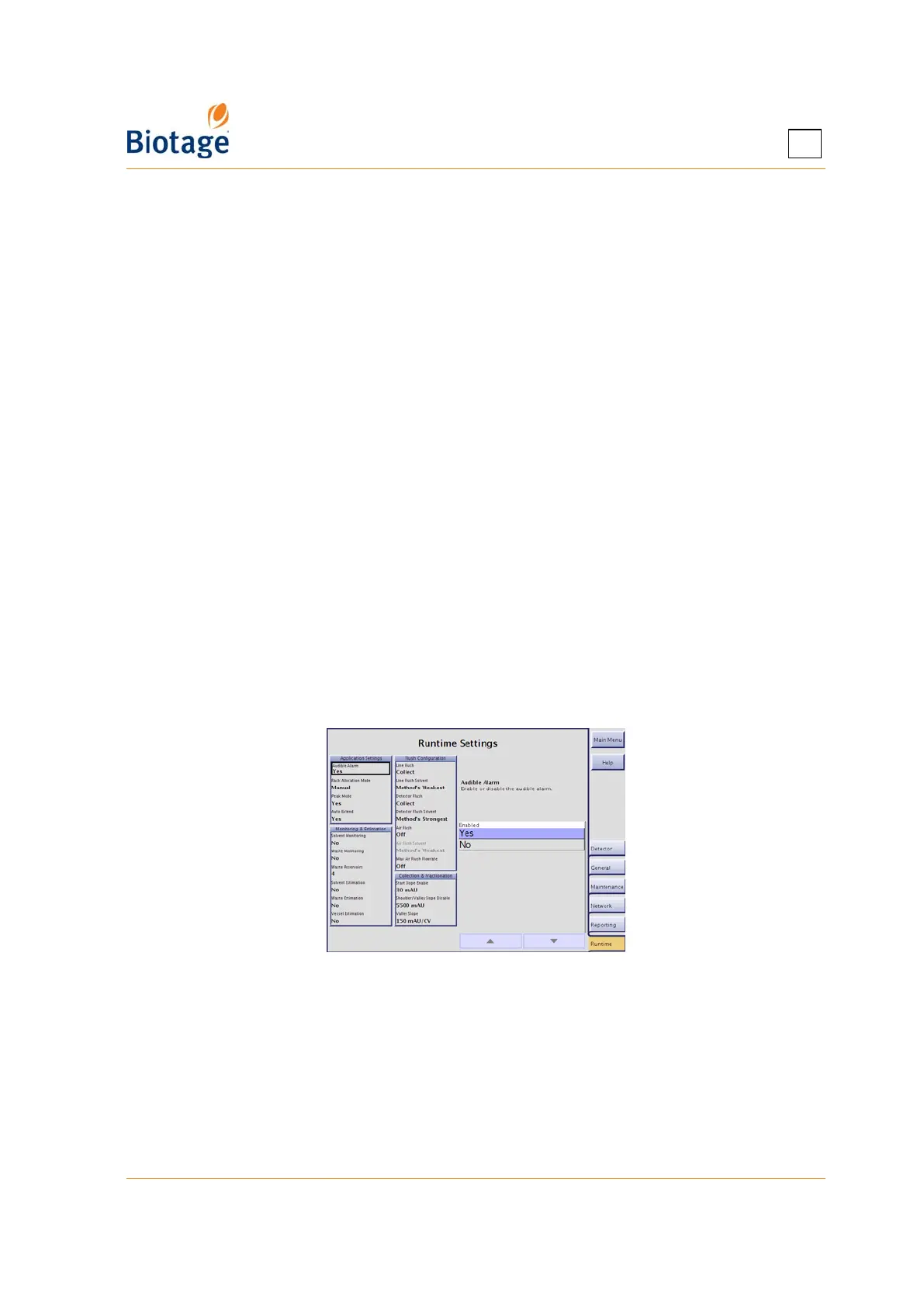
1. Select the Runtime tab in the right-hand panel.
2. To enable or disable the audible alarm, select the Audible Alarm text box and select Yes or No.
Figure 3-8. Runtime Tab (Isolera Four Shown)
3.6.2 Enable or Disable Automatic Rack Allocation
If automatic rack allocation is enabled, racks or vessels (depending on the selected method) are
automatically allocated one at a time as they are needed. The collection area must therefore at all
times be loaded with racks in all positions.
Two automatic rack allocation methods are available:
• Automatic: The system allocates racks in sequence, starting with rack A, then B, and so
forth. With this allocation method, the collection tray can be shared by several runs with the
same rack type but a single rack cannot be shared by several runs.



 To Next Page