411829-L, Description and Specifications April 2012 Page 1-16
1
1.2.9 Isolera Remote Viewer
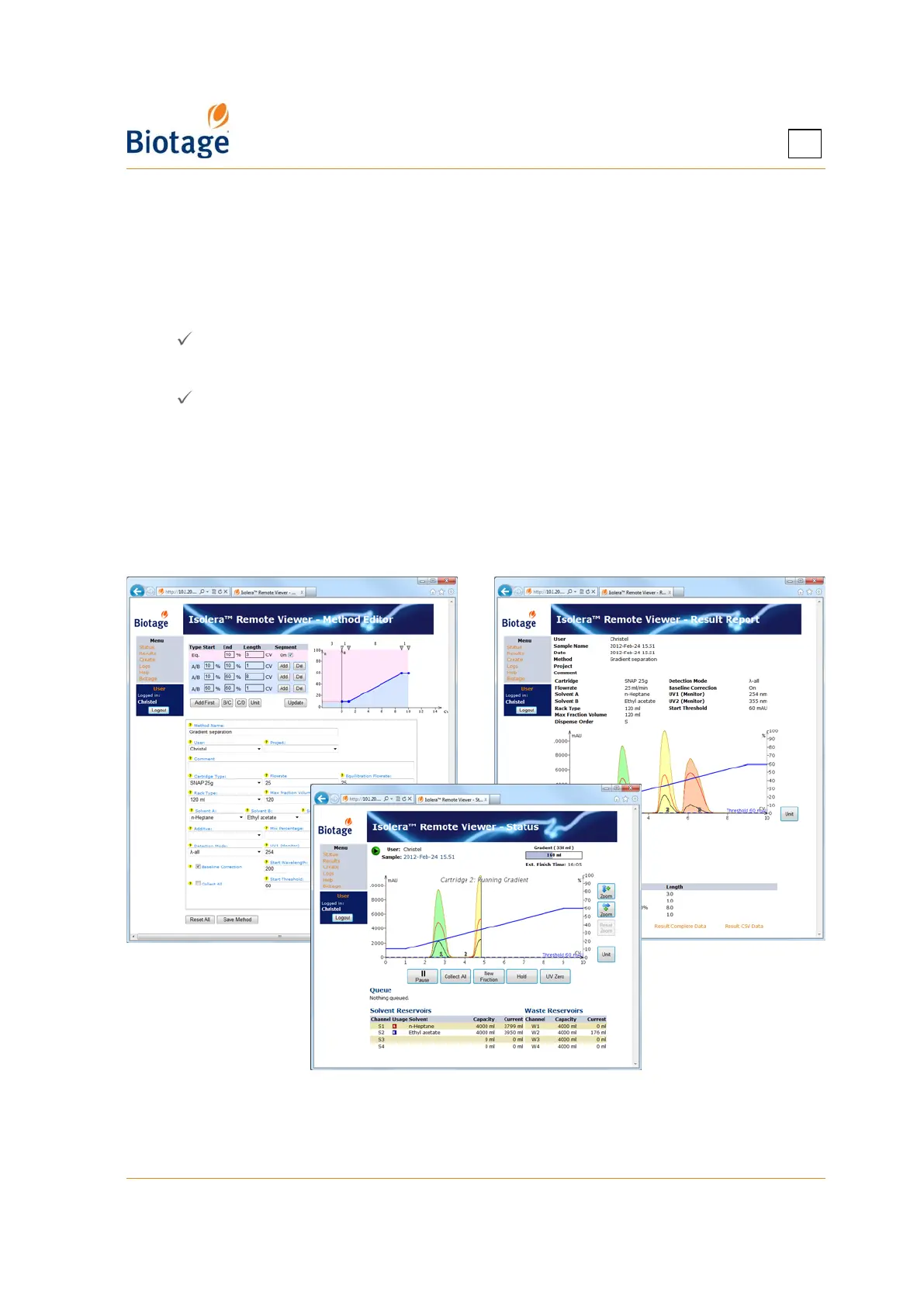
With the system connected to your network, it is possible to perform the following tasks through a
standard web browser (through the Isolera Remote Viewer feature):
• Create a new method. If desired, the method can be based on a previous purification found
in the Results view.
• Check the status of the system and the progress of a purification.
• Instruct the system to start and stop collecting fractions by clicking the Collect All button
( = fractions are collected).*
• Instruct the system to switch to a new collection vessel by clicking the New Fraction button.*
• Instruct the system to start and end an isocratic segment by clicking the Hold button
( = isocratic hold is enabled).*
• Instruct the system to pause the purification in progress by clicking the Pause button. For
safety reasons, it is only possible to pause and not resume a run from your office.
• Instruct the system to set the current UV level to 0 (zero) AU by clicking the UV Zero
button.*
• View, print, and export purification results.
* You must be logged in as the user defined in the purification run.
To access the Isolera Remote Viewer, see page 4-31.
Figure 1-12. Isolera Remote Viewer
(System with Four Solvent Inlets and Spektra License Shown)



 To Next Page