411829-L, System Settings April 2012 Page 3-13
3
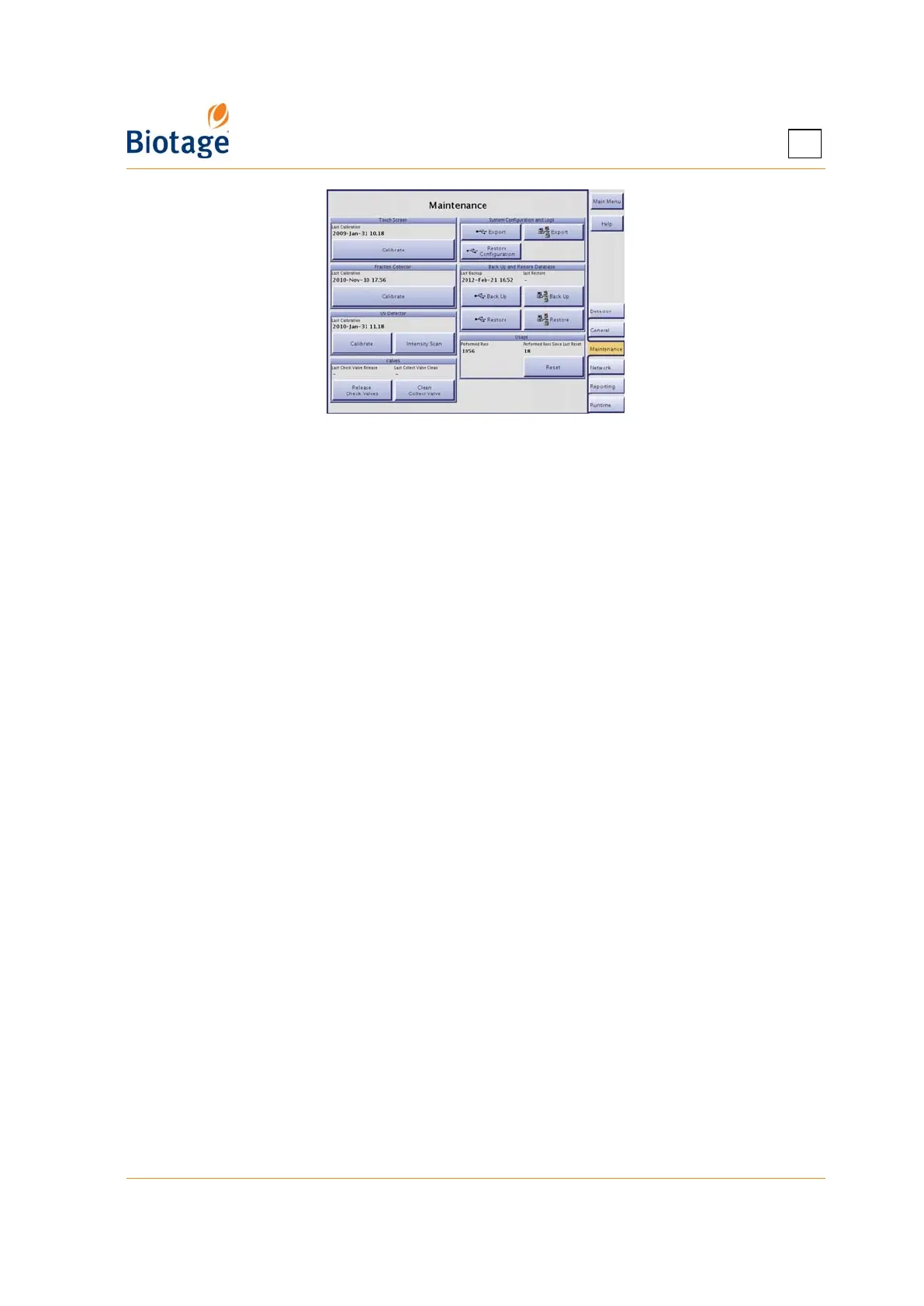
Figure 3-9. Maintenance Tab
3.7.5 Calibrate the Fraction Collector
If the fraction collector needs to be recalibrated, use the following procedure.
1. Select the Maintenance tab in the right-hand panel.
2. Press Calibrate in the Fraction Collector field. Read and follow the instructions that appear
on the screen.
3.7.6 Calibrate the Internal Detector
If the internal detector needs to be recalibrated (e.g. when a new detector lamp or flow cell has
been installed), use the following procedure.
NOTE
Only perform an intensity and absorbance calibration when you have
installed a new detector lamp. If you have installed a new detector flow
cell, perform an absorbance calibration. (The type of calibration is selected
in the wizard.)
1. Select the Maintenance tab in the right-hand panel.
2. Press Calibrate in the UV Detector field. Read and follow the instructions that appear on the
screen.
3.7.7 Perform an Intensity Scan of the Internal Detector
If requested by 1-Point Support to perform an intensity scan, follow the instructions below.
1. Select the Maintenance tab in the right-hand panel.
2. Press Intensity Scan in the UV Detector field. Read and follow the instructions that appear on the
screen. When the intensity scan has been completed successfully, the data is saved in a system log.
3. Export all system logs as described on page 3-11.
4. Send the system logs to 1-Point Support; see “Contact Information” on page 7-1.
3.7.8 Clean the Collect Valve
Dripping needle and/or inconsistent dispensing volumes can be signs of a dirty collect valve. Use
the following procedure to clean the collect valve.
1. Select the Maintenance tab in the right-hand panel.
2. Press Clean Collect Valve in the Valves field. Read and follow the instructions that appear on
the screen.



 To Next Page