411829-L, Operation April 2012 Page 4-28
4
4.9 Access Result Records
4.9.1 Search for Records
Purifications that are processed on the system are stored as individual records in the system’s
database. Possible search criteria for these records are 1) user name, 2) project name, 3) method
name, 4) sample name, and 5) date when the purification was run.
To search for records in the system’s database:
1. Select the Results tab in the right-hand panel.
2. Select the Result Selection tab.
3. If Local is not selected ( ), press Local.
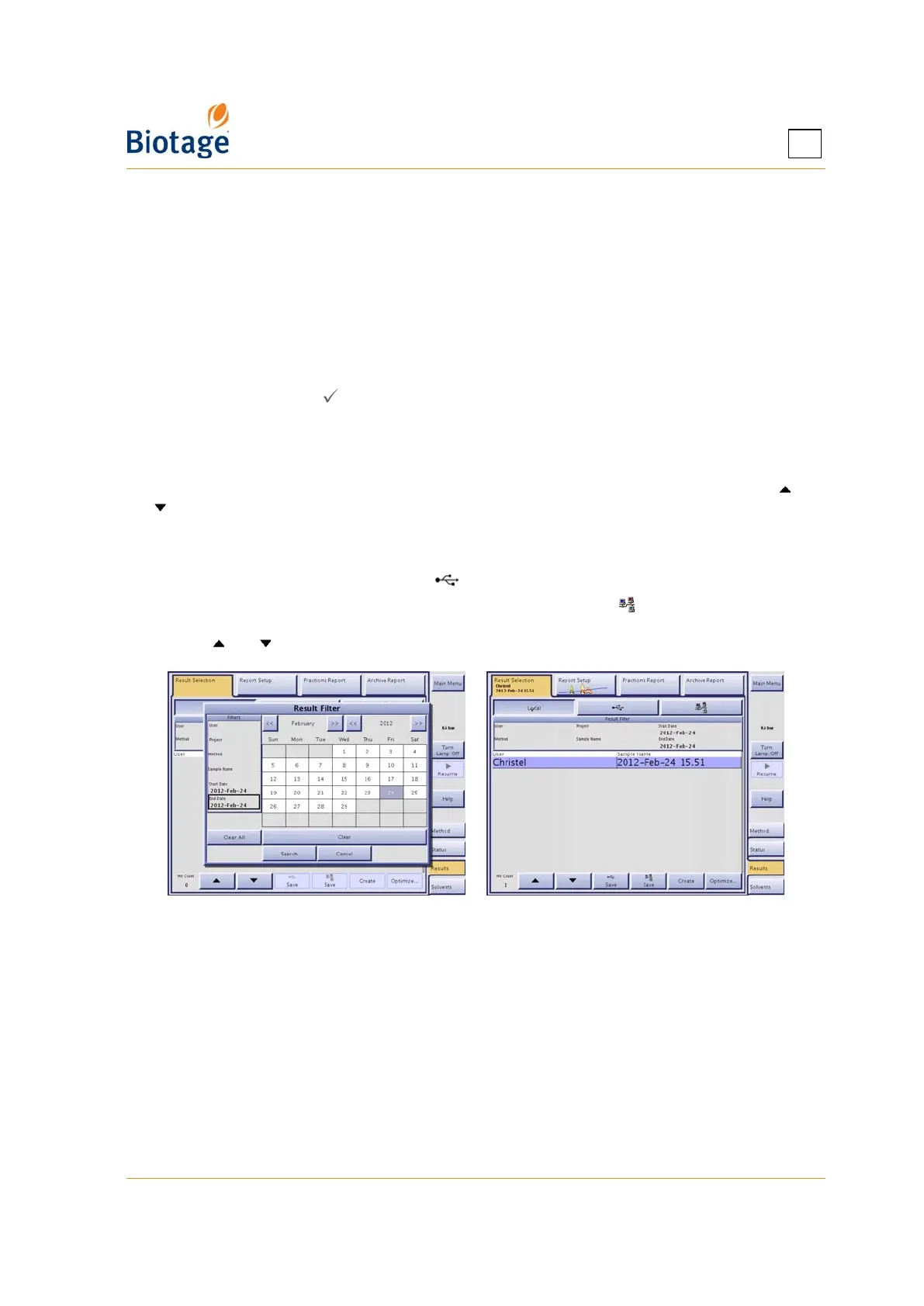
4. Press the Result Filter field. The Result Filter dialog opens.
5. Specify the filter settings. Note that the result filter is case sensitive. (If you want to list all
result records, press Clear All.)
6. To search, press Search. If there are records matching your search criteria, they are listed in
chronological order. If more records are found than can be displayed at one time, use the and
buttons to scroll through the records.
To search for records on a USB memory device or on the network:
1. To search records stored on a USB memory device, connect the device to the USB port located
underneath the touch screen and press .
2. To search records stored in the share folder on your network, press . (If the button is disabled,
no file sharing has been set up. See “Set Up File Sharing and Auto Save of Reports” on page 3-7.)
3. Use the and buttons to scroll through the records.
Figure 4-22. Search for Records



 To Next Page