35
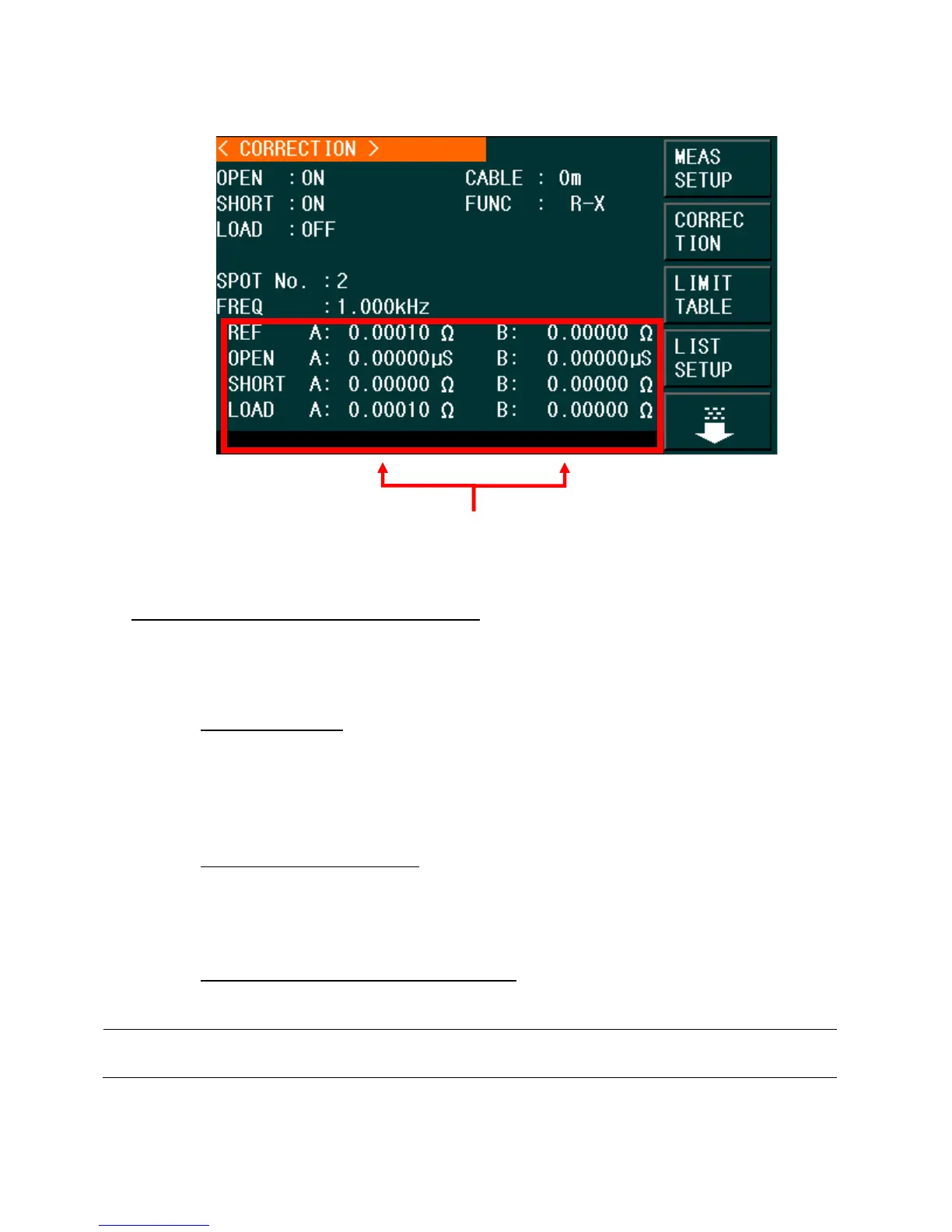
Figure 10 – Correction/Correction Menu
The Correction Monitoring zones display the results of the load correction function (REF A and
B, OPEN A and B, SHORT A and B, LOAD A and B). These are the values that will be used to
compensate a measurement after an open, short and load calibration is performed.
The correction operation has three modes:
1. Sweep Correction:
When the FREQ option is set to OFF and the OPEN/SHORT option
s are set to ON, there will be an OPEN/SHORT correction over 48 pre-set
frequencies. Any frequency measurement not part of the 48 pre-set frequencies will
use an interpolation algorithm to calculate the correction factor for that specific
frequency.
2. Point-Frequency Correction:
When the FREQ option is set to ON and OPEN/SHORT/LOAD are also set to ON,
there will be an OPEN/SHORT/LOAD correction applied to all frequency points that
are identical to those specified by the user only. Up to 201 frequencies points are
applied.
3. No Correction applied to measurements: OPEN/SHORT/LOAD corrections can be
turned ON/OFF individually.
Note: There will be an indicator (>>>>>>>>===========) at the bottom of the screen showing the progress
of the correction operation.
Correction Monitoring Zones.
www.GlobalTestSupply.com
Find Quality Products Online at: sales@GlobalTestSupply.com



 To Next Page