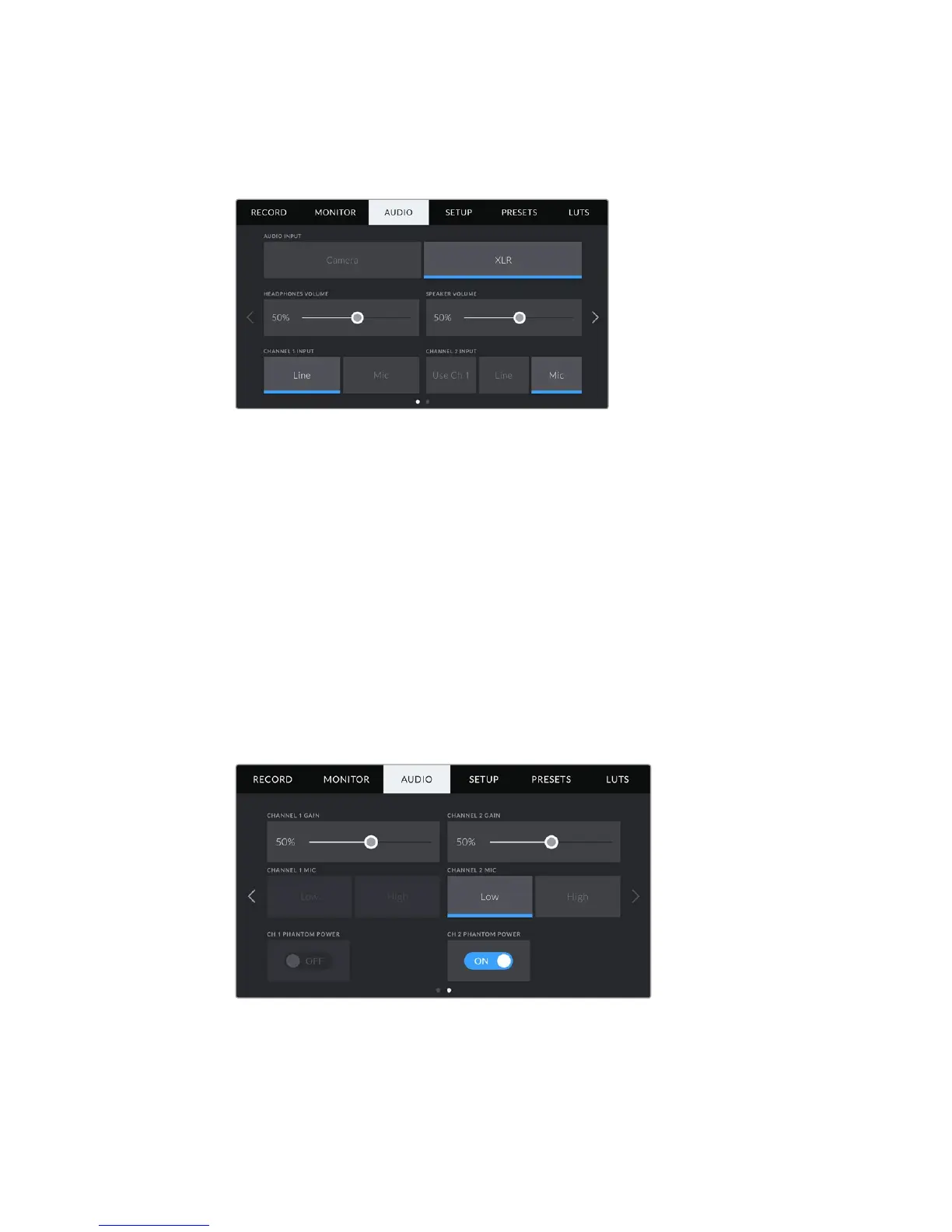
XLR Audio Settings 1
When you select 'XLR' audio input, your URSA Mini will have two pages of settings available.
The first page of the 'XLR' audio tab contains the following settings.
Headphones Volume
This slider adjusts the output levels for headphones attached to URSA Mini’s 3.5mm
headphone jack. Move the audio slider left or right to adjust levels.
Speaker Volume
This slider adjusts the output levels for your URSA Mini’s built in speaker. Move the audio slider
left or right to adjust levels.
Channel 1 and 2 input
Set the external audio input levels by tapping ‘line’ or ‘mic’ for channels one or two. These
correspond to line, or microphone levels with 48V phantom power. It’s important to select the
appropriate level for your audio signal. You can set these independently for channels one and two.
Channel 2 also has the option of using channel 1’s input if you want to record channel 1 external
audio to channels 1 and 2.
XLR Audio Settings 2
The second page of the 'XLR' audio tab contains the following settings.
Channel 1 and 2 gain
Move the slider left and right on the ‘channel 1 gain’ and ‘channel 2 gain’ settings to adjust the
audio levels for each channel.
105Settings










 To Next Page