Once both the power and fiber lights are green, this indicates that the safety checks have been
completed, and the converters have entered high power mode.
Audio Inputs
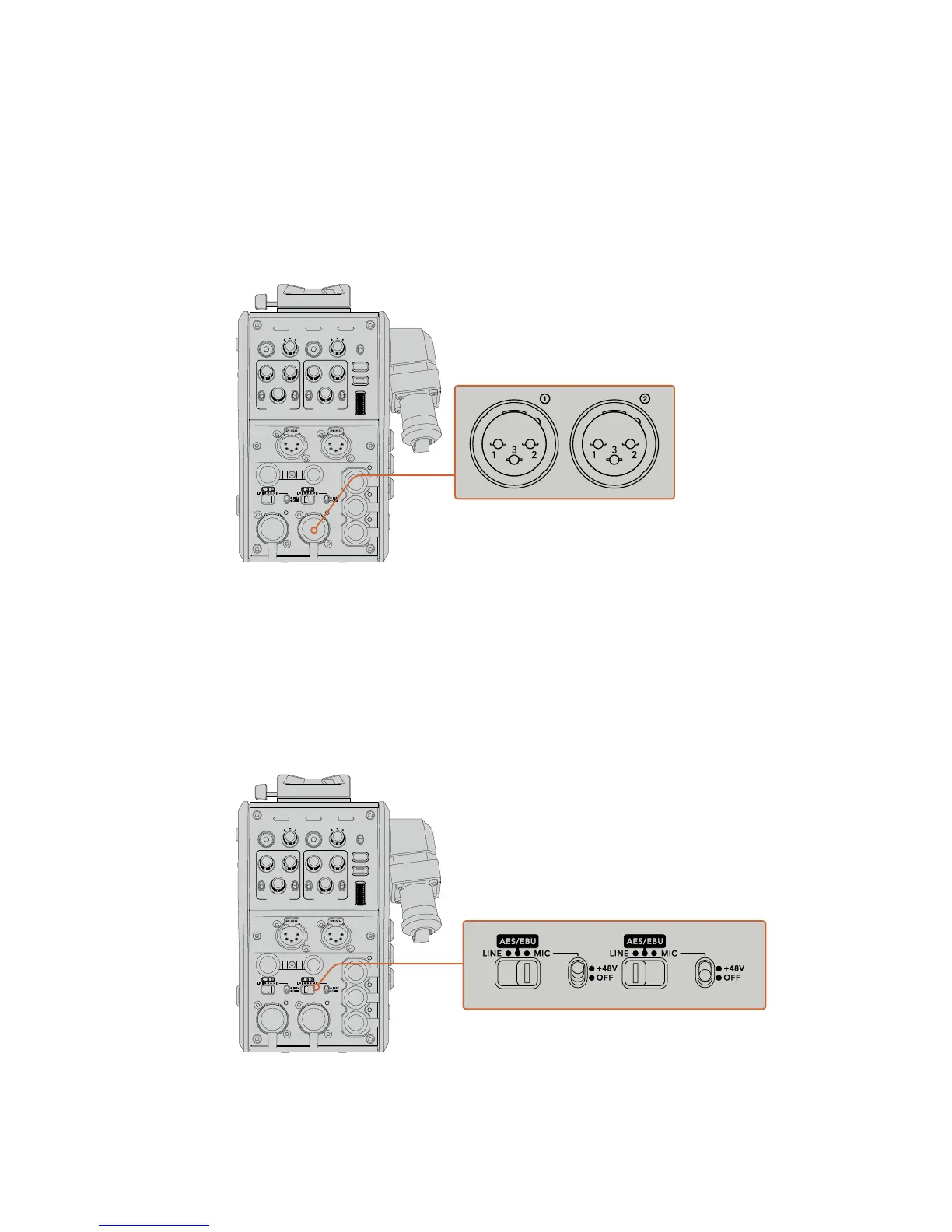
Your Blackmagic Camera Fiber Converter has two XLR inputs labelled ‘1’ and ‘2’ that allow you
to plug in external analog audio from professional equipment such as audio mixers, PA systems
or external microphones.
The camera audio is embedded into channels 1 and 2 of the camera feed, and the 2 audio
inputs on the back of the camera fiber converter are embedded as channels 3 and 4. All 4
audio channels are also deembedded at the other end on the studio fiber converter as analog
audio outputs.
The XLR connections on Blackmagic Camera Fiber Converter have set gain levels, so if you
require audio adjustment you can do this using URSA Mini and URSA Broadcast’s XLR audio
1and2 inputs. Once connected, you can use the XLR input assign switch to set how the XLR
inputs behave when selected as an input source. The options available are mic audio, line level
audio and AES digital audio.
If you would like to connect microphones that aren’t self powered, you can enable 48V phantom
power. Move the phantom power switch to ‘+48V’ to enable phantom power for any microphone
connected to the XLR below, or ‘off’ to disable phantom power.
POWER
RET 1
1 3
2
RET 2 LIGHT
FOCUS
REC
IRIS
TALLY FIBER
1 3
2
PGM 1
MIC
ON
OFF ENG
PROD
INCOM
INTERCOM 1
PGM 2
ON
OFF
PGM 1
MIC
ON
OFF ENG
PROD
INCOM
INTERCOM 2
PGM 2
TRACKER DC OUT
SDI OUT
1
2
3
4
5
1
2
3
4
5
1
2
21
3
LINE MIC
+48V
OFF
AES/EBU
LINE MIC
+48V
OFF
AES/EBU
Use the he XLR input assign switch to
select the audio input type you have
connected, and enable phantom power
if required
POWER
RET 1
1 3
2
RET 2 LIGHT
FOCUS
REC
IRIS
TALLY FIBER
1 3
2
PGM 1
MIC
ON
OFF ENG
PROD
INCOM
INTERCOM 1
PGM 2
ON
OFF
PGM 1
MIC
ON
OFF ENG
PROD
INCOM
INTERCOM 2
PGM 2
TRACKER DC OUT
SDI OUT
1
2
3
4
5
1
2
3
4
5
1
2
21
3
LINE MIC
+48V
OFF
AES/EBU
LINE MIC
+48V
OFF
AES/EBU
178Operating the CameraFiberConverter










 To Next Page