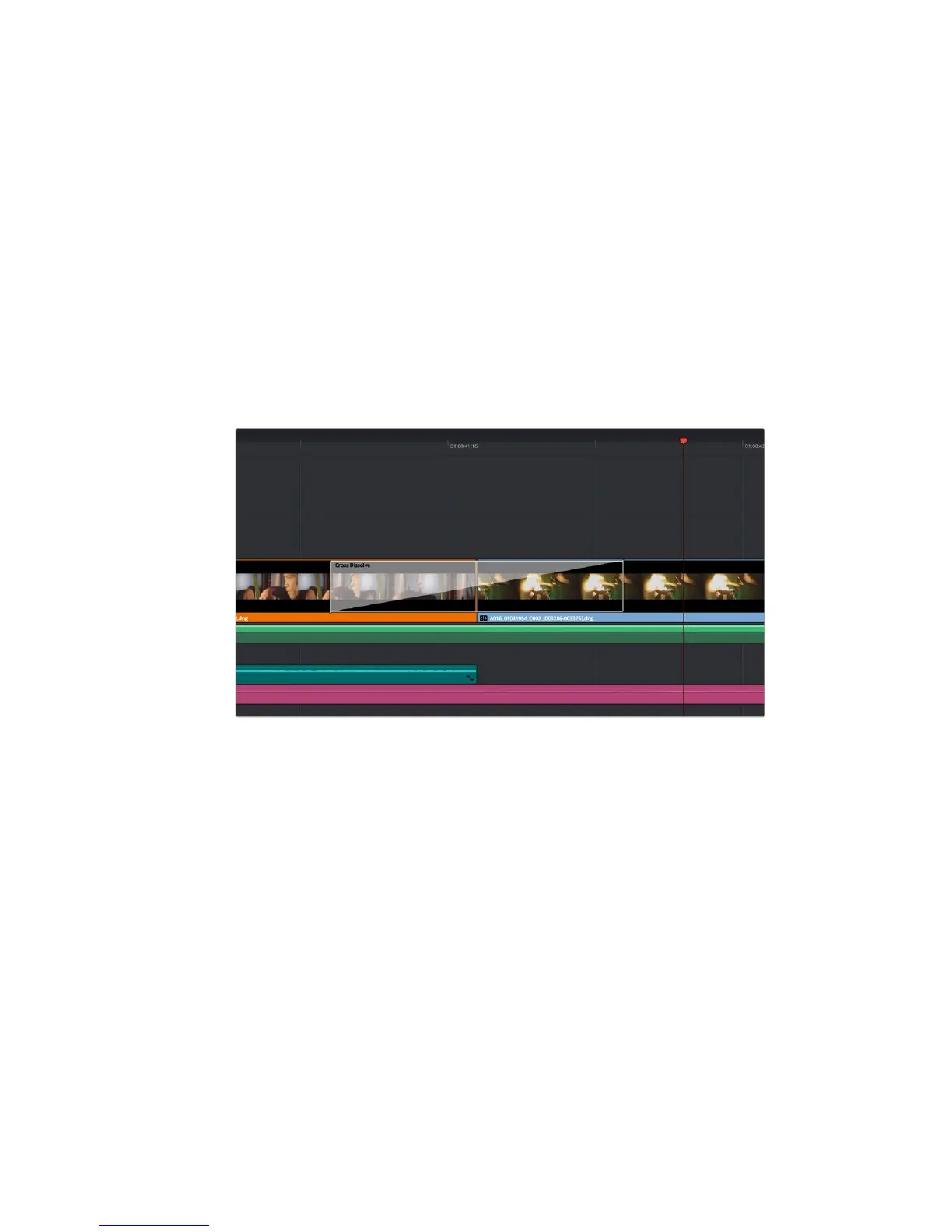
To add a dissolve transition between two clips:
1 Make sure there are two clips edited right next to one another on the timeline. Click the
‘effects library’ button in the UI toolbar at the top of the ‘edit’ page, and make sure the
‘toolbox’ panel is expanded.
2 Click on the ‘cross dissolve’ transition, drag it to your timeline and hover it over the
edit point between two clips. You’ll see the mouse pointer highlight both the end
section of the first clip, and the start of the second. Drop the transition onto the clips.
Mosttransitions are 1 second in length by default. If you don’t have enough duration
before and after the clips edit points, the transition length will reduce to what frames
are available.
You now have a smooth transition mixing from one clip to the other. If you want to adjust the
length of the transition you can lengthen or shorten its start and end point using a similar
approach to trimming a clip. Hover your mouse pointer over the start or end of the transition
until the transition ‘trim’ icon appears, then drag it left or right.
Simply drag and drop transitions between adjoining clips
Adding Titles
You can place a title on any video track just as you would aclip. If you run out of tracks you can
easily add new ones by right clicking next to an existing track name and selecting ‘add track’.
To create a title:
1 Click on ‘titles’ underneath the toolbox in the ‘effects library’. If the ‘media pool’ is open,
you will need to use the scroll bar to reveal more ‘titles’ options.
2 Drag and drop a ‘text’ title on the empty video track above the clip you want the title
to appear. You can even drop your title next to a clip on Video 1 if you just want it to
appear over black. To see the title, make sure the timeline playhead is on the title.
3 Double click on the title clip. The ‘inspector’ will appear showing you the settings for
your title. Type your title into the ‘text’ field.
You can choose from a variety of fonts and adjust the appearance of your title by changing
settings such as color, size, alignment, position, and more. Transitions can be added to titles,
just like they can for clips.
219Using DaVinci Resolve










 To Next Page